> ## Documentation Index
> This page is part of the Image and Video APIs product. Fetch the complete documentation index for Image and Video APIs at: https://cloudinary.com/documentation/llms-image-and-video-apis.txt?referrer=docpage and then use it to discover all relevant pages before exploring further.
> If your task extends beyond this product, fetch the top-level index covering all Cloudinary products and topics at: https://cloudinary.com/documentation/llms.txt?referrer=docpage
# Transformations on 3D models
You can apply image transformations on 3D models as described on this page.
The examples on this page use the following models:
* CldLogo3D.glb: a GLB file, uploaded as an `image` asset type.
* DamagedHelmet3D.gltz: a zip file, uploaded as an `image` asset type, containing a glTF file and other associated files.
* foyer-table.fbxz: a zip file, uploaded as an `image` asset type, containing an FBX file and other associated files. [© HippoStance]
* cute-kitty.glb: a GLB file, uploaded as an `image` asset type. ["Cute Little Kitty" [https://skfb.ly/ospAT](https://skfb.ly/ospAT) by Diskette96 is licensed under [Creative Commons Attribution](http://creativecommons.org/licenses/by/4.0/).]
> **NOTES**:
>
> * Upload 3D models with the `image` asset type (see [Uploading 3D models](upload_parameters#uploading_3d_models) for details).
> * To transform and deliver 3D models, ensure that the **Allow delivery of PDF and ZIP files** option is enabled in the **Security** page of your Console Settings.
> * [Special transformation counts](transformation_counts#3d_models) apply to 3D models.
## Generating an image from a 3D model
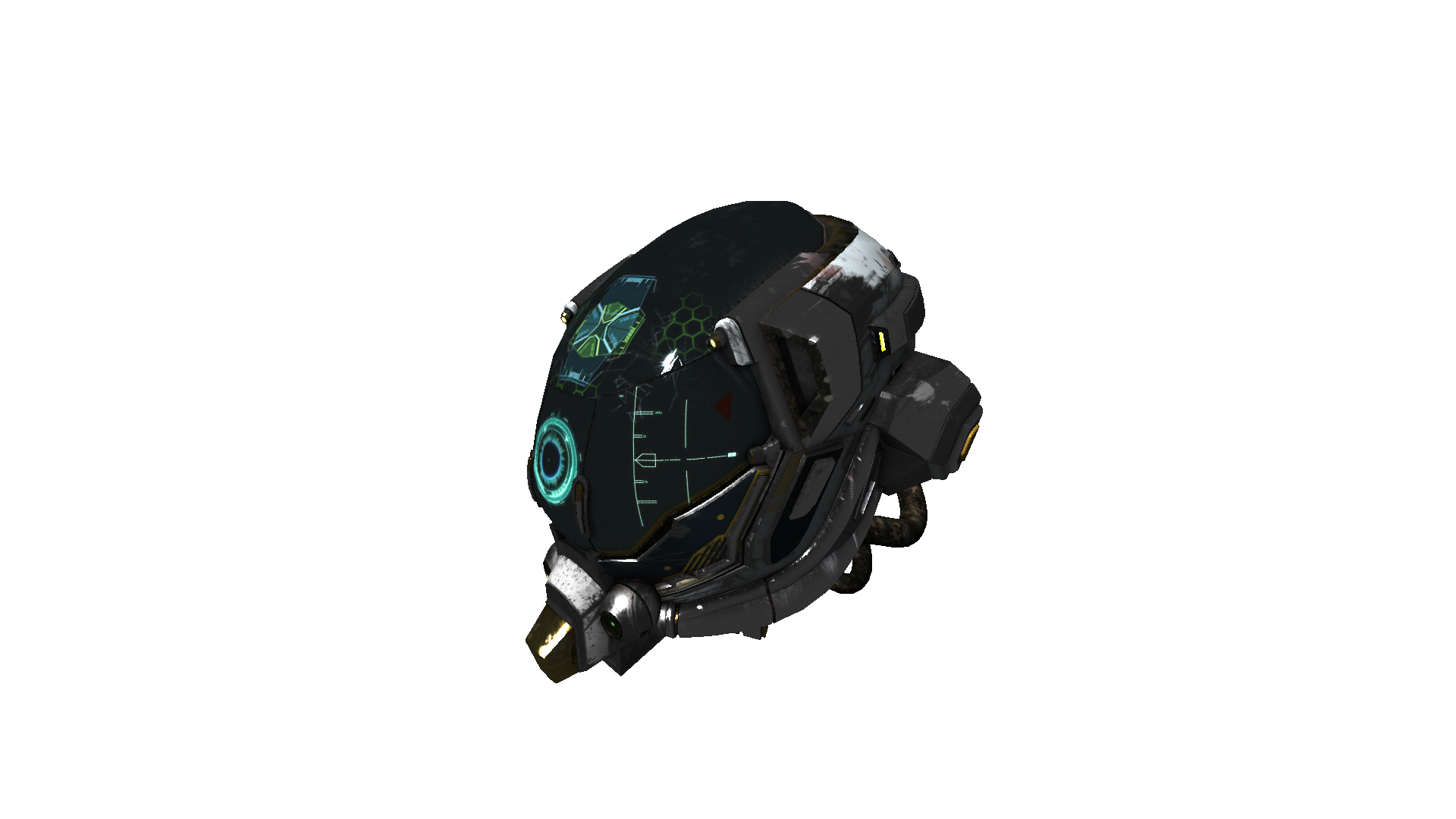
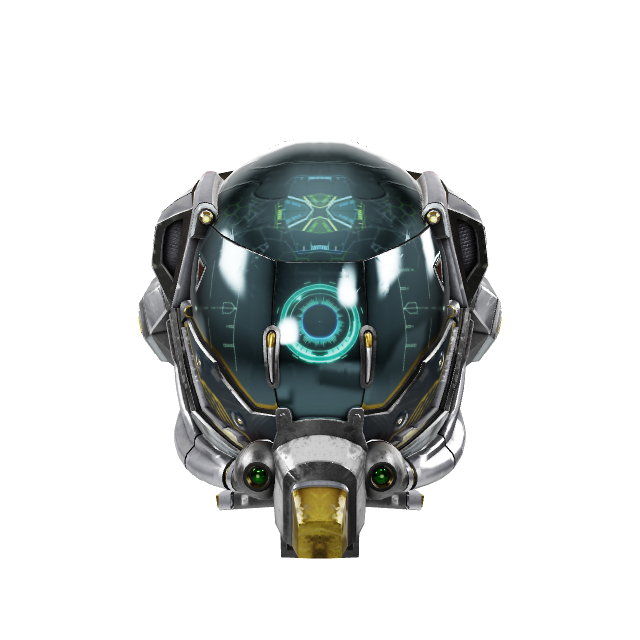
You can generate a single image from a 3D model by [setting the format](image_format_support#delivering_in_a_different_format) to an [image format](image_format_support#supported_image_formats) such as PNG or JPG and using the [camera](transformation_reference#e_camera) effect (`e_camera` in URLs).
For example, the `DamagedHelmet3D.gltz` file can be requested as a PNG file (`f_png`) as follows:
```nodejs
cloudinary.image("DamagedHelmet3D", {format: "png"})
```
```react
import { format } from "@cloudinary/url-gen/actions/delivery";
import { png } from "@cloudinary/url-gen/qualifiers/format";
new CloudinaryImage("DamagedHelmet3D").delivery(format(png()));
```
```vue
import { format } from "@cloudinary/url-gen/actions/delivery";
import { png } from "@cloudinary/url-gen/qualifiers/format";
new CloudinaryImage("DamagedHelmet3D").delivery(format(png()));
```
```angular
import { format } from "@cloudinary/url-gen/actions/delivery";
import { png } from "@cloudinary/url-gen/qualifiers/format";
new CloudinaryImage("DamagedHelmet3D").delivery(format(png()));
```
```js
import { format } from "@cloudinary/url-gen/actions/delivery";
import { png } from "@cloudinary/url-gen/qualifiers/format";
new CloudinaryImage("DamagedHelmet3D").delivery(format(png()));
```
```python
CloudinaryImage("DamagedHelmet3D").image(format="png")
```
```php
use Cloudinary\Transformation\Delivery;
use Cloudinary\Transformation\Format;
(new ImageTag('DamagedHelmet3D'))
->delivery(Delivery::format(
Format::png()));
```
```java
cloudinary.url().transformation(new Transformation().format("png").imageTag("DamagedHelmet3D");
```
```ruby
cl_image_tag("DamagedHelmet3D", format: "png")
```
```csharp
cloudinary.Api.UrlImgUp.Format("png").BuildImageTag("DamagedHelmet3D")
```
```dart
cloudinary.image('DamagedHelmet3D').transformation(Transformation()
.delivery(Delivery.format(
Format.png())));
```
```swift
imageView.cldSetImage(cloudinary.createUrl().setFormat("png").generate("DamagedHelmet3D")!, cloudinary: cloudinary)
```
```android
MediaManager.get().url().transformation(new Transformation().format("png").generate("DamagedHelmet3D");
```
```flutter
cloudinary.image('DamagedHelmet3D').transformation(Transformation()
.delivery(Delivery.format(
Format.png())));
```
```kotlin
cloudinary.image {
publicId("DamagedHelmet3D")
delivery(Delivery.format(
Format.png()))
}.generate()
```
```jquery
$.cloudinary.image("DamagedHelmet3D", {format: "png"})
```
```react_native
import { format } from "@cloudinary/url-gen/actions/delivery";
import { png } from "@cloudinary/url-gen/qualifiers/format";
new CloudinaryImage("DamagedHelmet3D").delivery(format(png()));
```
-->
```nodejs
cloudinary.image("DamagedHelmet3D.gltz", {transformation: [
{effect: "camera"},
{fetch_format: "png"}
]})
```
```react
new CloudinaryImage("DamagedHelmet3D.gltz").addTransformation("e_camera/f_png");
```
```vue
new CloudinaryImage("DamagedHelmet3D.gltz").addTransformation("e_camera/f_png");
```
```angular
new CloudinaryImage("DamagedHelmet3D.gltz").addTransformation("e_camera/f_png");
```
```js
new CloudinaryImage("DamagedHelmet3D.gltz").addTransformation("e_camera/f_png");
```
```python
CloudinaryImage("DamagedHelmet3D.gltz").image(transformation=[
{'effect': "camera"},
{'fetch_format': "png"}
])
```
```php
(new ImageTag('DamagedHelmet3D.gltz'))
->addTransformation("e_camera/f_png");
```
```java
cloudinary.url().transformation(new Transformation()
.effect("camera").chain()
.fetchFormat("png")).imageTag("DamagedHelmet3D.gltz");
```
```ruby
cl_image_tag("DamagedHelmet3D.gltz", transformation: [
{effect: "camera"},
{fetch_format: "png"}
])
```
```csharp
cloudinary.Api.UrlImgUp.Transform(new Transformation()
.Effect("camera").Chain()
.FetchFormat("png")).BuildImageTag("DamagedHelmet3D.gltz")
```
```dart
cloudinary.image('DamagedHelmet3D.gltz').transformation(Transformation()
.addTransformation("e_camera/f_png"));
```
```swift
imageView.cldSetImage(cloudinary.createUrl().setTransformation(CLDTransformation()
.setEffect("camera").chain()
.setFetchFormat("png")).generate("DamagedHelmet3D.gltz")!, cloudinary: cloudinary)
```
```android
MediaManager.get().url().transformation(new Transformation()
.effect("camera").chain()
.fetchFormat("png")).generate("DamagedHelmet3D.gltz");
```
```flutter
cloudinary.image('DamagedHelmet3D.gltz').transformation(Transformation()
.addTransformation("e_camera/f_png"));
```
```kotlin
cloudinary.image {
publicId("DamagedHelmet3D.gltz")
addTransformation("e_camera/f_png")
}.generate()
```
```jquery
$.cloudinary.image("DamagedHelmet3D.gltz", {transformation: [
{effect: "camera"},
{fetch_format: "png"}
]})
```
```react_native
new CloudinaryImage("DamagedHelmet3D.gltz").addTransformation("e_camera/f_png");
```
Or, by specifying the .png extension:

```nodejs
cloudinary.image("DamagedHelmet3D.png", {effect: "camera"})
```
```react
new CloudinaryImage("DamagedHelmet3D.png").addTransformation("e_camera");
```
```vue
new CloudinaryImage("DamagedHelmet3D.png").addTransformation("e_camera");
```
```angular
new CloudinaryImage("DamagedHelmet3D.png").addTransformation("e_camera");
```
```js
new CloudinaryImage("DamagedHelmet3D.png").addTransformation("e_camera");
```
```python
CloudinaryImage("DamagedHelmet3D.png").image(effect="camera")
```
```php
(new ImageTag('DamagedHelmet3D.png'))
->addTransformation("e_camera");
```
```java
cloudinary.url().transformation(new Transformation().effect("camera")).imageTag("DamagedHelmet3D.png");
```
```ruby
cl_image_tag("DamagedHelmet3D.png", effect: "camera")
```
```csharp
cloudinary.Api.UrlImgUp.Transform(new Transformation().Effect("camera")).BuildImageTag("DamagedHelmet3D.png")
```
```dart
cloudinary.image('DamagedHelmet3D.png').transformation(Transformation()
.addTransformation("e_camera"));
```
```swift
imageView.cldSetImage(cloudinary.createUrl().setTransformation(CLDTransformation().setEffect("camera")).generate("DamagedHelmet3D.png")!, cloudinary: cloudinary)
```
```android
MediaManager.get().url().transformation(new Transformation().effect("camera")).generate("DamagedHelmet3D.png");
```
```flutter
cloudinary.image('DamagedHelmet3D.png').transformation(Transformation()
.addTransformation("e_camera"));
```
```kotlin
cloudinary.image {
publicId("DamagedHelmet3D.png")
addTransformation("e_camera")
}.generate()
```
```jquery
$.cloudinary.image("DamagedHelmet3D.png", {effect: "camera"})
```
```react_native
new CloudinaryImage("DamagedHelmet3D.png").addTransformation("e_camera");
```
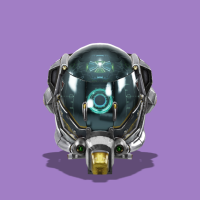
You can then apply further transformations to the image, for example, add a shadow using the [light effect](transformation_reference#e_light) (`e_light` in URLs), and apply a purple [background](transformation_reference#b_background) (`b` in URLs):
```nodejs
cloudinary.image("DamagedHelmet3D", {transformation: [
{effect: "camera"},
{aspect_ratio: "1", gravity: "auto", height: 200, crop: "fill"},
{effect: "light:shadowintensity_40"},
{fetch_format: "png"},
{background: "#a17ec5"}
]})
```
```react
new CloudinaryImage("DamagedHelmet3D").addTransformation(
"e_camera/ar_1,c_fill,g_auto,h_200/e_light:shadowintensity_40/f_png/b_rgb:a17ec5"
);
```
```vue
new CloudinaryImage("DamagedHelmet3D").addTransformation(
"e_camera/ar_1,c_fill,g_auto,h_200/e_light:shadowintensity_40/f_png/b_rgb:a17ec5"
);
```
```angular
new CloudinaryImage("DamagedHelmet3D").addTransformation(
"e_camera/ar_1,c_fill,g_auto,h_200/e_light:shadowintensity_40/f_png/b_rgb:a17ec5"
);
```
```js
new CloudinaryImage("DamagedHelmet3D").addTransformation(
"e_camera/ar_1,c_fill,g_auto,h_200/e_light:shadowintensity_40/f_png/b_rgb:a17ec5"
);
```
```python
CloudinaryImage("DamagedHelmet3D").image(transformation=[
{'effect': "camera"},
{'aspect_ratio': "1", 'gravity': "auto", 'height': 200, 'crop': "fill"},
{'effect': "light:shadowintensity_40"},
{'fetch_format': "png"},
{'background': "#a17ec5"}
])
```
```php
(new ImageTag('DamagedHelmet3D'))
->addTransformation("e_camera/ar_1,c_fill,g_auto,h_200/e_light:shadowintensity_40/f_png/b_rgb:a17ec5");
```
```java
cloudinary.url().transformation(new Transformation()
.effect("camera").chain()
.aspectRatio("1").gravity("auto").height(200).crop("fill").chain()
.effect("light:shadowintensity_40").chain()
.fetchFormat("png").chain()
.background("#a17ec5")).imageTag("DamagedHelmet3D");
```
```ruby
cl_image_tag("DamagedHelmet3D", transformation: [
{effect: "camera"},
{aspect_ratio: "1", gravity: "auto", height: 200, crop: "fill"},
{effect: "light:shadowintensity_40"},
{fetch_format: "png"},
{background: "#a17ec5"}
])
```
```csharp
cloudinary.Api.UrlImgUp.Transform(new Transformation()
.Effect("camera").Chain()
.AspectRatio("1").Gravity("auto").Height(200).Crop("fill").Chain()
.Effect("light:shadowintensity_40").Chain()
.FetchFormat("png").Chain()
.Background("#a17ec5")).BuildImageTag("DamagedHelmet3D")
```
```dart
cloudinary.image('DamagedHelmet3D').transformation(Transformation()
.addTransformation("e_camera/ar_1,c_fill,g_auto,h_200/e_light:shadowintensity_40/f_png/b_rgb:a17ec5"));
```
```swift
imageView.cldSetImage(cloudinary.createUrl().setTransformation(CLDTransformation()
.setEffect("camera").chain()
.setAspectRatio("1").setGravity("auto").setHeight(200).setCrop("fill").chain()
.setEffect("light:shadowintensity_40").chain()
.setFetchFormat("png").chain()
.setBackground("#a17ec5")).generate("DamagedHelmet3D")!, cloudinary: cloudinary)
```
```android
MediaManager.get().url().transformation(new Transformation()
.effect("camera").chain()
.aspectRatio("1").gravity("auto").height(200).crop("fill").chain()
.effect("light:shadowintensity_40").chain()
.fetchFormat("png").chain()
.background("#a17ec5")).generate("DamagedHelmet3D");
```
```flutter
cloudinary.image('DamagedHelmet3D').transformation(Transformation()
.addTransformation("e_camera/ar_1,c_fill,g_auto,h_200/e_light:shadowintensity_40/f_png/b_rgb:a17ec5"));
```
```kotlin
cloudinary.image {
publicId("DamagedHelmet3D")
addTransformation("e_camera/ar_1,c_fill,g_auto,h_200/e_light:shadowintensity_40/f_png/b_rgb:a17ec5")
}.generate()
```
```jquery
$.cloudinary.image("DamagedHelmet3D", {transformation: [
{effect: "camera"},
{aspect_ratio: "1", gravity: "auto", height: 200, crop: "fill"},
{effect: "light:shadowintensity_40"},
{fetch_format: "png"},
{background: "#a17ec5"}
]})
```
```react_native
new CloudinaryImage("DamagedHelmet3D").addTransformation(
"e_camera/ar_1,c_fill,g_auto,h_200/e_light:shadowintensity_40/f_png/b_rgb:a17ec5"
);
```
By default, the image is rendered at a resolution of 640 x 640 pixels, but you can change that by [scaling](image_resize_modes#scale) the model before applying other transformations, for example:

```nodejs
cloudinary.image("DamagedHelmet3D.png", {transformation: [
{width: 800, crop: "scale"},
{effect: "camera"}
]})
```
```react
new CloudinaryImage("DamagedHelmet3D.png").addTransformation(
"c_scale,w_800/e_camera"
);
```
```vue
new CloudinaryImage("DamagedHelmet3D.png").addTransformation(
"c_scale,w_800/e_camera"
);
```
```angular
new CloudinaryImage("DamagedHelmet3D.png").addTransformation(
"c_scale,w_800/e_camera"
);
```
```js
new CloudinaryImage("DamagedHelmet3D.png").addTransformation(
"c_scale,w_800/e_camera"
);
```
```python
CloudinaryImage("DamagedHelmet3D.png").image(transformation=[
{'width': 800, 'crop': "scale"},
{'effect': "camera"}
])
```
```php
(new ImageTag('DamagedHelmet3D.png'))
->addTransformation("c_scale,w_800/e_camera");
```
```java
cloudinary.url().transformation(new Transformation()
.width(800).crop("scale").chain()
.effect("camera")).imageTag("DamagedHelmet3D.png");
```
```ruby
cl_image_tag("DamagedHelmet3D.png", transformation: [
{width: 800, crop: "scale"},
{effect: "camera"}
])
```
```csharp
cloudinary.Api.UrlImgUp.Transform(new Transformation()
.Width(800).Crop("scale").Chain()
.Effect("camera")).BuildImageTag("DamagedHelmet3D.png")
```
```dart
cloudinary.image('DamagedHelmet3D.png').transformation(Transformation()
.addTransformation("c_scale,w_800/e_camera"));
```
```swift
imageView.cldSetImage(cloudinary.createUrl().setTransformation(CLDTransformation()
.setWidth(800).setCrop("scale").chain()
.setEffect("camera")).generate("DamagedHelmet3D.png")!, cloudinary: cloudinary)
```
```android
MediaManager.get().url().transformation(new Transformation()
.width(800).crop("scale").chain()
.effect("camera")).generate("DamagedHelmet3D.png");
```
```flutter
cloudinary.image('DamagedHelmet3D.png').transformation(Transformation()
.addTransformation("c_scale,w_800/e_camera"));
```
```kotlin
cloudinary.image {
publicId("DamagedHelmet3D.png")
addTransformation("c_scale,w_800/e_camera")
}.generate()
```
```jquery
$.cloudinary.image("DamagedHelmet3D.png", {transformation: [
{width: 800, crop: "scale"},
{effect: "camera"}
]})
```
```react_native
new CloudinaryImage("DamagedHelmet3D.png").addTransformation(
"c_scale,w_800/e_camera"
);
```
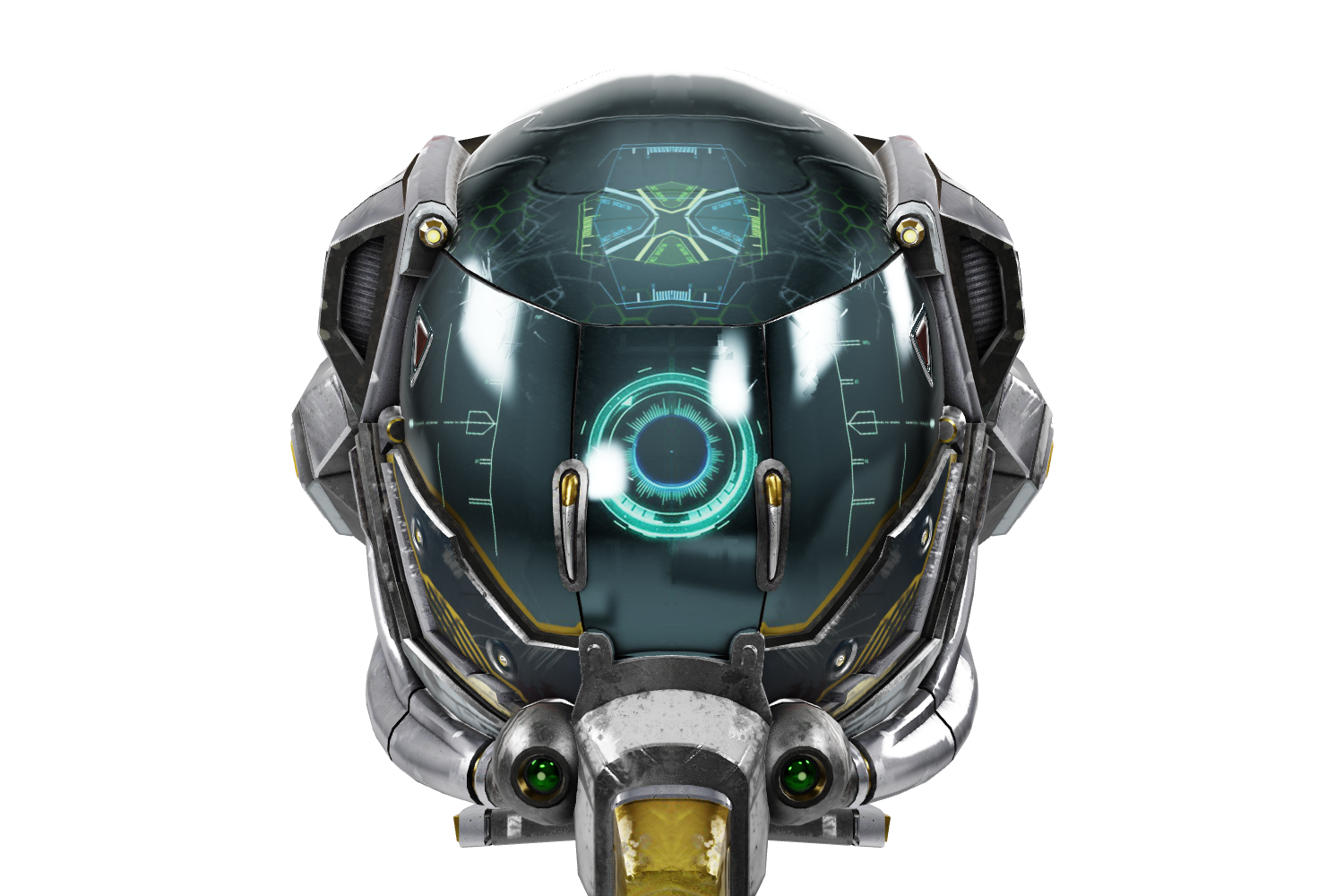
> **TIP**: The image rendering size is particularly relevant if you want to use a resize/cropping action other than scale that will result in an image greater than 640 x 640 pixels, for example, `c_fill,w_1500,h_1000`. If you don't specify the size to render the image from the model first, using, for example, `c_scale,w_1500`, then the `c_fill` action will upscale the default 640 x 640 pixel image, resulting in a lower quality image.
Therefore, the best practice in this case would be:
```nodejs
cloudinary.image("DamagedHelmet3D.png", {transformation: [
{width: 1500, crop: "scale"},
{width: 1500, height: 1000, crop: "fill"},
{effect: "camera"}
]})
```
```react
new CloudinaryImage("DamagedHelmet3D.png").addTransformation(
"c_scale,w_1500/c_fill,w_1500,h_1000/e_camera"
);
```
```vue
new CloudinaryImage("DamagedHelmet3D.png").addTransformation(
"c_scale,w_1500/c_fill,w_1500,h_1000/e_camera"
);
```
```angular
new CloudinaryImage("DamagedHelmet3D.png").addTransformation(
"c_scale,w_1500/c_fill,w_1500,h_1000/e_camera"
);
```
```js
new CloudinaryImage("DamagedHelmet3D.png").addTransformation(
"c_scale,w_1500/c_fill,w_1500,h_1000/e_camera"
);
```
```python
CloudinaryImage("DamagedHelmet3D.png").image(transformation=[
{'width': 1500, 'crop': "scale"},
{'width': 1500, 'height': 1000, 'crop': "fill"},
{'effect': "camera"}
])
```
```php
(new ImageTag('DamagedHelmet3D.png'))
->addTransformation("c_scale,w_1500/c_fill,w_1500,h_1000/e_camera");
```
```java
cloudinary.url().transformation(new Transformation()
.width(1500).crop("scale").chain()
.width(1500).height(1000).crop("fill").chain()
.effect("camera")).imageTag("DamagedHelmet3D.png");
```
```ruby
cl_image_tag("DamagedHelmet3D.png", transformation: [
{width: 1500, crop: "scale"},
{width: 1500, height: 1000, crop: "fill"},
{effect: "camera"}
])
```
```csharp
cloudinary.Api.UrlImgUp.Transform(new Transformation()
.Width(1500).Crop("scale").Chain()
.Width(1500).Height(1000).Crop("fill").Chain()
.Effect("camera")).BuildImageTag("DamagedHelmet3D.png")
```
```dart
cloudinary.image('DamagedHelmet3D.png').transformation(Transformation()
.addTransformation("c_scale,w_1500/c_fill,w_1500,h_1000/e_camera"));
```
```swift
imageView.cldSetImage(cloudinary.createUrl().setTransformation(CLDTransformation()
.setWidth(1500).setCrop("scale").chain()
.setWidth(1500).setHeight(1000).setCrop("fill").chain()
.setEffect("camera")).generate("DamagedHelmet3D.png")!, cloudinary: cloudinary)
```
```android
MediaManager.get().url().transformation(new Transformation()
.width(1500).crop("scale").chain()
.width(1500).height(1000).crop("fill").chain()
.effect("camera")).generate("DamagedHelmet3D.png");
```
```flutter
cloudinary.image('DamagedHelmet3D.png').transformation(Transformation()
.addTransformation("c_scale,w_1500/c_fill,w_1500,h_1000/e_camera"));
```
```kotlin
cloudinary.image {
publicId("DamagedHelmet3D.png")
addTransformation("c_scale,w_1500/c_fill,w_1500,h_1000/e_camera")
}.generate()
```
```jquery
$.cloudinary.image("DamagedHelmet3D.png", {transformation: [
{width: 1500, crop: "scale"},
{width: 1500, height: 1000, crop: "fill"},
{effect: "camera"}
]})
```
```react_native
new CloudinaryImage("DamagedHelmet3D.png").addTransformation(
"c_scale,w_1500/c_fill,w_1500,h_1000/e_camera"
);
```
You can also customize the 2D image you create from the 3D model by specifying the position of the camera, the exposure, zoom and lighting to capture your perfect shot.
The camera always points towards the center of the 3D model and can be rotated around it.
For full syntax details see the [camera](transformation_reference#e_camera) effect in the transformation reference.
For example, capture a JPG image of the `foyer-table` 3D model (`f_jpg`) with the camera positioned at an angle of 20 degrees above the table (`up_20`), rotated 30 degrees to the left (`right_-30`), zoomed in to 110% (`zoom_1.1`), with "pillars" lighting (`env_pillars`) and 1.4 amount of exposure (`exposure_1.4`):

```nodejs
cloudinary.image("docs/foyer-table", {effect: "camera:up_20;right_-30;zoom_1.1;env_pillars;exposure_1.4", format: "jpg"})
```
```react
new CloudinaryImage("docs/foyer-table").addTransformation(
"e_camera:up_20;right_-30;zoom_1.1;env_pillars;exposure_1.4/f_jpg"
);
```
```vue
new CloudinaryImage("docs/foyer-table").addTransformation(
"e_camera:up_20;right_-30;zoom_1.1;env_pillars;exposure_1.4/f_jpg"
);
```
```angular
new CloudinaryImage("docs/foyer-table").addTransformation(
"e_camera:up_20;right_-30;zoom_1.1;env_pillars;exposure_1.4/f_jpg"
);
```
```js
new CloudinaryImage("docs/foyer-table").addTransformation(
"e_camera:up_20;right_-30;zoom_1.1;env_pillars;exposure_1.4/f_jpg"
);
```
```python
CloudinaryImage("docs/foyer-table").image(effect="camera:up_20;right_-30;zoom_1.1;env_pillars;exposure_1.4", format="jpg")
```
```php
(new ImageTag('docs/foyer-table'))
->addTransformation("e_camera:up_20;right_-30;zoom_1.1;env_pillars;exposure_1.4/f_jpg");
```
```java
cloudinary.url().transformation(new Transformation().effect("camera:up_20;right_-30;zoom_1.1;env_pillars;exposure_1.4")).format("jpg").imageTag("docs/foyer-table");
```
```ruby
cl_image_tag("docs/foyer-table", effect: "camera:up_20;right_-30;zoom_1.1;env_pillars;exposure_1.4", format: "jpg")
```
```csharp
cloudinary.Api.UrlImgUp.Transform(new Transformation().Effect("camera:up_20;right_-30;zoom_1.1;env_pillars;exposure_1.4")).Format("jpg").BuildImageTag("docs/foyer-table")
```
```dart
cloudinary.image('docs/foyer-table').transformation(Transformation()
.addTransformation("e_camera:up_20;right_-30;zoom_1.1;env_pillars;exposure_1.4/f_jpg"));
```
```swift
imageView.cldSetImage(cloudinary.createUrl().setFormat("jpg").setTransformation(CLDTransformation().setEffect("camera:up_20;right_-30;zoom_1.1;env_pillars;exposure_1.4")).generate("docs/foyer-table")!, cloudinary: cloudinary)
```
```android
MediaManager.get().url().transformation(new Transformation().effect("camera:up_20;right_-30;zoom_1.1;env_pillars;exposure_1.4")).format("jpg").generate("docs/foyer-table");
```
```flutter
cloudinary.image('docs/foyer-table').transformation(Transformation()
.addTransformation("e_camera:up_20;right_-30;zoom_1.1;env_pillars;exposure_1.4/f_jpg"));
```
```kotlin
cloudinary.image {
publicId("docs/foyer-table")
addTransformation("e_camera:up_20;right_-30;zoom_1.1;env_pillars;exposure_1.4/f_jpg")
}.generate()
```
```jquery
$.cloudinary.image("docs/foyer-table", {effect: "camera:up_20;right_-30;zoom_1.1;env_pillars;exposure_1.4", format: "jpg"})
```
```react_native
new CloudinaryImage("docs/foyer-table").addTransformation(
"e_camera:up_20;right_-30;zoom_1.1;env_pillars;exposure_1.4/f_jpg"
);
```
© HippoStance
### Camera effect interactive demo
Try out the different [camera](transformation_reference#e_camera) effect settings on the cute kitty 3D model.
Use the controls to set up the camera, then capture your shot!
Vertical camera position (-360 to 360): 0
Horizontal camera position (-360 to 360): 0
Zoom (0.2 to 5.0): 1.0
Exposure (0.0 to 2.0): 1.0
Environment:
neutral
spruit_sunrise
whipple_creek
music_hall
pillars
aircraft_workshop
none
Capture Shot
May take a few seconds to generate*
https://res.cloudinary.com/demo/image/upload/e_camera:up_0;right_0;zoom_1.0;env_neutral;exposure_1.0/f_jpg/docs/cute-kitty
> **NOTE**: \*It can take a few seconds to generate a new image on the fly if you've tried a combination of settings that hasn't been tried before. Once an image has been generated though, it's cached on the CDN, so future requests to the same transformation are much faster. You can learn more about that in our [Service introduction](solution_overview#delivery_lifecycle).
["Cute Little Kitty" [https://skfb.ly/ospAT](https://skfb.ly/ospAT) by Diskette96 is licensed under [Creative Commons Attribution](http://creativecommons.org/licenses/by/4.0/).]
## Generating a 360 animated image from a 3D model
To generate a 360 animated image from a 3D model, use the [animated](transformation_reference#fl_animated) flag and specify a [file format](transformation_reference#f_format) that supports animation, such as WebP (`f_webp,fl_animated`). The following example generates a 360 animated WebP from a GLB model of the Cloudinary logo, with the camera positioned 30 degrees below the model, and starting at 15 degrees to the right, capturing 20 frames (`e_camera:up_-30;right_15;frames_20`):

```nodejs
cloudinary.image("docs/CldLogo3D", {transformation: [
{effect: "camera:up_-30;right_15;frames_20"},
{delay: "10", flags: "animated", fetch_format: "webp"},
{height: 200, crop: "scale"},
{background: "#3448C5"}
]})
```
```react
new CloudinaryImage("docs/CldLogo3D").addTransformation(
"e_camera:up_-30;right_15;frames_20/dl_10,f_webp,fl_animated/c_scale,h_200/b_rgb:3448C5"
);
```
```vue
new CloudinaryImage("docs/CldLogo3D").addTransformation(
"e_camera:up_-30;right_15;frames_20/dl_10,f_webp,fl_animated/c_scale,h_200/b_rgb:3448C5"
);
```
```angular
new CloudinaryImage("docs/CldLogo3D").addTransformation(
"e_camera:up_-30;right_15;frames_20/dl_10,f_webp,fl_animated/c_scale,h_200/b_rgb:3448C5"
);
```
```js
new CloudinaryImage("docs/CldLogo3D").addTransformation(
"e_camera:up_-30;right_15;frames_20/dl_10,f_webp,fl_animated/c_scale,h_200/b_rgb:3448C5"
);
```
```python
CloudinaryImage("docs/CldLogo3D").image(transformation=[
{'effect': "camera:up_-30;right_15;frames_20"},
{'delay': "10", 'flags': "animated", 'fetch_format': "webp"},
{'height': 200, 'crop': "scale"},
{'background': "#3448C5"}
])
```
```php
(new ImageTag('docs/CldLogo3D'))
->addTransformation("e_camera:up_-30;right_15;frames_20/dl_10,f_webp,fl_animated/c_scale,h_200/b_rgb:3448C5");
```
```java
cloudinary.url().transformation(new Transformation()
.effect("camera:up_-30;right_15;frames_20").chain()
.delay("10").flags("animated").fetchFormat("webp").chain()
.height(200).crop("scale").chain()
.background("#3448C5")).imageTag("docs/CldLogo3D");
```
```ruby
cl_image_tag("docs/CldLogo3D", transformation: [
{effect: "camera:up_-30;right_15;frames_20"},
{delay: "10", flags: "animated", fetch_format: "webp"},
{height: 200, crop: "scale"},
{background: "#3448C5"}
])
```
```csharp
cloudinary.Api.UrlImgUp.Transform(new Transformation()
.Effect("camera:up_-30;right_15;frames_20").Chain()
.Delay("10").Flags("animated").FetchFormat("webp").Chain()
.Height(200).Crop("scale").Chain()
.Background("#3448C5")).BuildImageTag("docs/CldLogo3D")
```
```dart
cloudinary.image('docs/CldLogo3D').transformation(Transformation()
.addTransformation("e_camera:up_-30;right_15;frames_20/dl_10,f_webp,fl_animated/c_scale,h_200/b_rgb:3448C5"));
```
```swift
imageView.cldSetImage(cloudinary.createUrl().setTransformation(CLDTransformation()
.setEffect("camera:up_-30;right_15;frames_20").chain()
.setDelay("10").setFlags("animated").setFetchFormat("webp").chain()
.setHeight(200).setCrop("scale").chain()
.setBackground("#3448C5")).generate("docs/CldLogo3D")!, cloudinary: cloudinary)
```
```android
MediaManager.get().url().transformation(new Transformation()
.effect("camera:up_-30;right_15;frames_20").chain()
.delay("10").flags("animated").fetchFormat("webp").chain()
.height(200).crop("scale").chain()
.background("#3448C5")).generate("docs/CldLogo3D");
```
```flutter
cloudinary.image('docs/CldLogo3D').transformation(Transformation()
.addTransformation("e_camera:up_-30;right_15;frames_20/dl_10,f_webp,fl_animated/c_scale,h_200/b_rgb:3448C5"));
```
```kotlin
cloudinary.image {
publicId("docs/CldLogo3D")
addTransformation("e_camera:up_-30;right_15;frames_20/dl_10,f_webp,fl_animated/c_scale,h_200/b_rgb:3448C5")
}.generate()
```
```jquery
$.cloudinary.image("docs/CldLogo3D", {transformation: [
{effect: "camera:up_-30;right_15;frames_20"},
{delay: "10", flags: "animated", fetch_format: "webp"},
{height: 200, crop: "scale"},
{background: "#3448C5"}
]})
```
```react_native
new CloudinaryImage("docs/CldLogo3D").addTransformation(
"e_camera:up_-30;right_15;frames_20/dl_10,f_webp,fl_animated/c_scale,h_200/b_rgb:3448C5"
);
```
> **TIP**: You can use the [Product Gallery widget](product_gallery#3d_models) to display 3D models that rotate automatically.
## Generating a 360 video from a 3D model
To generate a 360 video from a 3D model, use the [animated](transformation_reference#fl_animated) flag and specify a [video file format](video_transcoding#supported_video_formats), such as MP4 (`f_mp4,fl_animated`). The following example generates a 360 video from an FBX model of a foyer table (in addition to applying other image transformations):
3D model ZIP files are uploaded as image types, so make sure you set the `resource_type` parameter to `image` when implementing the video tag:

```nodejs
cloudinary.image("docs/foyer-table", {transformation: [
{delay: "10", flags: "animated", fetch_format: "mp4"},
{height: 300, width: 500, crop: "fill"},
{background: "#d5d2ca"}
]})
```
```react
import { toAnimated } from "@cloudinary/url-gen/actions/transcode";
import { edit } from "@cloudinary/url-gen/actions/animated";
import { fill } from "@cloudinary/url-gen/actions/resize";
new CloudinaryVideo("docs/foyer-table")
.transcode(toAnimated("video_mp4"))
.animated(edit().delay(10))
.resize(fill().width(500).height(300))
.backgroundColor("#d5d2ca")
.setAssetType("image");
```
```vue
import { toAnimated } from "@cloudinary/url-gen/actions/transcode";
import { edit } from "@cloudinary/url-gen/actions/animated";
import { fill } from "@cloudinary/url-gen/actions/resize";
new CloudinaryVideo("docs/foyer-table")
.transcode(toAnimated("video_mp4"))
.animated(edit().delay(10))
.resize(fill().width(500).height(300))
.backgroundColor("#d5d2ca")
.setAssetType("image");
```
```angular
import { toAnimated } from "@cloudinary/url-gen/actions/transcode";
import { edit } from "@cloudinary/url-gen/actions/animated";
import { fill } from "@cloudinary/url-gen/actions/resize";
new CloudinaryVideo("docs/foyer-table")
.transcode(toAnimated("video_mp4"))
.animated(edit().delay(10))
.resize(fill().width(500).height(300))
.backgroundColor("#d5d2ca")
.setAssetType("image");
```
```js
import { toAnimated } from "@cloudinary/url-gen/actions/transcode";
import { edit } from "@cloudinary/url-gen/actions/animated";
import { fill } from "@cloudinary/url-gen/actions/resize";
new CloudinaryVideo("docs/foyer-table")
.transcode(toAnimated("video_mp4"))
.animated(edit().delay(10))
.resize(fill().width(500).height(300))
.backgroundColor("#d5d2ca")
.setAssetType("image");
```
```python
CloudinaryImage("docs/foyer-table").image(transformation=[
{'delay': "10", 'flags': "animated", 'fetch_format': "mp4"},
{'height': 300, 'width': 500, 'crop': "fill"},
{'background': "#d5d2ca"}
])
```
```php
use Cloudinary\Transformation\Transcode;
use Cloudinary\Transformation\Animated;
use Cloudinary\Transformation\Resize;
use Cloudinary\Transformation\AnimatedFormat;
use Cloudinary\Transformation\Color;
(new VideoTag('docs/foyer-table'))
->transcode(Transcode::toAnimated(
AnimatedFormat::videoMp4()))
->animated(Animated::edit()->delay(10))
->resize(Resize::fill()->width(500)
->height(300))
->backgroundColor(Color::rgb("d5d2ca"))
->assetType("image");
```
```java
cloudinary.url().transformation(new Transformation()
.delay("10").flags("animated").fetchFormat("mp4").chain()
.height(300).width(500).crop("fill").chain()
.background("#d5d2ca")).imageTag("docs/foyer-table");
```
```ruby
cl_image_tag("docs/foyer-table", transformation: [
{delay: "10", flags: "animated", fetch_format: "mp4"},
{height: 300, width: 500, crop: "fill"},
{background: "#d5d2ca"}
])
```
```csharp
cloudinary.Api.UrlImgUp.Transform(new Transformation()
.Delay("10").Flags("animated").FetchFormat("mp4").Chain()
.Height(300).Width(500).Crop("fill").Chain()
.Background("#d5d2ca")).BuildImageTag("docs/foyer-table")
```
```dart
cloudinary.video('docs/foyer-table').transformation(Transformation()
.addTransformation("dl_10,f_mp4,fl_animated/c_fill,h_300,w_500/b_rgb:d5d2ca")
.setAssetType("image"));
```
```swift
imageView.cldSetImage(cloudinary.createUrl().setTransformation(CLDTransformation()
.setDelay("10").setFlags("animated").setFetchFormat("mp4").chain()
.setHeight(300).setWidth(500).setCrop("fill").chain()
.setBackground("#d5d2ca")).generate("docs/foyer-table")!, cloudinary: cloudinary)
```
```android
MediaManager.get().url().transformation(new Transformation()
.delay("10").flags("animated").fetchFormat("mp4").chain()
.height(300).width(500).crop("fill").chain()
.background("#d5d2ca")).generate("docs/foyer-table");
```
```flutter
cloudinary.video('docs/foyer-table').transformation(Transformation()
.addTransformation("dl_10,f_mp4,fl_animated/c_fill,h_300,w_500/b_rgb:d5d2ca")
.setAssetType("image"));
```
```kotlin
cloudinary.video {
publicId("docs/foyer-table")
transcode(Transcode.toAnimated(
AnimatedFormat.videoMp4()))
animated(Animated.edit() { delay(10) })
resize(Resize.fill() { width(500)
height(300) })
backgroundColor(Color.rgb("d5d2ca"))
assetType("image")
}.generate()
```
```jquery
$.cloudinary.image("docs/foyer-table", {transformation: [
{delay: "10", flags: "animated", fetch_format: "mp4"},
{height: 300, width: 500, crop: "fill"},
{background: "#d5d2ca"}
]})
```
```react_native
import { toAnimated } from "@cloudinary/url-gen/actions/transcode";
import { edit } from "@cloudinary/url-gen/actions/animated";
import { fill } from "@cloudinary/url-gen/actions/resize";
new CloudinaryVideo("docs/foyer-table")
.transcode(toAnimated("video_mp4"))
.animated(edit().delay(10))
.resize(fill().width(500).height(300))
.backgroundColor("#d5d2ca")
.setAssetType("image");
```
© HippoStance
## Applying Draco compression to glTF files
You can optimize the mesh buffer in glTF files using [Draco compression](https://github.com/google/draco). To apply Draco compression, use the `draco` flag (`fl_draco` in URLs):

```nodejs
cloudinary.image("DamagedHelmet3D.gltz", {flags: "draco"})
```
```react
new CloudinaryImage("DamagedHelmet3D.gltz").addFlag("draco");
```
```vue
new CloudinaryImage("DamagedHelmet3D.gltz").addFlag("draco");
```
```angular
new CloudinaryImage("DamagedHelmet3D.gltz").addFlag("draco");
```
```js
new CloudinaryImage("DamagedHelmet3D.gltz").addFlag("draco");
```
```python
CloudinaryImage("DamagedHelmet3D.gltz").image(flags="draco")
```
```php
(new ImageTag('DamagedHelmet3D.gltz'))
->addFlag("draco");
```
```java
cloudinary.url().transformation(new Transformation().flags("draco")).imageTag("DamagedHelmet3D.gltz");
```
```ruby
cl_image_tag("DamagedHelmet3D.gltz", flags: "draco")
```
```csharp
cloudinary.Api.UrlImgUp.Transform(new Transformation().Flags("draco")).BuildImageTag("DamagedHelmet3D.gltz")
```
```dart
cloudinary.image('DamagedHelmet3D.gltz').transformation(Transformation()
.addFlag("draco"));
```
```swift
imageView.cldSetImage(cloudinary.createUrl().setTransformation(CLDTransformation().setFlags("draco")).generate("DamagedHelmet3D.gltz")!, cloudinary: cloudinary)
```
```android
MediaManager.get().url().transformation(new Transformation().flags("draco")).generate("DamagedHelmet3D.gltz");
```
```flutter
cloudinary.image('DamagedHelmet3D.gltz').transformation(Transformation()
.addFlag("draco"));
```
```kotlin
cloudinary.image {
publicId("DamagedHelmet3D.gltz")
addFlag("draco")
}.generate()
```
```jquery
$.cloudinary.image("DamagedHelmet3D.gltz", {flags: "draco"})
```
```react_native
new CloudinaryImage("DamagedHelmet3D.gltz").addFlag("draco");
```
* If you use the **.gltz** extension, the whole zip file is delivered containing the modified glTF file, referencing the Draco mesh.
* If you use the **.gltf** extension, only the modified glTF file is delivered.
## Delivering 3D models in different 3D formats
You can deliver a 3D model (uploaded as an image type) in any of the formats that are supported for encoding. So, for example, you can deliver an OBJ model as GLB, or a glTF model as USDZ. However, you cannot deliver a glTF model as FBX, or a PLY model as OBJ.
3D format | Supported for uploadas an image type | Supported for encoding
--|--|--
`3ds` | Yes | Yes
`bw` | Yes | No
`fbx` | Yes | No
`glb` | Yes | Yes
`gltf` | Yes | Yes
`obj` | Yes | No
`ply` | Yes | Yes
`u3ma` | Yes | No
`usdz` | Yes | Yes
> **NOTES**: :title=Footnotes
1. This file format is supported for [upload within a zip file](upload_parameters#uploading_3d_models) containing other required files for the model, such as textures etc.
1. USDZ supported for upload as an image type is currently a Beta feature.
To deliver a model in a different format, either:
* Specify the 3D format as the extension on the public ID (see [Example 1](#example_1_deliver_a_gltf_model_as_glb)), or
* Set the `fetch_format`/`format` transformation parameter to the required format (see [Example 2](#example_2_deliver_an_fbx_model_as_usdz)).
### Example 1: Deliver a glTF model as GLB
GLB is the binary file format representation of 3D models saved in the GL Transmission Format (glTF).
Deliver the `DamagedHelmet3D` glTF model as a GLB model by setting the extension to `.glb`, as follows:

```nodejs
cloudinary.image("DamagedHelmet3D.glb")
```
```react
new CloudinaryImage("DamagedHelmet3D.glb");
```
```vue
new CloudinaryImage("DamagedHelmet3D.glb");
```
```angular
new CloudinaryImage("DamagedHelmet3D.glb");
```
```js
new CloudinaryImage("DamagedHelmet3D.glb");
```
```python
CloudinaryImage("DamagedHelmet3D.glb").image()
```
```php
(new ImageTag('DamagedHelmet3D.glb'));
```
```java
cloudinary.url().transformation(new Transformation().imageTag("DamagedHelmet3D.glb");
```
```ruby
cl_image_tag("DamagedHelmet3D.glb")
```
```csharp
cloudinary.Api.UrlImgUp.BuildImageTag("DamagedHelmet3D.glb")
```
```dart
cloudinary.image('DamagedHelmet3D.glb').transformation(Transformation());
```
```swift
imageView.cldSetImage(cloudinary.createUrl().generate("DamagedHelmet3D.glb")!, cloudinary: cloudinary)
```
```android
MediaManager.get().url().transformation(new Transformation().generate("DamagedHelmet3D.glb");
```
```flutter
cloudinary.image('DamagedHelmet3D.glb').transformation(Transformation());
```
```kotlin
cloudinary.image {
publicId("DamagedHelmet3D.glb")
}.generate()
```
```jquery
$.cloudinary.image("DamagedHelmet3D.glb")
```
```react_native
new CloudinaryImage("DamagedHelmet3D.glb");
```
### Example 2: Deliver an FBX model as USDZ
USDZ (Universal Scene Description) is a file format for 3D models, introduced by Apple for its ARKit, to display 3D models on iPad, iPhone or Mac.
Deliver the `foyer-table` FBX model as a USDZ model by setting the `fetch_format`/`format` parameter to `usdz`, as follows:

```nodejs
cloudinary.image("docs/foyer-table", {format: "usdz"})
```
```react
import { format } from "@cloudinary/url-gen/actions/delivery";
import { usdz } from "@cloudinary/url-gen/qualifiers/format";
new CloudinaryImage("docs/foyer-table").delivery(format(usdz()));
```
```vue
import { format } from "@cloudinary/url-gen/actions/delivery";
import { usdz } from "@cloudinary/url-gen/qualifiers/format";
new CloudinaryImage("docs/foyer-table").delivery(format(usdz()));
```
```angular
import { format } from "@cloudinary/url-gen/actions/delivery";
import { usdz } from "@cloudinary/url-gen/qualifiers/format";
new CloudinaryImage("docs/foyer-table").delivery(format(usdz()));
```
```js
import { format } from "@cloudinary/url-gen/actions/delivery";
import { usdz } from "@cloudinary/url-gen/qualifiers/format";
new CloudinaryImage("docs/foyer-table").delivery(format(usdz()));
```
```python
CloudinaryImage("docs/foyer-table").image(format="usdz")
```
```php
use Cloudinary\Transformation\Delivery;
use Cloudinary\Transformation\Format;
(new ImageTag('docs/foyer-table'))
->delivery(Delivery::format(
Format::usdz()));
```
```java
cloudinary.url().transformation(new Transformation().format("usdz").imageTag("docs/foyer-table");
```
```ruby
cl_image_tag("docs/foyer-table", format: "usdz")
```
```csharp
cloudinary.Api.UrlImgUp.Format("usdz").BuildImageTag("docs/foyer-table")
```
```dart
cloudinary.image('docs/foyer-table').transformation(Transformation()
.delivery(Delivery.format(
Format.usdz())));
```
```swift
imageView.cldSetImage(cloudinary.createUrl().setFormat("usdz").generate("docs/foyer-table")!, cloudinary: cloudinary)
```
```android
MediaManager.get().url().transformation(new Transformation().format("usdz").generate("docs/foyer-table");
```
```flutter
cloudinary.image('docs/foyer-table').transformation(Transformation()
.delivery(Delivery.format(
Format.usdz())));
```
```kotlin
cloudinary.image {
publicId("docs/foyer-table")
delivery(Delivery.format(
Format.usdz()))
}.generate()
```
```jquery
$.cloudinary.image("docs/foyer-table", {format: "usdz"})
```
```react_native
import { format } from "@cloudinary/url-gen/actions/delivery";
import { usdz } from "@cloudinary/url-gen/qualifiers/format";
new CloudinaryImage("docs/foyer-table").delivery(format(usdz()));
```
-->

```nodejs
cloudinary.image("docs/foyer-table.fbxz", {fetch_format: "usdz"})
```
```react
import { format } from "@cloudinary/url-gen/actions/delivery";
import { usdz } from "@cloudinary/url-gen/qualifiers/format";
new CloudinaryImage("docs/foyer-table.fbxz").delivery(format(usdz()));
```
```vue
import { format } from "@cloudinary/url-gen/actions/delivery";
import { usdz } from "@cloudinary/url-gen/qualifiers/format";
new CloudinaryImage("docs/foyer-table.fbxz").delivery(format(usdz()));
```
```angular
import { format } from "@cloudinary/url-gen/actions/delivery";
import { usdz } from "@cloudinary/url-gen/qualifiers/format";
new CloudinaryImage("docs/foyer-table.fbxz").delivery(format(usdz()));
```
```js
import { format } from "@cloudinary/url-gen/actions/delivery";
import { usdz } from "@cloudinary/url-gen/qualifiers/format";
new CloudinaryImage("docs/foyer-table.fbxz").delivery(format(usdz()));
```
```python
CloudinaryImage("docs/foyer-table.fbxz").image(fetch_format="usdz")
```
```php
use Cloudinary\Transformation\Delivery;
use Cloudinary\Transformation\Format;
(new ImageTag('docs/foyer-table.fbxz'))
->delivery(Delivery::format(
Format::usdz()));
```
```java
cloudinary.url().transformation(new Transformation().fetchFormat("usdz")).imageTag("docs/foyer-table.fbxz");
```
```ruby
cl_image_tag("docs/foyer-table.fbxz", fetch_format: "usdz")
```
```csharp
cloudinary.Api.UrlImgUp.Transform(new Transformation().FetchFormat("usdz")).BuildImageTag("docs/foyer-table.fbxz")
```
```dart
cloudinary.image('docs/foyer-table.fbxz').transformation(Transformation()
.delivery(Delivery.format(
Format.usdz())));
```
```swift
imageView.cldSetImage(cloudinary.createUrl().setTransformation(CLDTransformation().setFetchFormat("usdz")).generate("docs/foyer-table.fbxz")!, cloudinary: cloudinary)
```
```android
MediaManager.get().url().transformation(new Transformation().fetchFormat("usdz")).generate("docs/foyer-table.fbxz");
```
```flutter
cloudinary.image('docs/foyer-table.fbxz').transformation(Transformation()
.delivery(Delivery.format(
Format.usdz())));
```
```kotlin
cloudinary.image {
publicId("docs/foyer-table.fbxz")
delivery(Delivery.format(
Format.usdz()))
}.generate()
```
```jquery
$.cloudinary.image("docs/foyer-table.fbxz", {fetch_format: "usdz"})
```
```react_native
import { format } from "@cloudinary/url-gen/actions/delivery";
import { usdz } from "@cloudinary/url-gen/qualifiers/format";
new CloudinaryImage("docs/foyer-table.fbxz").delivery(format(usdz()));
```
## Changing the texture of a 3D model
You can replace the texture of a 3D model by using the [swap_image](transformation_reference#e_swap_image) effect. This effect takes two parameters, `image` and `index`. Set `image` to a [file reference variable](user_defined_variables#file_reference_variables), initialized with the public ID of the new texture to use (any image). Set `index` to the index in the model to swap with.
In this example, the image at index 0 is replaced with the raindrops image:

```nodejs
cloudinary.image("docs/CldLogo3D", {transformation: [
{variables: [["$new", "ref:!docs:raindrops!"]]},
{effect: "swap_image:image_$new;index_0"},
{effect: "camera:zoom_0.9"},
{delay: "10", flags: "animated", fetch_format: "gif"},
{height: 200, width: 400, crop: "fill"}
]})
```
```react
new CloudinaryImage("docs/CldLogo3D").addTransformation(
"$new_ref:!docs:raindrops!/e_swap_image:image_$new;index_0/e_camera:zoom_0.9/dl_10,f_gif,fl_animated/c_fill,h_200,w_400"
);
```
```vue
new CloudinaryImage("docs/CldLogo3D").addTransformation(
"$new_ref:!docs:raindrops!/e_swap_image:image_$new;index_0/e_camera:zoom_0.9/dl_10,f_gif,fl_animated/c_fill,h_200,w_400"
);
```
```angular
new CloudinaryImage("docs/CldLogo3D").addTransformation(
"$new_ref:!docs:raindrops!/e_swap_image:image_$new;index_0/e_camera:zoom_0.9/dl_10,f_gif,fl_animated/c_fill,h_200,w_400"
);
```
```js
new CloudinaryImage("docs/CldLogo3D").addTransformation(
"$new_ref:!docs:raindrops!/e_swap_image:image_$new;index_0/e_camera:zoom_0.9/dl_10,f_gif,fl_animated/c_fill,h_200,w_400"
);
```
```python
CloudinaryImage("docs/CldLogo3D").image(transformation=[
{'variables': [["$new", "ref:!docs:raindrops!"]]},
{'effect': "swap_image:image_$new;index_0"},
{'effect': "camera:zoom_0.9"},
{'delay': "10", 'flags': "animated", 'fetch_format': "gif"},
{'height': 200, 'width': 400, 'crop': "fill"}
])
```
```php
(new ImageTag('docs/CldLogo3D'))
->addTransformation("$new_ref:!docs:raindrops!/e_swap_image:image_$new;index_0/e_camera:zoom_0.9/dl_10,f_gif,fl_animated/c_fill,h_200,w_400");
```
```java
cloudinary.url().transformation(new Transformation()
.variables(variable("$new","ref:!docs:raindrops!")).chain()
.effect("swap_image:image_$new;index_0").chain()
.effect("camera:zoom_0.9").chain()
.delay("10").flags("animated").fetchFormat("gif").chain()
.height(200).width(400).crop("fill")).imageTag("docs/CldLogo3D");
```
```ruby
cl_image_tag("docs/CldLogo3D", transformation: [
{variables: [["$new", "ref:!docs:raindrops!"]]},
{effect: "swap_image:image_$new;index_0"},
{effect: "camera:zoom_0.9"},
{delay: "10", flags: "animated", fetch_format: "gif"},
{height: 200, width: 400, crop: "fill"}
])
```
```csharp
cloudinary.Api.UrlImgUp.Transform(new Transformation()
.Variables("$new", ref:!docs:raindrops!).Chain()
.Effect("swap_image:image_$new;index_0").Chain()
.Effect("camera:zoom_0.9").Chain()
.Delay("10").Flags("animated").FetchFormat("gif").Chain()
.Height(200).Width(400).Crop("fill")).BuildImageTag("docs/CldLogo3D")
```
```dart
cloudinary.image('docs/CldLogo3D').transformation(Transformation()
.addTransformation("$new_ref:!docs:raindrops!/e_swap_image:image_$new;index_0/e_camera:zoom_0.9/dl_10,f_gif,fl_animated/c_fill,h_200,w_400"));
```
```swift
imageView.cldSetImage(cloudinary.createUrl().setTransformation(CLDTransformation()
.chain()
.setEffect("swap_image:image_$new;index_0").chain()
.setEffect("camera:zoom_0.9").chain()
.setDelay("10").setFlags("animated").setFetchFormat("gif").chain()
.setHeight(200).setWidth(400).setCrop("fill")).generate("docs/CldLogo3D")!, cloudinary: cloudinary)
```
```android
MediaManager.get().url().transformation(new Transformation()
.variables(variable("$new","ref:!docs:raindrops!")).chain()
.effect("swap_image:image_$new;index_0").chain()
.effect("camera:zoom_0.9").chain()
.delay("10").flags("animated").fetchFormat("gif").chain()
.height(200).width(400).crop("fill")).generate("docs/CldLogo3D");
```
```flutter
cloudinary.image('docs/CldLogo3D').transformation(Transformation()
.addTransformation("$new_ref:!docs:raindrops!/e_swap_image:image_$new;index_0/e_camera:zoom_0.9/dl_10,f_gif,fl_animated/c_fill,h_200,w_400"));
```
```kotlin
cloudinary.image {
publicId("docs/CldLogo3D")
addTransformation("\$new_ref:!docs:raindrops!/e_swap_image:image_\$new;index_0/e_camera:zoom_0.9/dl_10,f_gif,fl_animated/c_fill,h_200,w_400")
}.generate()
```
```jquery
$.cloudinary.image("docs/CldLogo3D", {transformation: [
{variables: [["$new", "ref:!docs:raindrops!"]]},
{effect: "swap_image:image_$new;index_0"},
{effect: "camera:zoom_0.9"},
{delay: "10", flags: "animated", fetch_format: "gif"},
{height: 200, width: 400, crop: "fill"}
]})
```
```react_native
new CloudinaryImage("docs/CldLogo3D").addTransformation(
"$new_ref:!docs:raindrops!/e_swap_image:image_$new;index_0/e_camera:zoom_0.9/dl_10,f_gif,fl_animated/c_fill,h_200,w_400"
);
```
You can also use a base64 encoded URL of a remote image as the texture by setting the file reference variable to `!fetch:!`. For example:

```nodejs
cloudinary.image("docs/CldLogo3D", {transformation: [
{variables: [["$new", "ref:!fetch:aHR0cHM6Ly9yZXMuY2xvdWRpbmFyeS5jb20vZGVtby9pbWFnZS91cGxvYWQvdjE1NzMzMzcwOTEvZG9jcy9raXRlc19mbHlpbmcuanBn!"]]},
{effect: "swap_image:image_$new;index_0"},
{effect: "camera:zoom_0.9"},
{delay: "10", flags: "animated", fetch_format: "gif"},
{height: 200, width: 400, crop: "fill"}
]})
```
```react
new CloudinaryImage("docs/CldLogo3D").addTransformation(
"$new_ref:!fetch:aHR0cHM6Ly9yZXMuY2xvdWRpbmFyeS5jb20vZGVtby9pbWFnZS91cGxvYWQvdjE1NzMzMzcwOTEvZG9jcy9raXRlc19mbHlpbmcuanBn!/e_swap_image:image_$new;index_0/e_camera:zoom_0.9/dl_10,f_gif,fl_animated/c_fill,h_200,w_400"
);
```
```vue
new CloudinaryImage("docs/CldLogo3D").addTransformation(
"$new_ref:!fetch:aHR0cHM6Ly9yZXMuY2xvdWRpbmFyeS5jb20vZGVtby9pbWFnZS91cGxvYWQvdjE1NzMzMzcwOTEvZG9jcy9raXRlc19mbHlpbmcuanBn!/e_swap_image:image_$new;index_0/e_camera:zoom_0.9/dl_10,f_gif,fl_animated/c_fill,h_200,w_400"
);
```
```angular
new CloudinaryImage("docs/CldLogo3D").addTransformation(
"$new_ref:!fetch:aHR0cHM6Ly9yZXMuY2xvdWRpbmFyeS5jb20vZGVtby9pbWFnZS91cGxvYWQvdjE1NzMzMzcwOTEvZG9jcy9raXRlc19mbHlpbmcuanBn!/e_swap_image:image_$new;index_0/e_camera:zoom_0.9/dl_10,f_gif,fl_animated/c_fill,h_200,w_400"
);
```
```js
new CloudinaryImage("docs/CldLogo3D").addTransformation(
"$new_ref:!fetch:aHR0cHM6Ly9yZXMuY2xvdWRpbmFyeS5jb20vZGVtby9pbWFnZS91cGxvYWQvdjE1NzMzMzcwOTEvZG9jcy9raXRlc19mbHlpbmcuanBn!/e_swap_image:image_$new;index_0/e_camera:zoom_0.9/dl_10,f_gif,fl_animated/c_fill,h_200,w_400"
);
```
```python
CloudinaryImage("docs/CldLogo3D").image(transformation=[
{'variables': [["$new", "ref:!fetch:aHR0cHM6Ly9yZXMuY2xvdWRpbmFyeS5jb20vZGVtby9pbWFnZS91cGxvYWQvdjE1NzMzMzcwOTEvZG9jcy9raXRlc19mbHlpbmcuanBn!"]]},
{'effect': "swap_image:image_$new;index_0"},
{'effect': "camera:zoom_0.9"},
{'delay': "10", 'flags': "animated", 'fetch_format': "gif"},
{'height': 200, 'width': 400, 'crop': "fill"}
])
```
```php
(new ImageTag('docs/CldLogo3D'))
->addTransformation("$new_ref:!fetch:aHR0cHM6Ly9yZXMuY2xvdWRpbmFyeS5jb20vZGVtby9pbWFnZS91cGxvYWQvdjE1NzMzMzcwOTEvZG9jcy9raXRlc19mbHlpbmcuanBn!/e_swap_image:image_$new;index_0/e_camera:zoom_0.9/dl_10,f_gif,fl_animated/c_fill,h_200,w_400");
```
```java
cloudinary.url().transformation(new Transformation()
.variables(variable("$new","ref:!fetch:aHR0cHM6Ly9yZXMuY2xvdWRpbmFyeS5jb20vZGVtby9pbWFnZS91cGxvYWQvdjE1NzMzMzcwOTEvZG9jcy9raXRlc19mbHlpbmcuanBn!")).chain()
.effect("swap_image:image_$new;index_0").chain()
.effect("camera:zoom_0.9").chain()
.delay("10").flags("animated").fetchFormat("gif").chain()
.height(200).width(400).crop("fill")).imageTag("docs/CldLogo3D");
```
```ruby
cl_image_tag("docs/CldLogo3D", transformation: [
{variables: [["$new", "ref:!fetch:aHR0cHM6Ly9yZXMuY2xvdWRpbmFyeS5jb20vZGVtby9pbWFnZS91cGxvYWQvdjE1NzMzMzcwOTEvZG9jcy9raXRlc19mbHlpbmcuanBn!"]]},
{effect: "swap_image:image_$new;index_0"},
{effect: "camera:zoom_0.9"},
{delay: "10", flags: "animated", fetch_format: "gif"},
{height: 200, width: 400, crop: "fill"}
])
```
```csharp
cloudinary.Api.UrlImgUp.Transform(new Transformation()
.Variables("$new", ref:!fetch:aHR0cHM6Ly9yZXMuY2xvdWRpbmFyeS5jb20vZGVtby9pbWFnZS91cGxvYWQvdjE1NzMzMzcwOTEvZG9jcy9raXRlc19mbHlpbmcuanBn!).Chain()
.Effect("swap_image:image_$new;index_0").Chain()
.Effect("camera:zoom_0.9").Chain()
.Delay("10").Flags("animated").FetchFormat("gif").Chain()
.Height(200).Width(400).Crop("fill")).BuildImageTag("docs/CldLogo3D")
```
```dart
cloudinary.image('docs/CldLogo3D').transformation(Transformation()
.addTransformation("$new_ref:!fetch:aHR0cHM6Ly9yZXMuY2xvdWRpbmFyeS5jb20vZGVtby9pbWFnZS91cGxvYWQvdjE1NzMzMzcwOTEvZG9jcy9raXRlc19mbHlpbmcuanBn!/e_swap_image:image_$new;index_0/e_camera:zoom_0.9/dl_10,f_gif,fl_animated/c_fill,h_200,w_400"));
```
```swift
imageView.cldSetImage(cloudinary.createUrl().setTransformation(CLDTransformation()
.chain()
.setEffect("swap_image:image_$new;index_0").chain()
.setEffect("camera:zoom_0.9").chain()
.setDelay("10").setFlags("animated").setFetchFormat("gif").chain()
.setHeight(200).setWidth(400).setCrop("fill")).generate("docs/CldLogo3D")!, cloudinary: cloudinary)
```
```android
MediaManager.get().url().transformation(new Transformation()
.variables(variable("$new","ref:!fetch:aHR0cHM6Ly9yZXMuY2xvdWRpbmFyeS5jb20vZGVtby9pbWFnZS91cGxvYWQvdjE1NzMzMzcwOTEvZG9jcy9raXRlc19mbHlpbmcuanBn!")).chain()
.effect("swap_image:image_$new;index_0").chain()
.effect("camera:zoom_0.9").chain()
.delay("10").flags("animated").fetchFormat("gif").chain()
.height(200).width(400).crop("fill")).generate("docs/CldLogo3D");
```
```flutter
cloudinary.image('docs/CldLogo3D').transformation(Transformation()
.addTransformation("$new_ref:!fetch:aHR0cHM6Ly9yZXMuY2xvdWRpbmFyeS5jb20vZGVtby9pbWFnZS91cGxvYWQvdjE1NzMzMzcwOTEvZG9jcy9raXRlc19mbHlpbmcuanBn!/e_swap_image:image_$new;index_0/e_camera:zoom_0.9/dl_10,f_gif,fl_animated/c_fill,h_200,w_400"));
```
```kotlin
cloudinary.image {
publicId("docs/CldLogo3D")
addTransformation("\$new_ref:!fetch:aHR0cHM6Ly9yZXMuY2xvdWRpbmFyeS5jb20vZGVtby9pbWFnZS91cGxvYWQvdjE1NzMzMzcwOTEvZG9jcy9raXRlc19mbHlpbmcuanBn!/e_swap_image:image_\$new;index_0/e_camera:zoom_0.9/dl_10,f_gif,fl_animated/c_fill,h_200,w_400")
}.generate()
```
```jquery
$.cloudinary.image("docs/CldLogo3D", {transformation: [
{variables: [["$new", "ref:!fetch:aHR0cHM6Ly9yZXMuY2xvdWRpbmFyeS5jb20vZGVtby9pbWFnZS91cGxvYWQvdjE1NzMzMzcwOTEvZG9jcy9raXRlc19mbHlpbmcuanBn!"]]},
{effect: "swap_image:image_$new;index_0"},
{effect: "camera:zoom_0.9"},
{delay: "10", flags: "animated", fetch_format: "gif"},
{height: 200, width: 400, crop: "fill"}
]})
```
```react_native
new CloudinaryImage("docs/CldLogo3D").addTransformation(
"$new_ref:!fetch:aHR0cHM6Ly9yZXMuY2xvdWRpbmFyeS5jb20vZGVtby9pbWFnZS91cGxvYWQvdjE1NzMzMzcwOTEvZG9jcy9raXRlc19mbHlpbmcuanBn!/e_swap_image:image_$new;index_0/e_camera:zoom_0.9/dl_10,f_gif,fl_animated/c_fill,h_200,w_400"
);
```
.select-wrapper {
position: relative;
width: 200px;
margin-bottom: 20px;
}
.custom-select {
position: relative;
width: 100%;
}
.select-selected {
background-color: var(--dropdown-menu-bg-color);
padding: 10px 35px 10px 10px;
font-size: 16px;
border: 1px solid #ccc;
border-radius: 4px;
cursor: pointer;
}
.select-selected::after {
content: '\25BC';
position: absolute;
top: 50%;
right: 10px;
transform: translateY(-50%);
pointer-events: none;
}
.select-items {
position: absolute;
background-color: var(--dropdown-menu-bg-color);
top: 100%;
left: 0;
right: 0;
z-index: 99;
border: 1px solid #ccc;
border-top: none;
border-radius: 0 0 4px 4px;
max-height: 300px;
overflow-y: auto;
display: none;
}
.select-item {
padding: 10px;
cursor: pointer;
}
.select-item:hover {
background-color: var(--dropdown-background-active-color);
}
.language-icon {
width: 20px;
height: 20px;
margin-right: 8px;
vertical-align: middle;
}
select {
appearance: none;
-webkit-appearance: none;
width: 100%;
padding: 10px 35px 10px 10px;
font-size: 16px;
border: 1px solid #ccc;
border-radius: 4px;
background-color: var(--dropdown-menu-bg-color);
cursor: pointer;
}
.select-wrapper::after {
content: '\25BC';
position: absolute;
top: 50%;
right: 10px;
transform: translateY(-50%);
pointer-events: none;
}
/*
.custom-select {
position: relative;
width: 200px;
}
.select-selected {
background-color: #fff;
border: 1px solid #ccc;
padding: 8px;
cursor: pointer;
border-radius: 4px;
display: flex;
align-items: center;
}
.select-selected:after {
content: "\25BC";
position: absolute;
top: 50%;
right: 10px;
transform: translateY(-50%);
}
.select-items {
position: absolute;
background-color: #fff;
top: 100%;
left: 0;
right: 0;
z-index: 99;
border: 1px solid #ccc;
border-top: none;
border-radius: 0 0 4px 4px;
}
.select-hide {
display: none;
}
.select-items div {
padding: 8px;
cursor: pointer;
display: flex;
align-items: center;
}
.select-items div:hover {
background-color: #f1f1f1;
}
.language-icon {
width: 20px;
height: 20px;
margin-right: 8px;
}
*/
.select-css-pocs {
display: block;
font-size: 16px;
font-family: sans-serif;
font-weight: 700;
color: #3448c5;
line-height: 1.3;
padding: .6em 1.4em .5em .8em;
width: 100%;
max-width: 100%; /* useful when width is set to anything other than 100% */
box-sizing: border-box;
margin: 0;
border: 1px solid #aaa;
box-shadow: 0 1px 0 1px rgba(0,0,0,.04);
border-radius: .5em;
-moz-appearance: none;
-webkit-appearance: none;
appearance: none;
background-color: #fff;
/* note: bg image below uses 2 urls. The first is an svg data uri for the arrow icon, and the second is the gradient.
for the icon, if you want to change the color, be sure to use `%23` instead of `#`, since it's a url. You can also swap in a different svg icon or an external image reference
*/
background-image: url('data:image/svg+xml;charset=US-ASCII,%3Csvg%20xmlns%3D%22http%3A%2F%2Fwww.w3.org%2F2000%2Fsvg%22%20width%3D%22292.4%22%20height%3D%22292.4%22%3E%3Cpath%20fill%3D%22%233448c5%22%20d%3D%22M287%2069.4a17.6%2017.6%200%200%200-13-5.4H18.4c-5%200-9.3%201.8-12.9%205.4A17.6%2017.6%200%200%200%200%2082.2c0%205%201.8%209.3%205.4%2012.9l128%20127.9c3.6%203.6%207.8%205.4%2012.8%205.4s9.2-1.8%2012.8-5.4L287%2095c3.5-3.5%205.4-7.8%205.4-12.8%200-5-1.9-9.2-5.5-12.8z%22%2F%3E%3C%2Fsvg%3E');
background-repeat: no-repeat, repeat;
/* arrow icon position (1em from the right, 50% vertical) , then gradient position*/
background-position: right .7em top 50%, 0 0;
/* icon size, then gradient */
background-size: .65em auto, 100%;
}
/* CSS for demos */
.select-css {
display: block;
font-size: 16px;
font-family: sans-serif;
font-weight: 700;
color: #FF5050;
line-height: 1.3;
padding: .6em 1.4em .5em .8em;
width: 100%;
max-width: 100%; /* useful when width is set to anything other than 100% */
box-sizing: border-box;
margin: 0;
border: 1px solid #aaa;
box-shadow: 0 1px 0 1px rgba(0,0,0,.04);
border-radius: .5em;
-moz-appearance: none;
-webkit-appearance: none;
appearance: none;
background-color: #fff;
/* note: bg image below uses 2 urls. The first is an svg data uri for the arrow icon, and the second is the gradient.
for the icon, if you want to change the color, be sure to use `%23` instead of `#`, since it's a url. You can also swap in a different svg icon or an external image reference
*/
background-image: url('data:image/svg+xml;charset=US-ASCII,%3Csvg%20xmlns%3D%22http%3A%2F%2Fwww.w3.org%2F2000%2Fsvg%22%20width%3D%22292.4%22%20height%3D%22292.4%22%3E%3Cpath%20fill%3D%22%23FF5050%22%20d%3D%22M287%2069.4a17.6%2017.6%200%200%200-13-5.4H18.4c-5%200-9.3%201.8-12.9%205.4A17.6%2017.6%200%200%200%200%2082.2c0%205%201.8%209.3%205.4%2012.9l128%20127.9c3.6%203.6%207.8%205.4%2012.8%205.4s9.2-1.8%2012.8-5.4L287%2095c3.5-3.5%205.4-7.8%205.4-12.8%200-5-1.9-9.2-5.5-12.8z%22%2F%3E%3C%2Fsvg%3E');
background-repeat: no-repeat, repeat;
/* arrow icon position (1em from the right, 50% vertical) , then gradient position*/
background-position: right .7em top 50%, 0 0;
/* icon size, then gradient */
background-size: .65em auto, 100%;
}
/* Hide arrow icon in IE browsers */
.select-css::-ms-expand {
display: none;
}
/* Hover style */
.select-css:hover {
border-color: #888;
}
/* Focus style */
.select-css:focus {
border-color: #FF5050;
/* It'd be nice to use -webkit-focus-ring-color here but it doesn't work on box-shadow */
box-shadow: 0 0 1px 3px rgba(255, 80, 80, .7);
box-shadow: 0 0 0 3px -moz-mac-focusring;
color: #FF5050;
outline: none;
}
/* Set options to normal weight */
.select-css option {
font-weight:normal;
}
/* Support for rtl text, explicit support for Arabic and Hebrew */
*[dir="rtl"] .select-css, :root:lang(ar) .select-css, :root:lang(iw) .select-css {
background-position: left .7em top 50%, 0 0;
padding: .6em .8em .5em 1.4em;
}
/* Disabled styles */
.select-css:disabled, .select-css[aria-disabled=true] {
color: graytext;
background-image: url('data:image/svg+xml;charset=US-ASCII,%3Csvg%20xmlns%3D%22http%3A%2F%2Fwww.w3.org%2F2000%2Fsvg%22%20width%3D%22292.4%22%20height%3D%22292.4%22%3E%3Cpath%20fill%3D%22graytext%22%20d%3D%22M287%2069.4a17.6%2017.6%200%200%200-13-5.4H18.4c-5%200-9.3%201.8-12.9%205.4A17.6%2017.6%200%200%200%200%2082.2c0%205%201.8%209.3%205.4%2012.9l128%20127.9c3.6%203.6%207.8%205.4%2012.8%205.4s9.2-1.8%2012.8-5.4L287%2095c3.5-3.5%205.4-7.8%205.4-12.8%200-5-1.9-9.2-5.5-12.8z%22%2F%3E%3C%2Fsvg%3E'),
linear-gradient(to bottom, #ffffff 0%,#e5e5e5 100%);
}
.select-css:disabled:hover, .select-css[aria-disabled=true] {
border-color: #aaa;
}
table{
table-layout: fixed;
}
.time_warn{
color: #FF0000;
font-size:12px;
}
.instructions{
font-family: Tahoma;
text-align: center;
padding-left: 10%;
padding-right: 10%;
color: #0c163b;
}
.instructions-large{
font-family: Tahoma;
text-align: center;
font-size:20px;
padding-left: 10%;
padding-right: 10%;
color: #0c163b;
}
.selectcontainer {
color: #FF5050;
font-weight: bold;
font-size:90%;
}
.selectcontainer-padleft {
color: #FF5050;
font-weight: bold;
font-size:90%;
padding-left: 15%;
}
.size_value{
color: #FF5050;
font-weight: bold;
}
.thumb-img {
border: solid 6px #aaa;
border-radius: 6px;
opacity: 0.5;
}
.thumb-img:hover {
border: solid 6px #FF8383;
border-radius: 6px;
cursor: pointer;
opacity: 1;
}
.thumb-img.active {
border: solid 6px #FF5050;
border-radius: 6px;
opacity: 1;
}
.art-img, .photo-img {
border: solid 6px #aaa;
border-radius: 6px;
opacity: 0.5;
}
.art-img:hover, .photo-img:hover{
border: solid 6px #f5956c;
border-radius: 6px;
cursor: pointer;
opacity: 1;
}
.art-img.active, .photo-img.active {
border: solid 6px #FF5050;
border-radius: 6px;
opacity: 1;
}
.select_label{
color: #3448C5;
font-weight: bold;
}
.select_label1{
color: #0c163b;
font-weight: bold;
font-size: 12px;
}
.select_label2{
color: #0c163b;
font-weight: normal;
}
.env_select_label{
color: #3448C5;
font-weight: bold;
padding-left: 15%;
}
.sliders{
display: inline;
}
.slider_value{
color: #FF5050;
font-weight: bold;
}
.slider_label{
color: #3448C5;
font-weight: bold;
padding-left: 15%;
}
.step_number {
background: black;
color: white;
width: 24px;
height: 24px;
display: inline-block;
text-align: center;
line-height: 24px;
border-radius: 100px;
}
.slidecontainer {
width: 85%; /* Width of the outside container */
text-align: center;
float: right;
padding-right: 15%;
}
/* The slider itself */
/* Mouse-over effects */
.slider:hover {
opacity: 1; /* Fully shown on mouse-over */
}
.slider {
-webkit-appearance: none;
width: 100%;
height: 15px;
border-radius: 5px;
background: #3448C5;
outline: none;
opacity: 0.7;
-webkit-transition: .2s;
transition: opacity .2s;
}
.slider::-webkit-slider-thumb {
-webkit-appearance: none;
appearance: none;
width: 25px;
height: 25px;
border-radius: 50%;
background: #FF5050;
cursor: pointer;
}
.slider::-moz-range-thumb {
width: 25px;
height: 25px;
border-radius: 50%;
background: #FF5050;
cursor: pointer;
}
.cloudinary-button {
display: inline-block;
padding: 15px 25px;
font-size: 18px;
cursor: pointer;
text-align: center;
text-decoration: none;
outline: none;
color: #fff;
background-color: #FF5050;
border: none;
border-radius: 15px;
box-shadow: 0 9px #999;
}
.cloudinary-button:hover {
background-color: #ff0303;
cursor: pointer;
}
.cloudinary-button:active {
background-color: #ff0303;
box-shadow: 0 5px #666;
transform: translateY(4px);
}
.fix {
display: block;
}
.loader {
position: static;
margin: auto;
border: 16px solid #5A616A;
border-top: 16px solid #3448C5;
border-radius: 50%;
width: 120px;
height: 120px;
animation: spin 2s linear infinite;
}
@keyframes spin {
0% { transform: rotate(0deg); }
100% { transform: rotate(360deg); }
}
.current-img {
padding:8px 16px;
}
.demo-btn {
border: 0px;
background-color:#FF5050;
border-radius:30px;
display:inline-block;
cursor:pointer;
color:#ffffff;
font-size:14px;
font-weight:600;;
padding:10px 16px;
text-decoration:none;
}
.demo-btn:hover {
background-color:#ff0303;
}
a.demo-btn:link, a.demo-btn:visited, a.demo-btn:hover, a.demo-btn:active {
color: #ffffff;
text-decoration:none;
}
.demo-btn:active {
position:relative;
top:1px;
}
span.mystep {
background: #FF5050;
border-radius: 0.8em;
-moz-border-radius: 0.8em;
-webkit-border-radius: 0.8em;
color: #ffffff;
display: inline-block;
font-weight: bold;
line-height: 1.6em;
margin-right: 5px;
text-align: center;
width: 1.6em;
}
.coordinates {
text-align: center;
color: #0c163b;
}
.tr_all {
display:inline-block;
vertical-align:top;
margin-left: 3em;
margin-bottom: 1em;
text-align: left;
}
.tl_all {
display:inline-block;
vertical-align:top;
margin-right: 3em;
margin-bottom: 1em;
text-align: right;
}
.br_all {
display:inline-block;
vertical-align:top;
margin-left: 3em;
margin-bottom: 1em;
text-align: left;
}
.bl_all {
display:inline-block;
vertical-align:top;
margin-right: 3em;
margin-bottom: 1em;
text-align: right;
}
.options {
font-size: 18px;
font-weight: bold;
color: #0c163b;
}
.coordinate-value {
color: #FF5050;
font-weight: bold;
text-align: right;
}
/* Accessible Media Demo Styles */
/* Dark theme support for audio description demo */
[data-theme="dark"] .audio-description-demo {
border-color: var(--dark-border) !important;
background: var(--dark-bg) !important;
color: var(--dark-text) !important;
}
[data-theme="dark"] .audio-description-demo h4 {
color: var(--dark-border) !important;
}
/* Video player demo styles */
#wordHighlight {
height: 400px;
padding-top: unset;
}
#wordHighlight > div.vjs-poster > picture > img {
object-fit: contain;
}
#wordHighlight > div.vjs-poster > picture {
background: var(--main-content-color);
}
#wordHighlight.video-js {
background-color: var(--main-content-color);
}
/* Dark theme support for colorblind demo */
[data-theme="dark"] .colorblind-demo {
background-color: #2d3748 !important;
border-color: #4a5568 !important;
color: #e2e8f0 !important;
}
[data-theme="dark"] .colorblind-demo label {
color: #e2e8f0 !important;
}
[data-theme="dark"] .colorblind-demo select {
background-color: #4a5568 !important;
color: #e2e8f0 !important;
border: 1px solid #718096 !important;
}
[data-theme="dark"] .url-display {
background-color: #2c5282 !important;
border: 1px solid #3182ce !important;
}
[data-theme="dark"] .url-display h4 {
color: #63b3ed !important;
}
[data-theme="dark"] .url-display code {
color: #e2e8f0 !important;
}
[data-theme="dark"] .tips-section {
background-color: #744210 !important;
border: 1px solid #975a16 !important;
}
[data-theme="dark"] .tips-section h4 {
color: #fbb041 !important;
}
[data-theme="dark"] .tips-section,
[data-theme="dark"] .tips-section ul,
[data-theme="dark"] .tips-section li {
color: #faf089 !important;
}
/* Dark theme support for text overlay demo */
[data-theme="dark"] .text-overlay-demo label,
[data-theme="dark"] .text-overlay-demo input,
[data-theme="dark"] .text-overlay-demo select {
--text-color: #e2e8f0;
--input-bg: #2d3748;
}
/* Dark theme support for OCR text content */
[data-theme="dark"] .ocr-text-content {
background: var(--dark-bg) !important;
color: var(--dark-text) !important;
}
/* Dark theme support for audio mixing demo */
[data-theme="dark"] .db-status-container {
background: var(--dark-bg) !important;
color: var(--dark-text) !important;
}
/* Dark theme support for motion demo */
[data-theme="dark"] .motion-demo-container {
border-color: var(--dark-border) !important;
background: var(--dark-bg) !important;
color: var(--dark-text) !important;
}
/* Dark theme support for gallery demo container */
[data-theme="dark"] #accessible-gallery-demo {
background: #2d3748 !important;
border-color: #4a90e2 !important;
}
[data-theme="dark"] #accessible-gallery-demo h4 {
color: #4a90e2 !important;
}
[data-theme="dark"] #accessible-gallery-demo p {
color: #e2e8f0 !important;
}
/* Dark theme support for keyboard controls */
[data-theme="dark"] .keyboard-controls-container {
border-color: var(--dark-border) !important;
background: var(--dark-bg) !important;
color: var(--dark-text) !important;
}
[data-theme="dark"] .keyboard-controls-container h4 {
color: var(--dark-border) !important;
}
[data-theme="dark"] .keyboard-key {
background: var(--dark-kbd-bg) !important;
color: var(--dark-kbd-text) !important;
border-color: #718096 !important;
}
/* Dark theme support for video player demo */
[data-theme="dark"] .video-player-demo {
border-color: var(--dark-border) !important;
background: var(--dark-bg) !important;
color: var(--dark-text) !important;
}
[data-theme="dark"] .video-player-demo h4 {
color: var(--dark-border) !important;
}
[data-theme="dark"] .video-demo-features {
color: var(--dark-subtext) !important;
}
/* Dark theme support for upload widget demo */
[data-theme="dark"] .upload-widget-demo {
border-color: var(--dark-border) !important;
background: var(--dark-bg) !important;
color: var(--dark-text) !important;
}
[data-theme="dark"] .upload-widget-demo h4 {
color: var(--dark-border) !important;
}
[data-theme="dark"] .upload-widget-demo > div:last-child {
color: var(--dark-subtext) !important;
}
/* Text Layer Demo Styles */
.text-layer-demo-container {
--light-border: #0066cc;
--light-bg: #f8f9fa;
--light-text: #333;
--light-input-bg: #fff;
--light-url-bg: #f8fafc;
--light-url-border: #e2e8f0;
--dark-border: #4a90e2;
--dark-bg: #2d3748;
--dark-text: #e2e8f0;
--dark-input-bg: #1a202c;
--dark-url-bg: #1e293b;
--dark-url-border: #334155;
border: 2px solid var(--light-border);
border-radius: 8px;
padding: 20px;
background: var(--light-bg);
color: var(--light-text);
}
.text-layer-demo-container h4 {
margin-top: 0;
color: var(--light-border);
}
.text-layer-demo-container .demo-grid {
display: grid;
grid-template-columns: 1fr 1fr;
gap: 30px;
margin-bottom: 20px;
}
.text-layer-demo-container .controls-section {
text-align: left;
}
.text-layer-demo-container .control-group {
margin-bottom: 15px;
}
.text-layer-demo-container .control-group label {
display: block;
font-weight: bold;
margin-bottom: 5px;
}
.text-layer-demo-container .checkbox-label {
display: flex;
align-items: center;
cursor: pointer;
font-weight: normal;
}
.text-layer-demo-container .demo-checkbox {
margin-right: 8px;
cursor: pointer;
width: 18px;
height: 18px;
}
.text-layer-demo-container .checkbox-label code {
background: rgba(0, 0, 0, 0.05);
padding: 2px 6px;
border-radius: 3px;
font-size: 0.9em;
}
.text-layer-demo-container .control-hint {
font-size: 12px;
color: #666;
margin-top: 4px;
font-style: italic;
}
.text-layer-demo-container .text-input {
width: 100%;
padding: 8px;
border: 1px solid #ccc;
border-radius: 4px;
background: var(--light-input-bg);
color: var(--light-text);
box-sizing: border-box;
}
.text-layer-demo-container .demo-select {
width: 100%;
padding: 8px;
border: 1px solid #ccc;
border-radius: 4px;
background: var(--light-input-bg);
color: var(--light-text);
}
.text-layer-demo-container .text-input:focus,
.text-layer-demo-container .demo-select:focus {
outline: 2px solid #3448c5;
outline-offset: 2px;
}
.text-layer-demo-container .preview-section {
text-align: center;
}
.text-layer-demo-container .preview-label {
margin-bottom: 10px;
font-weight: bold;
}
.text-layer-demo-container .preview-image {
max-width: 100%;
height: auto;
border-radius: 8px;
border: 2px solid #ccc;
}
.text-layer-demo-container .preview-video {
max-width: 100%;
height: auto;
border-radius: 8px;
border: 2px solid #ccc;
}
.text-layer-demo-container .transformation-url-box {
margin-top: 20px;
padding: 15px;
border: 2px solid var(--light-border);
border-radius: 5px;
font-family: monospace;
font-size: 12px;
word-break: break-all;
text-align: left;
background: var(--light-url-bg);
}
.text-layer-demo-container .transformation-url-box strong {
display: block;
margin-bottom: 8px;
font-family: sans-serif;
color: var(--light-text);
}
.text-layer-demo-container #transformation-url-link {
color: var(--light-border);
text-decoration: none;
display: block;
transition: opacity 0.2s ease;
}
.text-layer-demo-container #transformation-url-link:hover {
opacity: 0.8;
text-decoration: underline;
}
.text-layer-demo-container #transformation-url-display {
color: inherit;
}
/* Dark theme support for text layer demo */
[data-theme="dark"] .text-layer-demo-container {
border-color: var(--dark-border) !important;
background: var(--dark-bg) !important;
color: var(--dark-text) !important;
}
[data-theme="dark"] .text-layer-demo-container h4 {
color: var(--dark-border) !important;
}
[data-theme="dark"] .text-layer-demo-container .text-input,
[data-theme="dark"] .text-layer-demo-container .demo-select {
background: var(--dark-input-bg) !important;
color: var(--dark-text) !important;
border-color: #4a5568 !important;
}
[data-theme="dark"] .text-layer-demo-container .transformation-url-box {
background: var(--dark-url-bg) !important;
border-color: var(--dark-border) !important;
}
[data-theme="dark"] .text-layer-demo-container .transformation-url-box strong {
color: var(--dark-text) !important;
}
[data-theme="dark"] .text-layer-demo-container #transformation-url-link {
color: var(--dark-border) !important;
}
[data-theme="dark"] .text-layer-demo-container .preview-image {
border-color: #4a5568 !important;
}
[data-theme="dark"] .text-layer-demo-container .preview-video {
border-color: #4a5568 !important;
}
[data-theme="dark"] .text-layer-demo-container .checkbox-label code {
background: rgba(255, 255, 255, 0.1) !important;
}
[data-theme="dark"] .text-layer-demo-container .control-hint {
color: #a0aec0 !important;
}
/* X-Cld-Error Inspector Tool Styles */
.x-cld-error-inspector {
max-width: 800px;
margin: 20px 0;
padding: 20px;
border: 1px solid var(--inspector-border, #ddd);
border-radius: 8px;
background-color: var(--inspector-bg, #f9f9f9);
color: var(--inspector-text, #333);
}
.x-cld-error-inspector .input-wrapper {
margin-bottom: 15px;
}
.x-cld-error-inspector label {
display: block;
margin-bottom: 8px;
font-weight: bold;
color: var(--inspector-text, #333);
}
.x-cld-error-inspector input[type="text"] {
width: 100%;
padding: 10px;
border: 1px solid var(--inspector-input-border, #ccc);
border-radius: 4px;
font-family: monospace;
font-size: 14px;
background-color: var(--inspector-input-bg, #fff);
color: var(--inspector-text, #333);
box-sizing: border-box;
}
.x-cld-error-inspector button.x-cld-inspect-btn {
padding: 10px 25px;
line-height: 1.4;
background-color: var(--button-background-color);
font-family: "Inter", Helvetica, Arial, sans-serif;
color: var(--sign-up-button-color);
font-weight: 600;
font-size: 14px;
text-transform: uppercase;
border: none;
border-radius: 20px;
cursor: pointer;
transition: filter 0.2s ease;
}
.x-cld-error-inspector button.x-cld-inspect-btn:hover {
filter: brightness(85%);
}
.x-cld-error-inspector #result-container {
margin-top: 20px;
}
.x-cld-error-inspector #loading {
color: var(--inspector-loading, #666);
}
.x-cld-error-inspector .result-success {
padding: 15px;
background-color: var(--result-warning-bg, #fff3cd);
border: 1px solid var(--result-warning-border, #ffc107);
border-radius: 4px;
margin-top: 10px;
color: var(--inspector-text, #333);
}
.x-cld-error-inspector .result-error {
padding: 15px;
background-color: var(--result-error-bg, #f8d7da);
border: 1px solid var(--result-error-border, #dc3545);
border-radius: 4px;
margin-top: 10px;
color: var(--inspector-text, #333);
}
.x-cld-error-inspector .result-ok {
padding: 15px;
background-color: var(--result-success-bg, #d4edda);
border: 1px solid var(--result-success-border, #28a745);
border-radius: 4px;
margin-top: 10px;
color: var(--inspector-text, #333);
}
.x-cld-error-inspector .header-info {
margin-top: 10px;
padding: 10px;
background-color: var(--header-info-bg, #e9ecef);
border-radius: 4px;
font-family: monospace;
font-size: 13px;
color: var(--inspector-text, #333);
}
.x-cld-error-inspector .header-label {
font-weight: bold;
color: var(--inspector-label, #495057);
}
/* Support for explicit dark theme class */
[data-theme="dark"] .x-cld-error-inspector {
--inspector-border: #4a5568;
--inspector-bg: #2d3748;
--inspector-text: #e2e8f0;
--inspector-input-border: #4a5568;
--inspector-input-bg: #1a202c;
--inspector-loading: #a0aec0;
--inspector-label: #cbd5e0;
--header-info-bg: #1a202c;
--result-warning-bg: #744210;
--result-warning-border: #d69e2e;
--result-error-bg: #742a2a;
--result-error-border: #fc8181;
--result-success-bg: #22543d;
--result-success-border: #48bb78;
}
/* Image Enhancement Demo Styles */
#image-enhancement-demo {
max-width: 1200px;
margin: 20px auto;
padding: 20px;
border: 1px solid var(--inspector-border, #ddd);
border-radius: 8px;
background-color: var(--inspector-bg, #f9f9f9);
}
#image-enhancement-demo h4 {
color: var(--inspector-text, #333);
margin-top: 0;
}
#image-thumbs {
display: flex;
flex-wrap: wrap;
justify-content: center;
margin-bottom: 30px;
gap: 10px;
}
.thumb-container {
text-align: center;
margin: 10px;
}
.thumb-img {
cursor: pointer;
max-width: 150px;
height: 100px;
object-fit: cover;
}
.thumb-label {
font-size: 12px;
margin-top: 5px;
color: var(--inspector-text, #333);
}
.demo-grid {
display: grid;
grid-template-columns: 1fr 1fr;
gap: 20px;
margin-bottom: 30px;
}
.image-section {
margin-bottom: 20px;
}
.image-label-wrapper {
margin-bottom: 10px;
}
.comparison-label {
color: var(--inspector-text, #333);
}
.comparison-image {
max-width: 100%;
height: auto;
border-radius: 4px;
display: block;
cursor: pointer;
}
.comparison-image.original {
border: 2px solid var(--inspector-border, #ddd);
}
.comparison-image.enhanced {
border: 2px solid #3448c5;
}
.enhancement-option-wrapper {
margin-bottom: 15px;
}
.enhancement-option-label {
display: flex;
align-items: flex-start;
cursor: pointer;
padding: 12px;
border-radius: 6px;
border: 2px solid transparent;
transition: all 0.2s ease;
background: var(--inspector-input-bg, #fff);
color: var(--inspector-text, #333);
}
.enhancement-option-label:hover {
background: var(--dropdown-background-active-color, #f0f0f0);
}
.enhancement-option-label.selected {
background: var(--inspector-input-bg, #fff);
border-color: #3448c5;
}
.enhancement-option-label input[type="radio"] {
margin-right: 10px;
margin-top: 4px;
}
.enhancement-option-name {
font-weight: bold;
margin-bottom: 4px;
}
.enhancement-option-description {
font-size: 13px;
opacity: 0.8;
}
#transformation-url {
margin-top: 20px;
padding: 20px;
background-color: #f8fafc;
border-radius: 8px;
border: 1px solid #e2e8f0;
}
.url-link {
text-decoration: none;
}
.url-code {
background: #f1f5f9;
padding: 8px 12px;
border-radius: 6px;
font-size: 13px;
font-family: 'Monaco', 'Menlo', 'Courier New', monospace;
color: #0f172a;
word-break: break-all;
cursor: pointer;
display: block;
border: 1px solid #e2e8f0;
transition: all 0.2s ease;
}
.url-code:hover {
background: #e2e8f0;
border-color: #cbd5e1;
}
#transformation-url > div {
margin-bottom: 12px;
}
#transformation-url > div:last-child {
margin-bottom: 0;
}
#transformation-url strong {
color: #64748b;
display: block;
margin-bottom: 6px;
font-size: 13px;
text-transform: uppercase;
letter-spacing: 0.5px;
font-weight: 600;
}
.thumb-label {
color: var(--inspector-text, #333);
}
.comparison-label {
color: var(--inspector-text, #333);
}
/* Dark theme support for Image Enhancement Demo */
[data-theme="dark"] #image-enhancement-demo {
background-color: #2d3748 !important;
border-color: #4a5568 !important;
color: #e2e8f0 !important;
}
[data-theme="dark"] #image-enhancement-demo h4 {
color: #e2e8f0 !important;
}
[data-theme="dark"] .comparison-image.original {
border-color: #4a5568;
}
[data-theme="dark"] #transformation-url {
background-color: #1e293b !important;
border: 1px solid #334155 !important;
}
[data-theme="dark"] #transformation-url strong {
color: #94a3b8 !important;
}
[data-theme="dark"] .url-code {
background: #1e293b;
color: #94a3b8;
border-color: #334155;
}
[data-theme="dark"] .url-code:hover {
background: #334155;
border-color: #475569;
}
[data-theme="dark"] .enhancement-option-label {
background: #1a202c;
color: #e2e8f0;
}
[data-theme="dark"] .enhancement-option-label:hover {
background: #2d3748;
}
[data-theme="dark"] .enhancement-option-label.selected {
background: #2d3748;
border-color: #4a90e2 !important;
}
[data-theme="dark"] .thumb-label {
color: #e2e8f0 !important;
}
[data-theme="dark"] .comparison-label {
color: #e2e8f0 !important;
}