> ## Documentation Index
> Fetch the complete documentation index at: https://cloudinary.com/documentation/llms.txt
> Use this file to discover all available pages before exploring further.
# Video ads and monetization
You can monetize your video content by serving ads based on leading video ad standards such as **VAST**, **VPAID**, and **VMAP**, including Google DoubleClick or AdSense. This support enables you to include ad banners and pre-, mid- and post-roll ads (with or without a skip option).
The Cloudinary video player's ad support is based on the Google IMA ad platform, which ensures that your ads should run well in most modern browsers and mobile devices, and can be integrated with the majority of marketing platforms and ad serving services. For details on exact support, see [IMA SDK Support and Compatibility](https://developers.google.com/interactive-media-ads/docs/sdks/html5/client-side/compatibility).
## The basics
To use the ads functionality, make sure to include Google IMA support:
```html
```
Afterwards, you can instruct the video player to run ads by including the `ads` constructor parameter when you instantiate your player, and specifying the relevant `AdTagUrl`.
The options for what type of ad (banner, pre/mid/post roll) and other options such as mid-roll break times, skip options, etc. are set inside your `AdTagUrl`, which points to an ad configuration XML file based on one of the standards mentioned at the top of this page.
You can additionally configure a few video player-specific preferences, including some localization and display preferences, and control over how to play ads in playlists.
> **NOTE**: :title=Module imports
To use ads when [importing the player as a module](cloudinary_video_player#option_1_install_the_video_player_and_import_as_a_module), you also need to import the ima module. For example:
```js
import 'cloudinary-video-player/ima';
```
## Ads example
Adding following code snippet to your video player definition instructs it to run the specified (sample) ad only in the first video of the playlist, to apply the Spanish `locale` (which controls localization of elements within the adTagURL, such as the 'Skip' button language), and also sets the video player's ad countdown text to customized Spanish text:
```js
const myAdTag = "https://pubads.g.doubleclick.net/gampad/ads?sz=640x480&iu=/124319096/external/single_ad_samples&ciu_szs=300x250&impl=s&gdfp_req=1&env=vp&output=vast&unviewed_position_start=1&cust_params=deployment%3Ddevsite%26sample_ct%3Dskippablelinear&correlator=";
const player = cloudinary.videoPlayer("example-player", {
playlistWidget: {
direction: "horizontal",
total: 4
},
ads: {
adTagUrl: myAdTag,
locale:"es",
adsInPlaylist: 'first-video',
adLabel:"Tu video comenzará en"
}
});
...
...
```
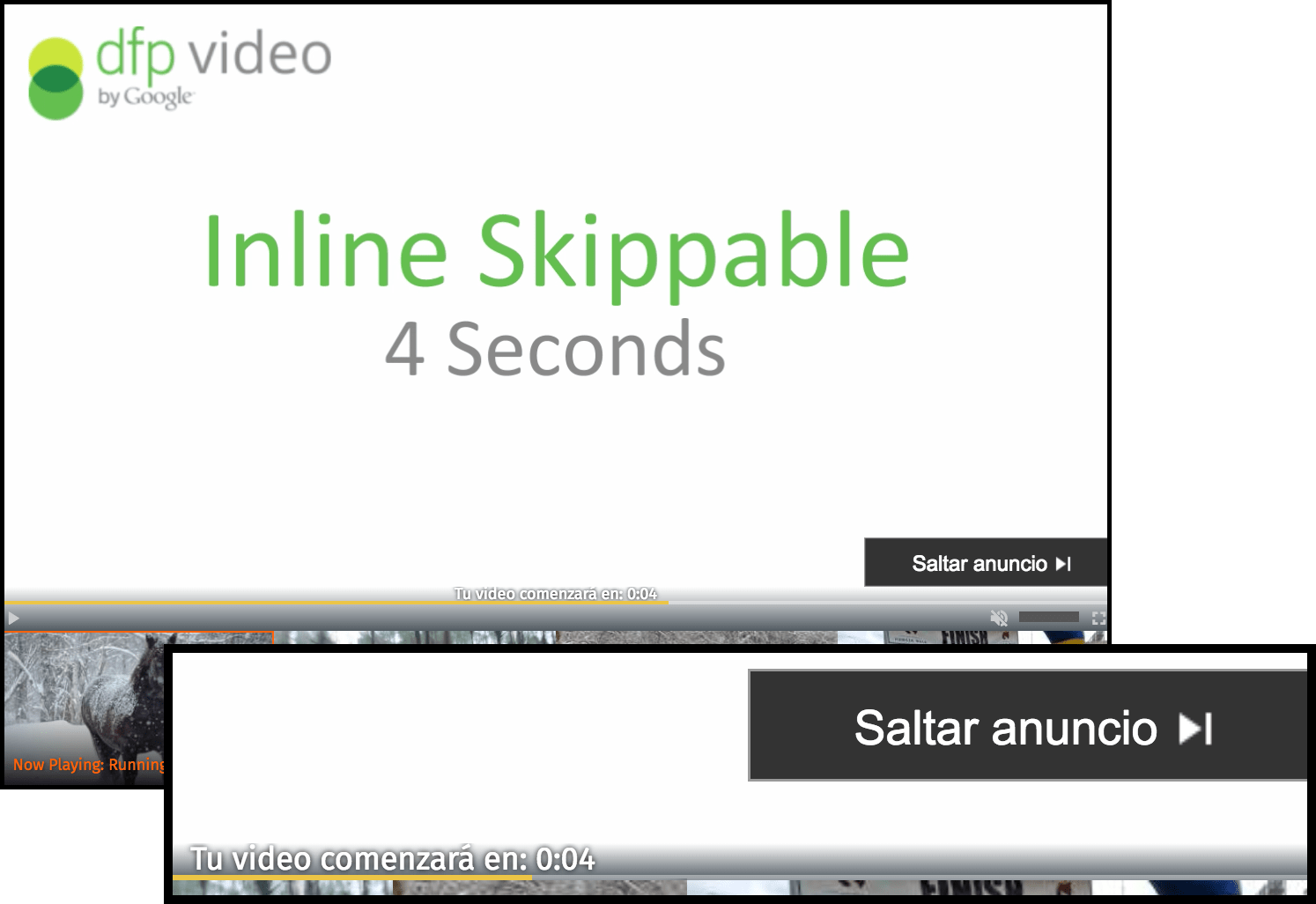
For details on all available options for the `ads` parameter, see the [Constructor params](video_player_api_reference#constructor_parameters) section of the _Video Player API Reference_.
If you want more fine control, you can [directly access the `videojs` object](video_player_customization#low_level_customization_with_video_js) and then apply the settings available in the [Video.js IMA SDK Plugin](https://github.com/googleads/videojs-ima).
> **NOTE**:
>
> Ads are not displayed when the source file playing in the video player is an **.mp3** audio file.
### Code explorer: Video Player ads
This code is also available in [GitHub](https://github.com/cloudinary-devs/cloudinary-video-player-ads).
> **NOTE**: If no ads are showing in the demo, check that you don't have an adblocker running.
> **TIP**: Enjoy interactive learning? Check out more [code explorers](code_explorers)!
> **What's Next?**:
>
> * [Deliver your videos using HLS or DASH adaptive bitrate streaming formats](video_player_hls_dash)
> * [Register to events to further customize your player or for analytics tracking](video_player_events_analytics)
> * [Check out all the video player options in the Video Player API Reference](video_player_api_reference)
> * [Learn more about the video effects and transformations you can apply to your videos](video_manipulation_and_delivery)