
Our digital channels are filled with a variety of content, including a growing number of images and videos. But do you know all of the details and information about those media assets? Media Inspector was created to help you analyze all of those visual assets and provide a quick summary to provide just those answers.
Media Inspector
Media Inspector is a Chrome Extension that analyzes media assets on your site, including information on how the transformation was performed along with file size, status and more.
Cloudinary Labs Legal Disclaimer

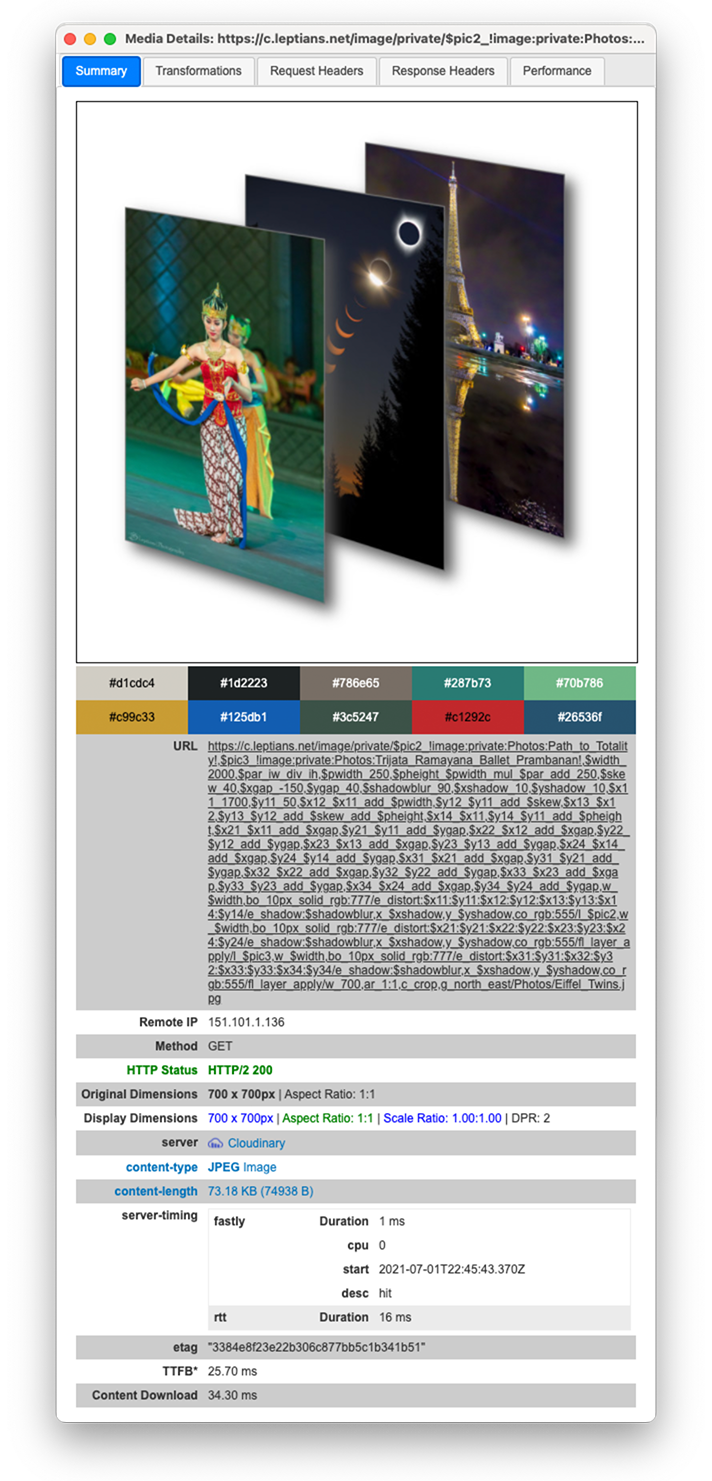
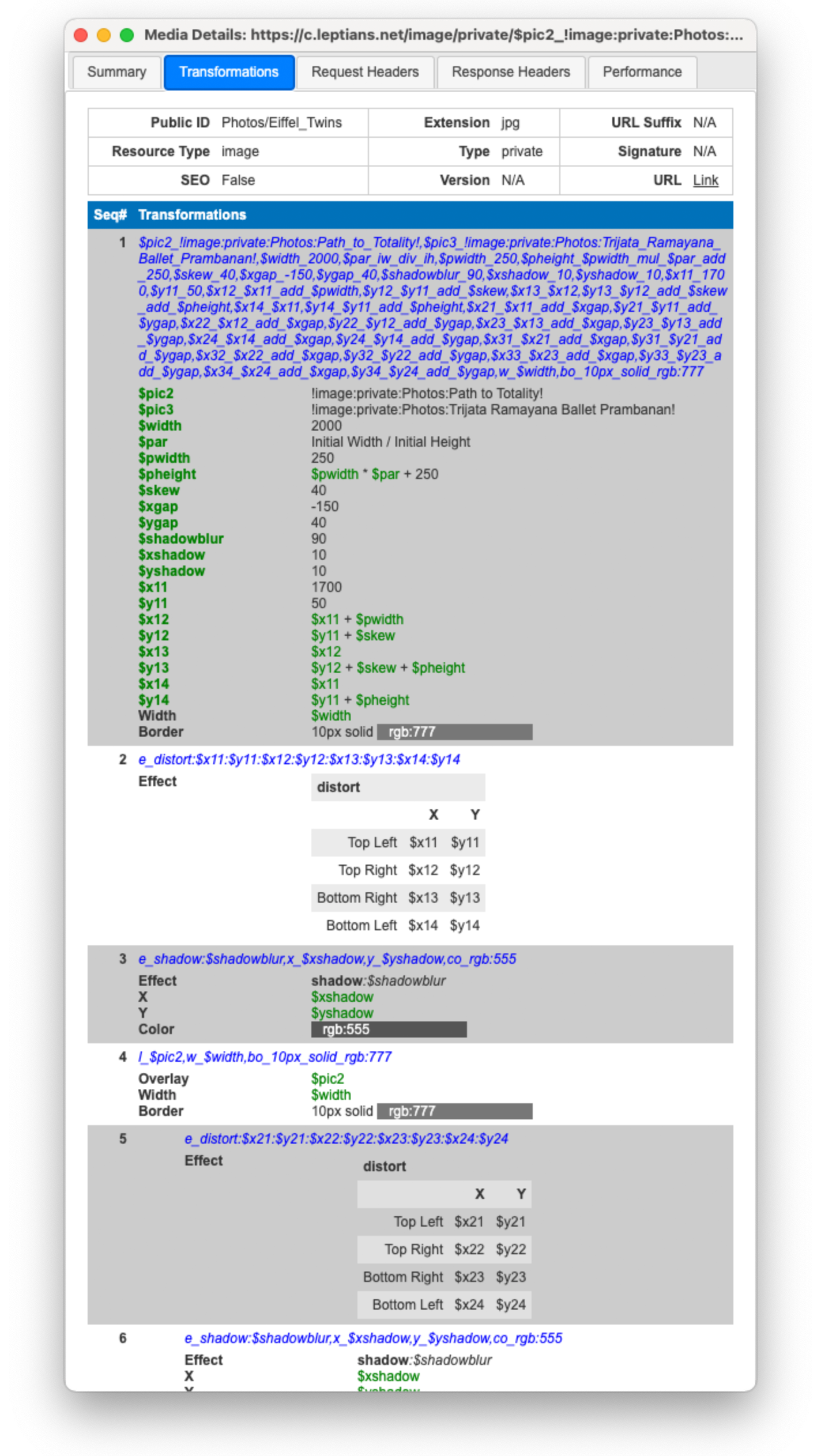
Using the Media Inspector Web extension, you get a quick glance of what matters to you such as: HTTP status, Time-To-First-Byte (TTFB), and file size of your assets. In addition, you can get detailed information on the transformations breakdown that have been undertaken. Lastly, you can also get updates on the request headers, response headers and performance timing.
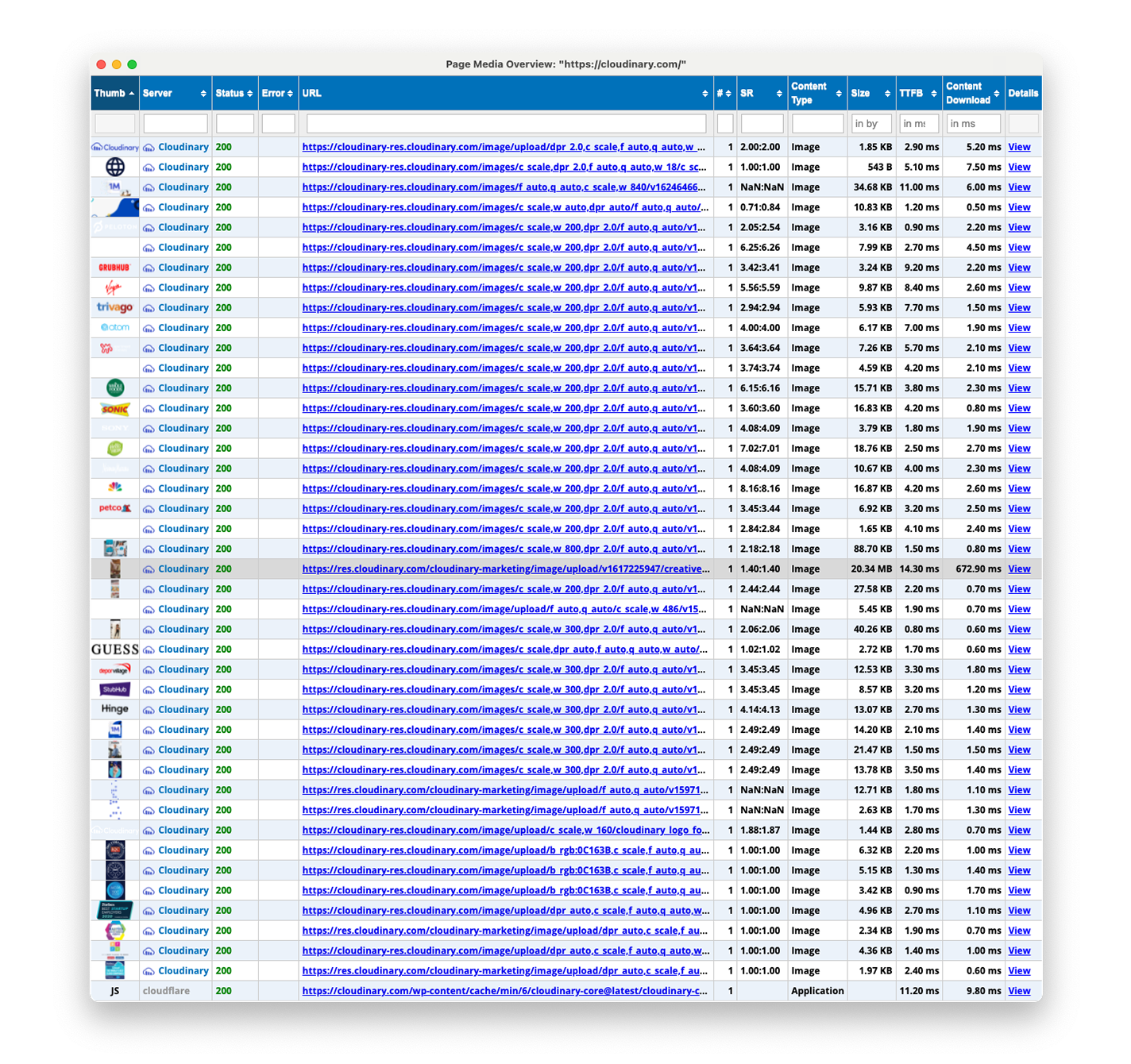
Are all my media optimized? Are all of my images using f_auto,q_auto? Which media takes a lot of time to download? With Page Media Overview, with ease, you can quickly search and determine which media are optimized or not optimized. You can drill down to find details of each asset.
Cloudinary Labs Legal Disclaimer
Any tool or application (collectively “Apps”) provided under Cloudinary Labs Portal (“Portal”) is an unsupported pre-production prototype undergoing further development and provided on an “AS IS” basis without warranty of any kind, express or implied, including, but not limited to, the implied warranties of merchantability and fitness for a particular purpose are disclaimed. Furthermore, Cloudinary is not under any obligation to provide a commercial version that incorporates all or some of the Apps and may at any time, temporarily or permanently, suspend the Portal and Apps, or a portion thereof, at its sole discretion.