January can be a time when we make all the resolutions to do and be better in the shiny new year. We resolve to do more… more exercise, a more rigorous diet, even more mindfulness, doggone it! But what if we (and hear me out) instead thought about doing less? Less struggling against those 4 p.m. sugar cravings, less fighting against the after-lunch nap, less battling frozen driveways to back the car out so you can make it to pilates.
What if we embraced our inner zen and simply…did our best? After all, isn’t all the productivity that AI is bestowing upon us freeing up our time to do less, rather than more? I’m only half-kidding here.
To encourage us to embrace a reductionist mentality, I did a little experiment to see if I could rethink some popular messaging that I’m sure you encountered if you ever worked in an American corporate office in the early 2000s: motivational posters.
These little gems were plastered on the walls to exhort us to “Bring Our Best Selves to Work, Achieve More, and Be Bold.” Here’s an example from Successories:
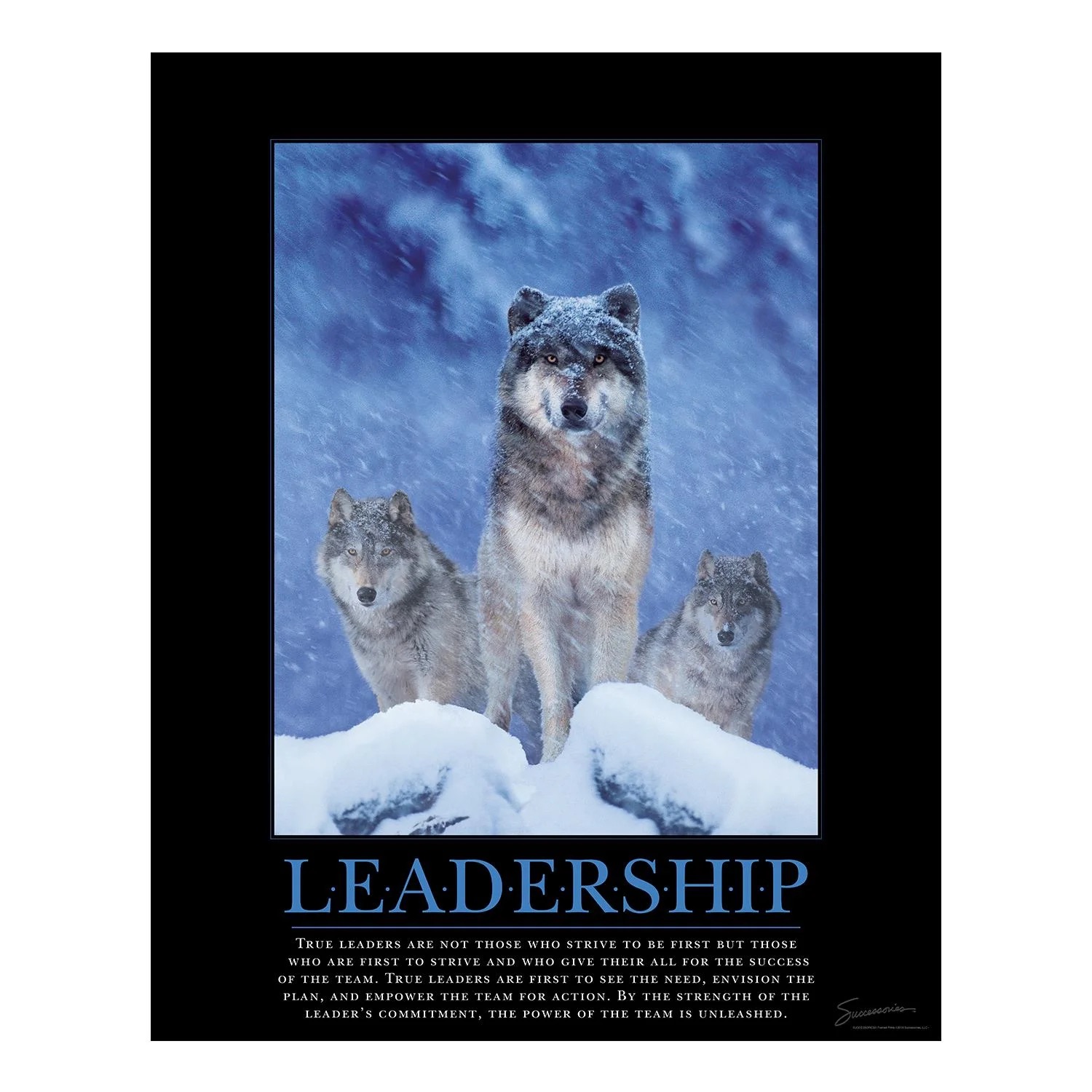
As you can see, they have a particular format of a black background, an inspiring photo, an uplifting word with a lot of kerning, and a blurb at the bottom to drive the message home. A Whole Vibe was created as you walked down a poster-adorned corridor to toss your bag lunch into the office fridge.
I particularly like this wolf. This is me.
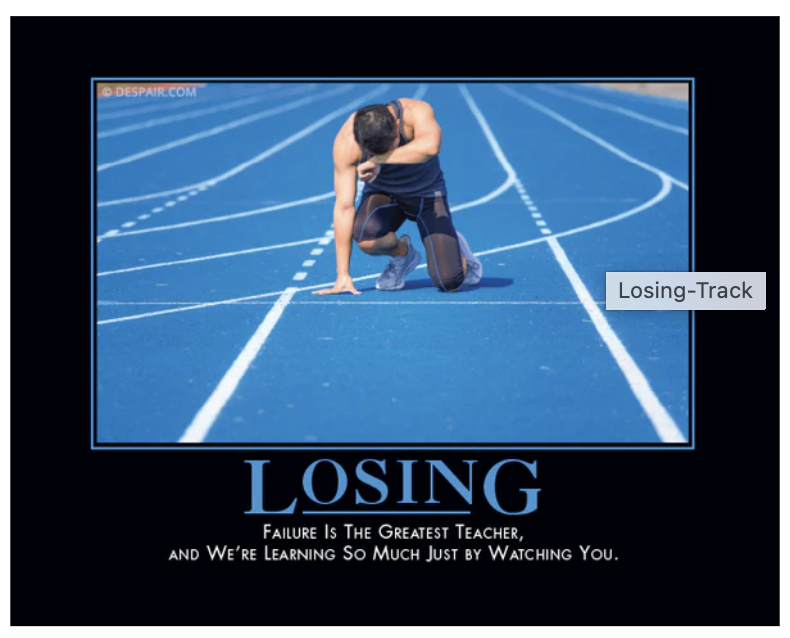
Even back in those days, people made fun of these posters, and I remember being employed in one company packed with sarcastic Eastern Europeans that was instead decorated with demotivational posters such as those crafted by the brilliant Despair.inc. Here’s a good one:
The problem with all of these posters is that, well, you have to buy them, and that’s no fun. So let’s see if we can build something like this ourselves, and actually make it a more surprising experience by connecting two APIs to generate shady messaging like this at random.
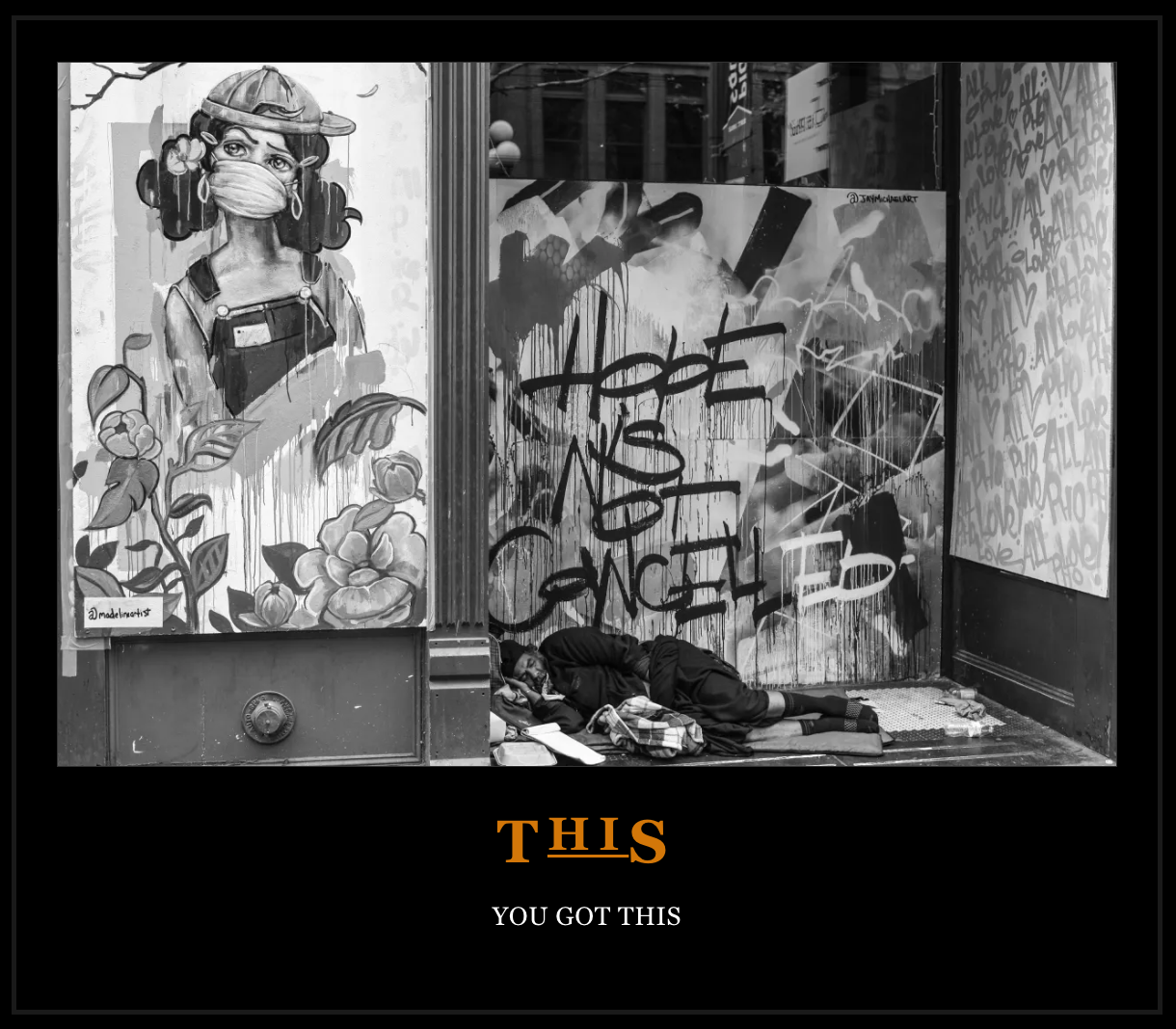
Temporarily shelve that resolution against unproductive and negative thinking and let’s see what we can build using:
- The Affirmations API.
- Unsplash API.
- TANStack for a web frontend.
- Cloudinary image storage to display the image so you can print off a PDF of your poster.
You’ll need two API keys, one for the ever-useful affirmations.dev API and one for Unsplash images. You’ll also need a Cloudinary account, so create one for free here if you aren’t already setup. You’ll then need to gather your Cloudinary API key, secret, and cloud name, and build an upload preset so that you can upload images neatly into Cloudinary.
Learn how to get credentials here and how to create an upload preset here.
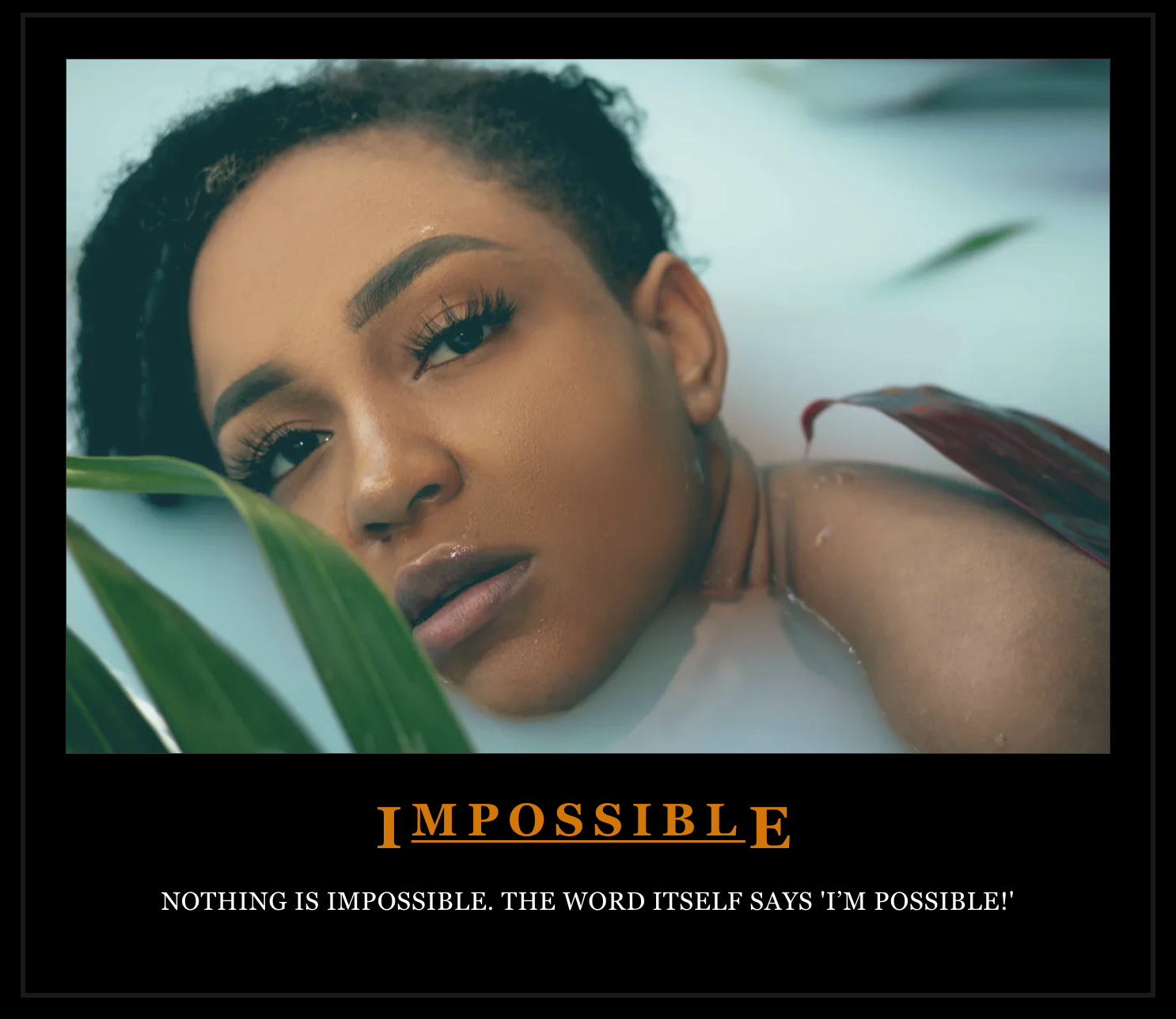
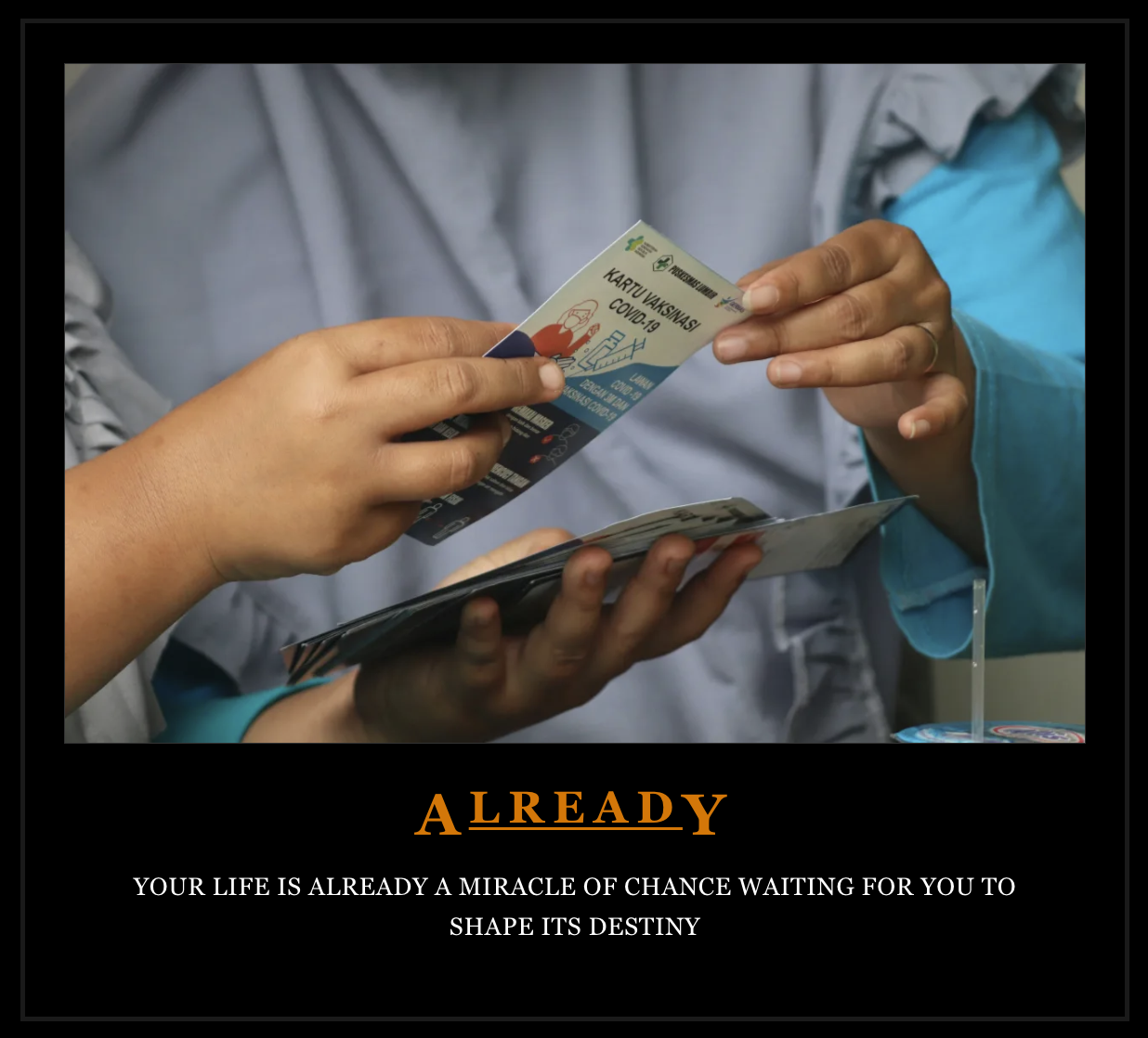
We’ll grab one of the pithy affirmations from the API, extract the longest word as the central message to display with plenty of kerning, and then send that word to Unsplash to find a match. Store the image returned in Cloudinary and display the lot a as a printable poster, as a stacked image, word, and affirmation on a black background, like this one:
Continuing my tradition of building useless things to try new stacks, let’s give TANStack a whirl. TANStack is a React framework that’s pitched as a less “magical” alternative to Next.js. I also built this same app using Next.js, to compare the two codebases, for learning purposes.
Check out the GitHub repo with the two apps here.
Disclosure: I used Cursor to help build the two comparable apps in the demo repo. According to Cursor, the difference between the two boils down to your personal dev preference:
- Next.js is a full-stack framework with conventions and a large ecosystem.
- TanStack Router/Start is a type-safe, flexible routing solution that can be extended to full-stack.
The choice often comes down to preferring conventions (Next.js) vs. flexibility and type safety (TanStack).
Some differences between these two frameworks in the context of this app include:
Next.js:
- Uses Server Actions (“use server”) and async Server Components.
- Server actions in
actions.tsare callable from both server and client TanStack. - Uses route loaders and
createServerFnfor server functions. - Data fetching happens in the route’s loader function.
- Loaders run on the server before the component renders.
Next.js:
- Uses
process.env.*for environment variables. - Variables are available on the server by default TanStack.
- Uses
import.meta.env.VITE_*(Vite convention). - Only variables prefixed with
VITE_are exposed to the clientbuildCloudinaryUrl.ts, because this app was built with Vite as its build tool.
Next.js:
- Images are displayed using the built-in optimized component TanStack.
- TanStack doesn’t have such a component built-in, so you’ll need to make sure to optimize your images! This is consistent with its “magic-free” approach.
Guess what! You can easily optimize your images in Cloudinary. While there are other ways to do this, I decided to just add some URL transformations to the Cloudinary URL returned once the Unsplash image is uploaded:
export function buildCloudinaryImageUrl(publicId: string): string {

  const cloudName = import.meta.env.VITE_CLOUDINARY_CLOUD_NAME

  if (!cloudName) {

    throw new Error('Cloudinary cloud name not configured')

  }

  const plainPublicId = publicId

  const transformations = [

    `c_fill,w_1200,h_800`, // Fill to 1200x800 for poster feel

    `f_auto`, // Auto format

    `q_auto`, // Auto quality

  ].join('/')

  // Return the complete Cloudinary URL with transformations `https://res.cloudinary.com/${cloudName}/image/upload/${transformations}/${plainPublicId}`

}Code language: JavaScript (javascript)
Now you’re able to grab an affirmation from the API and use it to query Unsplash, storing the result into Cloudinary and using it to build your poster. In TANStack it looks like this:
export const fetchNewAffirmationData = createServerFn({

  method: 'GET',

}).handler(async (): Promise<AffirmationData> => {

  // First fetch the affirmation

  const affirmationData = await getAffirmation()

  // Extract the longest word from the affirmation to use as image search query

  const words = affirmationData.affirmation.split(' ').filter(word => word.length > 0)

  const longestWord = words.reduce((longest, current) =>

    current.length > longest.length ? current : longest, ''

  ).toLowerCase()

  // Fetch an image based on the longest word

  const accessKey = import.meta.env.VITE_UNSPLASH_ACCESS_KEY

  if (!accessKey) {

    throw new Error('Unsplash access key not configured')

  }

  const unsplashResponse = await fetch(

    `https://api.unsplash.com/photos/random?client_id=${accessKey}&orientation=landscape&query=${encodeURIComponent(longestWord)}`

  )

  if (!unsplashResponse.ok) {

    throw new Error('Failed to fetch Unsplash photo')

  }

  const unsplashData = await unsplashResponse.json() as { id: string; urls: { full: string } }

  // Upload the Unsplash image to Cloudinary

  const publicId = await uploadToCloudinary(unsplashData.urls.full)

  // Build the Cloudinary URL with transformations

  const cloudinaryUrl = buildCloudinaryImageUrl(publicId)

  return {

    affirmation: affirmationData.affirmation,

    longestWord,

    cloudinaryUrl,

    photoId: unsplashData.id,

    publicId,

  }

})Code language: JavaScript (javascript)
And once you have all your pieces in place, you’ll be able to view that matching affirmation, image, and printable styling all in one place so you can build a PDF poster:
const handlePrint = () => {

    if (posterRef.current) {

      const printWindow = window.open('', '_blank')

      if (printWindow) {

        printWindow.document.write(`

          <!DOCTYPE html>

          <html>

            <head>

              <title>Affirmation Poster</title>

              <style>

                ...some fancy styling

              </style>

            </head>

            <body>

              <div class="poster-container">

                <img src="${imageUrl}" alt="${affirmation}" class="poster-image" />

                <h1>${longestWordWithDots}</h1>

                <div class="poster-line"></div>

                <h2>${affirmation}</h2>

              </div>

            </body>

          </html>

        `)

        printWindow.document.close()

        // Wait for image to load before printing

        setTimeout(() => {

          printWindow.focus()

          printWindow.print()

          printWindow.onafterprint = () => printWindow.close()

        }, 250)

      }

    }

  }Code language: HTML, XML (xml)
So there you have it…you’ve built a delightfully useless little app that combines a few API calls with optimized image presentation to make you feel a little less seasonally-affected, we hope.
Happy New Year! If you liked this little app, there are plenty more where it comes from from your friends at Cloudinary Developer Relations.