
Key takeaways
- API rate limiting caps how many requests a client can send in a set period. It protects a service from overload and abuse.
- HTTP status 429 (Too Many Requests) means you sent too many. RFC 6585 says the response may include a Retry-After header.
- When you hit a limit, wait as long as the API asks. If it gives no hint, retry with exponential backoff and random jitter, and stop after a few tries.
- The Cloudinary Admin API is rate limited. The Free plan allows 500 requests per hour, and paid plans start at 2,000. The Upload API isn’t rate limited.
What Is an API Rate Limit?
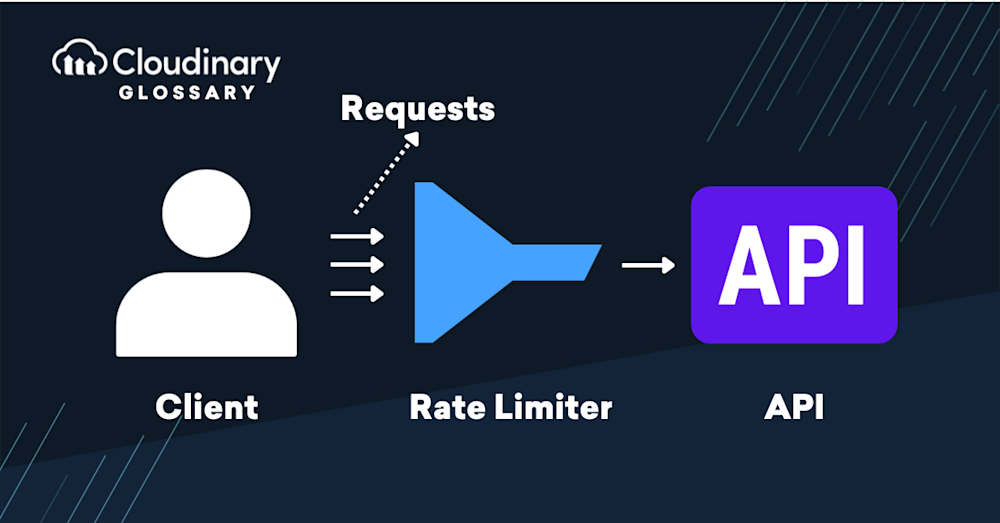
An API rate limit is a restriction imposed by service providers on the number of requests that can be made to an API (Application Programming Interface) within a specific period of time, such as 500 per hour. This is primarily done to maintain a service’s stability, performance, and security by protecting it from excessive usage, spam, or potential denial-of-service attacks. It’s the equivalent of a traffic control system, ensuring the API remains available and responsive for all users.
API rate limits are generally defined by a set quota or threshold, such as the maximum number of requests per minute, hour, or day. When users or applications exceed this limit, their requests may be blocked, delayed, or denied until they fall back within the allowed usage.
These limits can also vary depending on the client identity — for example, a service might assign different thresholds to authenticated users versus anonymous traffic, or apply limits per IP address or API key. Some APIs even use concurrent rate limiting, which restricts the number of simultaneous active requests rather than just the number of requests over time.

Why Does Rate Limiting Exist?
Rate limiting exists to protect an API server from being overwhelmed by high-volume requests and to prevent abuse or misuse. It acts much like a traffic light, allowing a steady traffic flow while maintaining a smooth and orderly user experience. Without rate limiting, an influx of API requests could lead to server crashes and delayed responses, negatively impacting all users. Rate limiting also discourages abusive behaviors, such as scraping or DDoS attacks, ensuring the API remains accessible and valuable for its intended purpose.
In short, rate limits protect the service from overload, block abuse such as scraping and brute-force attempts, keep costs predictable, and share capacity fairly between customers.
It’s also an effective way to shape user behavior. For instance, a social media API might enforce strict limits on POST requests to reduce spam while allowing more generous access to GET requests that retrieve content. This encourages responsible usage patterns and enhances security.
How API Rate Limiting Works
RFC 6585 defines status 429 Too Many Requests. It says the response should explain the problem and may include a Retry-After header that tells the client how long to wait. The RFC also says servers are not required to use 429. Under attack, a server may drop connections instead.
To enforce limits effectively, APIs use rate-limiting algorithms that determine when requests should be allowed, queued, or rejected. One API standards guide recommends the token bucket for most APIs, and warns that a fixed window can allow double the intended rate at a window boundary.
| Algorithm | How it works | Best for |
|---|---|---|
| Token bucket | Allows bursts up to a set size and refills at a steady rate | APIs with bursty traffic |
| Sliding window | Counts requests in a rolling time window | Smooth, steady limits |
| Fixed window | Counts requests in fixed blocks of time | Simple limits on low-risk endpoints |
| Leaky bucket | Processes requests at a fixed rate and queues the rest | Smoothing traffic to a downstream service |
Each algorithm has a different way of measuring and controlling request flows:
- Token Bucket Algorithm: This algorithm allows bursts of traffic while enforcing an average rate over time. A “bucket” holds tokens, which get consumed per request. Tokens refill at a fixed rate, so requests can only proceed if tokens are available.
- Leaky Bucket Algorithm: Similar to token bucket but enforces a fixed output rate. Incoming requests are queued in a “bucket” that leaks at a steady rate. If the bucket overflows, excess requests are dropped.
- Fixed Window Algorithm: Counts the number of requests in a fixed time window (like one minute). Once the limit is hit, all further requests in that window are rejected.
- Sliding Window Algorithm: An improvement over fixed window, this method tracks a rolling time frame (e.g., the last 60 seconds), allowing more precise rate control and reducing spikes at window edges.
- Concurrent Rate Limiting: Limits the number of simultaneous requests that can be active at any given moment. This is especially useful for APIs dealing with long-running or resource-intensive operations, where overall throughput is less critical than concurrent processing limits.
Understanding these mechanisms helps you predict behavior and design smarter retry or caching strategies.
What Does “API Rate Limit Exceeded” Mean?
“API rate limit exceeded” is an API error message indicating that the user has exceeded the number of requests allowed within a specific time frame. It is a signal that the user or application should wait before sending additional requests.
The request itself is fine. The API turned it away because of volume.
Many APIs return status 429. Others use different codes and headers, so read the documentation. In many cases, the server response will include a Retry-After HTTP header, specifying how long the client should wait before retrying. Respecting this header is not just polite — it’s a best practice that prevents further throttling or potential blacklisting.
How to Handle a 429 Error
Rather than strictly “bypassing”, effectively navigating API rate limiting involves a disciplined balance of reasonable utilization and technical tactics. Safely optimizing your API usage within the established constraints follows best practices and respects the service provider’s network resources. Here’s how you can efficiently handle API rate limits:
- Prioritize Essential Requests. Focus on the calls that contribute crucial functionality or data. Limit non-essential requests.
- Optimize Timing of Calls. Spread your requests evenly instead of executing them in large, sporadic batches.
- Implement Caching. Store frequent API responses locally to minimize redundant requests.
- Upgrade Your Access. Many API providers offer tiered packages with higher limits or unlimited access for premium tiers.
- Error Handling and Retry Logic. Implement robust error handling and exponential backoff to gracefully handle situations where the rate limit has been exceeded.
- Respect Retry-After Headers. When a rate limit is hit and a Retry-After header is returned, use it to time your retries appropriately. This prevents aggressive retry loops that can worsen the problem.
- Graceful User Feedback. If a request fails due to rate limits, inform users through appropriate messaging or fallback behaviors. Logging these events can also help track usage patterns or abuse.

How To Work Within API Rate Limiting
Rather than strictly “bypassing”, effectively navigating API rate limiting involves a disciplined balance of reasonable utilization and technical tactics. Safely optimizing your API usage within the established constraints follows best practices and respects the service provider’s network resources. Here’s how you can efficiently handle API rate limits:
- Prioritize Essential Requests. Focus on the calls that contribute crucial functionality or data. Limit non-essential requests.
- Optimize Timing of Calls. Spread your requests evenly instead of executing them in large, sporadic batches, for example with a queue.
- Implement Caching. Store frequent API responses locally to minimize redundant requests, especially for data that doesn’t change often.
- Batch and subscribe. Batch work into fewer calls where the API allows it, and use webhooks or notifications instead of polling.
- Upgrade Your Access. Many API providers offer tiered packages with higher limits or unlimited access for premium tiers.
- Error Handling and Retry Logic. Implement robust error handling and exponential backoff to gracefully handle situations where the rate limit has been exceeded.
- Respect Retry-After Headers. When a rate limit is hit and a Retry-After header is returned, use it to time your retries appropriately. This prevents aggressive retry loops that can worsen the problem.
- Graceful User Feedback. If a request fails due to rate limits, inform users through appropriate messaging or fallback behaviors. Logging these events can also help track
Common Mistakes With Rate Limits
- Retrying immediately. A tight retry loop turns one 429 into a sustained burst and can extend the block.
- Backoff without jitter. Every client retries at the same moment, which recreates the spike that caused the limit.
- Retrying a quota error. If the credits are used up, no amount of waiting inside the period helps.
- Polling instead of subscribing. Most polling loops spend their quota confirming that nothing changed.
- Assuming 429 everywhere. Some APIs, including Cloudinary’s Admin API, use a different status code.
How Does Cloudinary Rate Limit Its APIs?
The Cloudinary Admin API is a rate-limited REST API. The Free plan includes 500 requests per hour. Paid plans start at 2,000 per hour, and the exact limit depends on your plan. You can check your limits in Console Settings or with the usage method. When you are rate limited, the Admin API returns status 420.
The limit covers only Admin API requests. The Upload API isn’t rate limited, and some Upload API methods can do admin jobs. For example, the tags method changes tags, and the explicit method updates many attributes of a media asset. If you need more flexible limits, contact Cloudinary.
For developers seeking a comprehensive cloud-based solution that simplifies image and video management tasks, Cloudinary enables you to upload, store, manage, manipulate, and deliver images and videos with responsive APIs and clear rate limits.
Frequently Asked Questions
What is API rate limiting?
API rate limiting caps how many requests a client can send to an API in a set period. It protects the service from overload and abuse.
What does a 429 error mean?
Status 429 Too Many Requests means the client sent too many requests in a set time. The response may include a Retry-After header.
How long should you wait after a rate limit error?
Wait for the time in the Retry-After header. If there is no header, use exponential backoff with random jitter, and stop after a few tries.
What is the Cloudinary Admin API rate limit?
The Free plan allows 500 requests per hour. Paid plans start at 2,000 per hour. The exact limit depends on your plan.
Is the Cloudinary Upload API rate limited?
No. The Cloudinary documentation says the Upload API isn’t rate limited. The limit applies to Admin API requests.