Add Logo to Image
Put your logo on a photo and place it exactly where you want it, free.
Photos: JPG, PNG, WebP, HEIC or AVIF up to 20 MB. Logos: PNG, WebP, SVG or JPG up to 5 MB. You can also drop a photo onto the preview.
The preview is the exact image you download, shown smaller. The download keeps the full size of your photo.
A PNG, WebP or SVG with a transparent background blends in. A JPG logo keeps its background box.
Size and margin are a share of the photo width, so the logo sits the same way on any photo.
Sign up to use our API in your next project and add a logo to an image at scale.
Your mark on the picture, in the right corner and the right size.
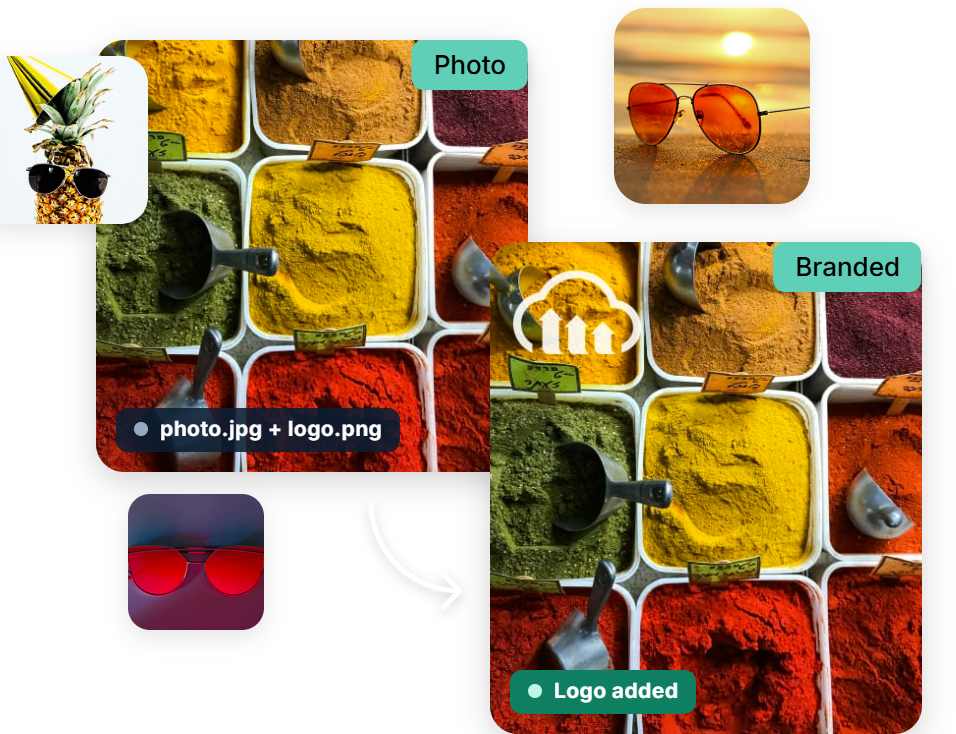
Opening an editor to drop a logo in a corner is a lot of software for one small job. Upload both files, place the logo, and download.

Works right in your browser, free, with no software to install and no watermarks.

Any corner or the middle, at the size and opacity that suits the photo underneath.

A PNG logo keeps its transparent background, so the mark sits on the photo instead of in a white box.

Cloudinary keeps your output crisp and true to the original.
Process one file or thousands with our free API and add a logo to an image automatically, with no manual steps.
Works with all major formats, so your result fits right into your workflow.
Add a logo to your image in 3 simple steps. Upload the photo, add the logo, and download.
Drag and drop the photo you want branded into the browser, or upload it from your device.
Upload the logo and set where it sits, how big it is and how visible it should be.
Save your result, with no watermarks.
Brand your images with more free tools: Add Watermark to Photo, Batch Watermark, Tiled Watermark.
We’re showing a resized version of the original asset to avoid slow loading speeds. View the original.
It places your logo on top of a photo and lets you decide the corner, the size and how visible it is. That is what turns a plain picture into a branded one, which is what you need before a photo goes out on social, into a listing, or in front of a client.
Yes, if it has any transparency. A PNG keeps the area around the mark empty so the photo shows through, while a JPEG logo arrives as a rectangle with a white background stuck to it. If your only copy of the logo is a JPEG on white, it will look like a sticker rather than a mark.
Yes, it is free to use online, the result carries no watermark of ours and there is nothing to install. Upload the photo, add the logo, position it and download. The usual route is a desktop editor, which means importing two files and exporting one just to put a mark in a corner.
A bottom corner is the convention, because it stays out of the subject and people know to look there. Keep it small, around a tenth of the width, and drop the opacity slightly so it reads as a mark rather than competing with the photo. On a busy background, a corner with flat colour will always look cleaner.
Yes. Overlays are a delivery transformation in the Cloudinary API, so the logo can be applied as the image is served rather than burned into your stored file. That means one clean original, branding that you can reposition or remove by changing a URL, and no second copy of every asset.