Combine GIFs
Join two or more animated GIFs into one animation, free.
Join two or more animated GIFs into one animation, free.
Join two or more animated GIFs into one GIF that plays them one after another.
Or drag your GIFs here
Animated GIFs, up to 10 at once. Max 20MB each

Sign up to use our API in your next project and combine GIFs at scale.
Two animations in, one animation out.
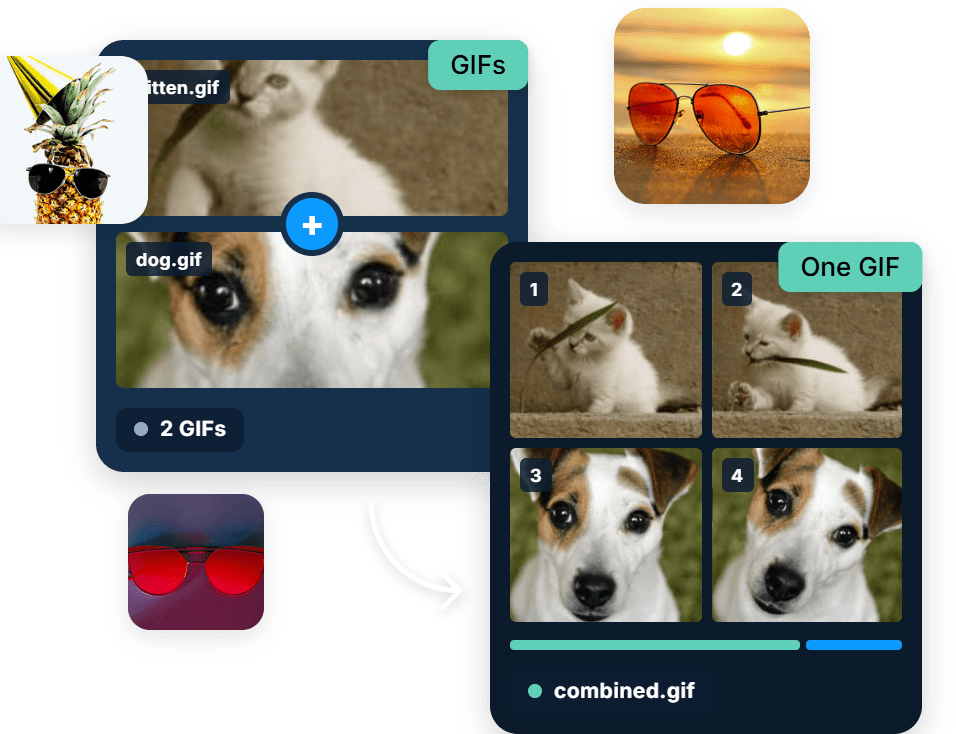
Joining GIFs by hand means pulling apart every frame of each file and rebuilding the timing from scratch. Here you upload them in order and get one animation back.

Works right in your browser, free, with no software to install and no watermarks.

The clips run one after another in the order you upload them, and the result loops as a single GIF.

GIFs of different dimensions are lined up for you, so the joined animation keeps a steady frame.

Cloudinary keeps your output crisp and true to the original.
Process one file or thousands with our free API and combine GIFs automatically, with no manual steps.
Works with all major formats, so your result fits right into your workflow.
Combine your GIFs in 3 simple steps. Upload them, set the order, and download.
Drag and drop the GIFs you want to join into the browser, or upload them from your device.
Arrange which animation plays first and which follows.
Save your result, with no watermarks.
Work on your animations with more free tools: Split GIF, Loop GIF, GIF Speed Changer.
We’re showing a resized version of the original asset to avoid slow loading speeds. View the original.
It joins separate animated GIFs into one file that plays them in sequence. Each GIF keeps its own frames and delays, and they are stitched together into a single animation that loops as a whole. It is the quickest way to build a short reaction sequence, a before and after, or a two part joke out of GIFs you already have.
Yes. A GIF has one canvas size for the whole animation, so clips of different dimensions have to be reconciled on a shared canvas. Smaller clips are placed on that canvas rather than stretched, which keeps them sharp instead of blurry. If you want every clip to fill the frame identically, resize them to matching dimensions before you join them.
Yes, it is free to use online, with no watermark and nothing to install. Upload the GIFs, put them in the order you want and download the joined animation. Doing it manually means extracting every frame of every file, keeping track of each delay, and reassembling the whole thing in an animation editor, which is slow work for a result that lasts three seconds.
A handful of short clips is the sweet spot. GIF is an old format with no modern compression, so file size climbs with every frame you add, and a long joined animation can easily run into tens of megabytes. If the result is heavier than you want, trimming frames or converting to MP4 or animated WebP will cut the weight dramatically at the same visual quality.
Yes. Cloudinary treats animated files as video on the transformation side, so concatenation runs through the same API as the rest of your media pipeline. That means user uploaded clips can be joined, resized and delivered as GIF, MP4 or WebP from one original, picking whichever format is lightest for the browser that asked for it.