Profile Picture Maker AI Image Generation


Create a profile picture in seconds
Describe the avatar you want and Cloudinary turns it into a clean profile picture in seconds, built to read well at the size a profile actually shows. From there it optimizes, resizes, and delivers every version straight from your media library.
- Avatars
- Social
- Forums
- Teams
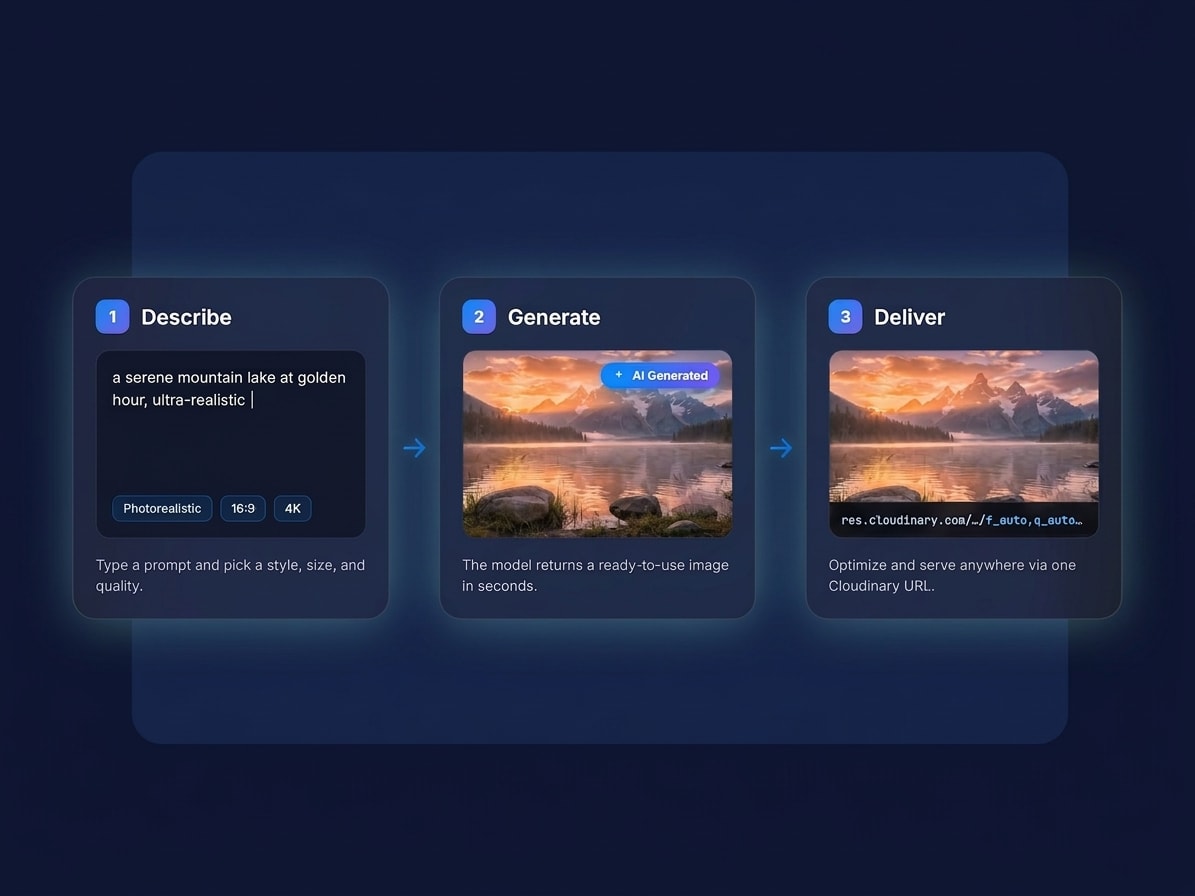
How to make AI-generated images
Go from idea to a delivered asset in three steps, with nothing to install.
- Describe it: write a prompt for the image you want, or drop in a photo to build on.
- Generate: get results in seconds and keep tweaking the prompt until it looks right.
- Optimize and deliver: Cloudinary formats, resizes, and serves the final image anywhere.

Any style, dialed in with a few words
Photoreal, illustrated, 3D, watercolor, line art, neon, retro: steer the look, mood, and composition right from your prompt. Keep one consistent style across a whole set, then generate in the exact aspect ratio and resolution each placement needs.

Generate once, deliver everywhere
The image you generate doesn’t just sit in a folder. It lands in Cloudinary, ready to resize, reformat, and serve through the same pipeline that already powers your site and apps. One asset becomes every crop, format, and size your channels need, delivered fast to every device.
FAQ
It generates a profile picture from a description, built for the way a profile picture is actually seen: small, usually cropped to a circle, next to a name. One clear subject, strong contrast and nothing fiddly that disappears at forty pixels across.
It is not a separate product you sign up for. Image generation is a feature of Cloudinary, so everything you create lands in your media library alongside the rest of your assets, ready to crop, resize, optimize and deliver through the same APIs and SDKs your team already uses. That matters once a generated image stops being a one off and has to exist in five sizes across three channels.
Yes. It runs on Cloudinary’s API and SDKs, so you can generate profile pictures from your own app with a single call and get an optimized URL back. This is the usual way to give every new account a distinctive default avatar instead of the same grey silhouette.
Composition for a small circular crop. A beautiful wide illustration makes a terrible avatar, because the subject ends up tiny and the corners get cut away. Here the subject is centred, large in frame and separated from the background on purpose.
Avatars for social accounts, forums and chat apps, profile images for a team directory, matching sets for a group or a community, and placeholder avatars for a design.
Generate once and let Cloudinary produce every size and format from that single asset. The same avatar can go out as a large hero, a thumbnail, a social card and an avatar, in WebP or AVIF for browsers that support them and JPEG for the ones that do not, without you exporting anything by hand.
Sign up for a free Cloudinary account and describe what you want in the prompt box, or call the API with the same prompt from your own code. The first results come back in seconds and are already in your media library, so the next step, whether that is a crop, an overlay or a delivery URL, is one call away. For a business style portrait instead of an illustrated avatar, see Professional Photo Maker, and for a stylised treatment of a photo you already have, Color Splash.
