
When we launched Cloudinary Moderation, we set out to turn static brand guidelines into automated standards that every asset entering your pipeline has to meet. Until now, that meant images. Today, we’re extending moderation to the format that’s growing fastest and is hardest to review manually: video.
Video moderation is now generally available in Cloudinary. Every video that enters your pipeline — from marketplace sellers, agency partners, creators, or end users — can be evaluated in near real time against your brand, safety, and compliance rules, then automatically approved, routed for human review, or rejected.
A single video is a far richer — and far riskier — asset than a single image. It’s hundreds or thousands of frames, plus on-screen text, plus an audio track, all unfolding over time. A problem can appear for two seconds in the middle of a three-minute clip. Manual reviewers can’t watch everything, and generic filters miss the nuance of your brand. Video moderation was designed to address this.
Video moderation in Cloudinary is built around three complementary types of checks. You can use any one of them on its own or combine them into a single set of rules so a video has to clear your visual, verbal, and catalog standards before it goes live.
Object detection identifies what appears on screen: specific objects, scenes, and any other visual element you need to track. It catches anything visual that shouldn’t reach your audience and confirms that what should be there actually is.
With object detection you can block inappropriate or unsafe content and flag explicit material, restricted objects, and other visuals that violate your policies, anywhere they appear in the video.
Video carries language in two places: the text that appears on screen and the words spoken in the audio. Cloudinary reads both. On-screen text is detected frame by frame, and the audio is transcribed and analyzed, so a claim made aloud is held to the same standard as one printed across the screen.
This lets you enforce rules such as:
- No unwanted URLs or links. Stop videos that drive viewers to external or unauthorized destinations.
- No offensive language. Catch profanity and abusive language whether it’s written or spoken.
- No copyrighted or protected text. Flag scripts or other copyrighted wording.
- No time-sensitive or expired promotions. Keep dated offers and pricing from running long after they should.
- No competitor or comparative claims. Detect mentions of other brands or products, and comparisons you don’t allow.
Because the same rules can apply to text and transcript alike, you close the loophole where noncompliant messaging simply moves from the screen to the soundtrack.
Metadata checks connect what’s in the video to the structured information attached to it. It’s most commonly used to ensure the product shown in a video matches the product category it’s filed under so a listing’s footage depicts what the catalog says it should.
You can keep this tightly scoped to category alignment or open it up more broadly. For example, you can confirm that only approved products appear in a given video. Either way, the content and the data describing it stay in sync.
- Category alignment. Verify the product in the video matches the product categories defined in its metadata.
- Approved-product enforcement. Confirm that only the products you allow show up in the footage.
We add new video checks regularly, so the best way to see everything available today is in the product itself. And if there’s a check you need for your videos that you don’t see yet, tell us. Much of what we build starts as a customer request.
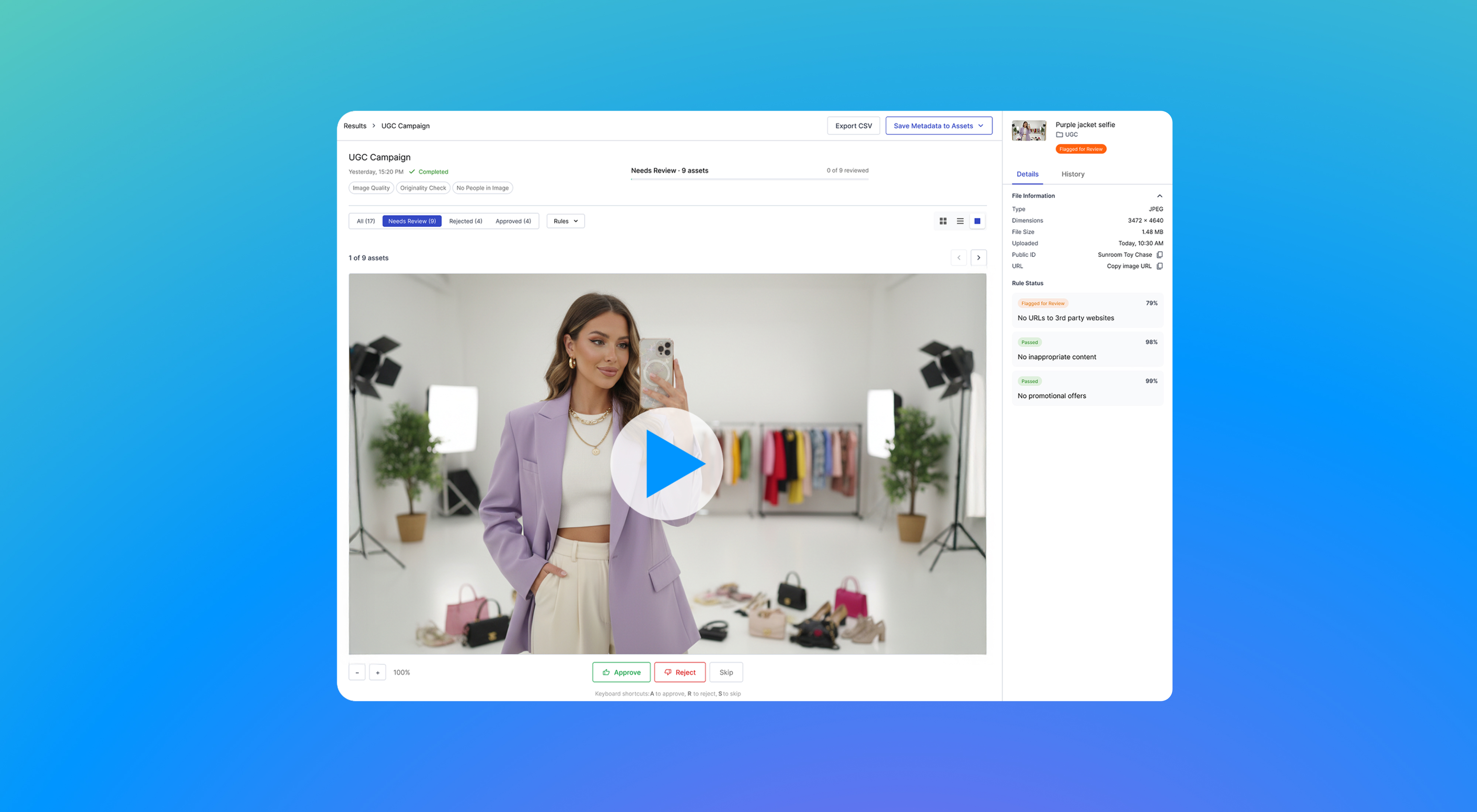
The workflow mirrors the image experience you already know:
- A video is uploaded into your pipeline.
- Cloudinary’s AI analyzes the content: frames, on-screen text, transcript, and metadata.
- The video receives a clear outcome: Approved, Needs Review, or Rejected.
You set the rules once. Cloudinary applies them automatically to every upload — approving clean content, routing edge cases to a human, and blocking what fails — inside your existing workflows.
Automation only works if you can trust and defend its decisions. As with image moderation, every video decision is explainable and auditable. Each flagged asset comes with a clear reason for the outcome and a full audit trail, and your team can override any decision when judgment is needed. The AI handles the volume no review queue could, but your team still makes the final call.
Because video moderation is native to Cloudinary, a video that’s flagged doesn’t have to leave the platform to be fixed. You can correct, enhance, and re-evaluate it using Cloudinary’s transformation and GenAI capabilities, then publish, turning moderation from a gate into an optimization loop rather than a dead end.
Cloudinary video moderation connects to the tools you already use. It integrates into your existing workflows through prebuilt integrations, APIs, and MCP server support (no custom development required), so you can act on every approve, reject, or needs-review decision automatically.
Video moderation is now available in Cloudinary. Whether you’re scaling UGC, expanding a marketplace, or governing partner content, you can apply your brand, safety, and compliance standards to every video automatically.
Explore the video moderation page, read more about Cloudinary Moderation, or contact us to see brand-aligned video moderation in action.


