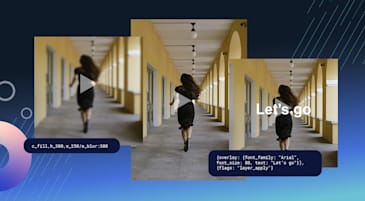
Visual teams already know that video performs. But for most marketing and e-commerce teams, producing enough of it is slow, expensive, and endlessly complex. Today, Cloudinary is changing that with Image to Video, a new capability that automatically generates high-quality videos from the images you already manage in Cloudinary, so that every product shot or campaign asset can become video in seconds.
It’s built for retailers, marketplaces, travel brands, and any team managing a large catalog of visual assets who wants to move faster and do more with what they already have.
Most teams aren’t short on ideas for video — they’re short on time and budget to produce it. Traditional shoots, edits, and revisions take weeks, while campaigns and promotions move in days. At the same time, your Cloudinary library is already full of high‑quality product images, lifestyle shots, and campaign visuals
Image to Video turns that existing investment into a scalable video production engine — no reshoots or new creative briefs required.
Here’s what makes it different from standalone AI generation tools:
Most AI video creation tools exist outside the systems and workflows your team uses. Images have to be uploaded manually, generated videos require another tool, and final assets need to be resized and exported again for every channel. That’s not a workflow — it’s a patchwork that slows teams down and increases the risk of errors.
Image to Video is built directly into Cloudinary. You access images directly from Cloudinary’s DAM (Assets), generate videos, and immediately send them through the same moderation, editing, and delivery paths you already trust.
For teams looking to automate and scale further, Cloudinary’s low-code MediaFlows product makes it straightforward to build repeatable, high-volume pipelines without engineering support.
Video quality depends on the prompts behind it. Image to Video includes built-in prompt generation and recommendations that help teams describe the scenes, motion, and style they want, even if they’re new to generative tools. This means you’ll get more consistent results, less trial and error, and better prompts that reflect your brand guidelines.
With Cloudinary Moderation built in, nothing off-brand or non-compliant gets through without review. AI validates every generated video against your custom brand guidelines — flagging, approving, or rejecting content automatically, with your team making the final call on anything flagged.
Once a video is generated, it’s not a rough asset waiting to be finished — it’s ready to go out the door. Teams can immediately apply Cloudinary Video’s full capabilities: channel-specific variants for web, mobile, and social; AI-powered cropping; graphic and text overlays. Then they can deliver it to any screen through Cloudinary’s multi-CDN architecture.
That means a product image can become a TikTok-ready vertical video, a homepage hero, and a display ad variant in the time it used to take just to file a production request.
The brands winning on video right now aren’t necessarily the ones with the biggest production budgets. They’re the ones that have figured out how to move faster, test more, and show up consistently across every channel.
Image to Video reshapes the economics of video production. Your image library — which you’ve already invested in building and maintaining — becomes the raw material for a scalable video content engine. Every product image becomes a candidate for a video. Every campaign asset gets a second life. And your team spends less time waiting on production, and more time on strategy, testing, and optimization.
Image to Video is available today as an add-on for Cloudinary Video. If you’re already managing your images and video with Cloudinary, your teams can start generating video from existing assets with minimal setup. If not, there’s never been a better reason to join over 13,000 enterprise customers who power their visual experiences with Cloudinary.
What is Image to Video in Cloudinary?
Image to Video is a Cloudinary capability that automatically generates video from the images already in your Cloudinary library, so teams can create more video without adding extra tools or production cycles.Who is Image to Video for?
Image to Video is designed for retailers, marketplaces, travel brands, and any organization managing a large catalog of visual assets that needs more video content for product pages, campaigns, and social channels. It works best when those assets live in Cloudinary Assets (DAM), where they’re already tagged, searchable, and ready to reuse across workflows.How is this different from other “image to video” tools?
Most standalone tools only handle generation: You upload files, generate a video, then export and resize it for each channel by hand. With Cloudinary, generation happens inside the same platform you use for asset management, search, moderation, transformation and delivery, so video becomes part of a governed, end‑to‑end workflow instead of a one‑off experiment.Can Cloudinary search and filter the videos we generate?
Yes. Generated videos become first‑class assets in your Cloudinary library, so you can search them by keywords, tags, structured metadata, and AI‑based attributes, just like images. Teams can also use Search & Discoverability features to save and share searches so marketing, e-commerce, and creative teams quickly find approved variants for each use case.What kinds of videos can we create from images?
Teams typically use Image to Video for product highlights, collection or category reels, promotional spots for sales and drops, and social‑ready clips built from existing campaign imagery. You can combine video effects and enhancements, motion, overlays, and formats to tailor output for PDPs, homepages, email, and paid media.Can we automate Image to Video as part of a larger workflow?
Yes. Using MediaFlows, you can trigger video generation from new uploads or metadata changes, route assets for moderation, and then publish approved variants to your CMS, e-commerce platform, or campaign tools without manual handoffs.Do we need Cloudinary Assets (DAM) to use Image to Video?
Image to Video works best when images live in Cloudinary Assets, so you can search, select, and reuse them across workflows. If you’re using Cloudinary Video without Assets today, your Cloudinary team can help you add this capability.How does moderation and brand safety work?
Every generated video can be evaluated by Cloudinary Moderation against your brand and compliance standards. Assets can be auto-approved, rejected, or flagged for review, with full audit trails so governance stays in your control.Does Image to Video support different formats and aspect ratios (vertical, square, 16:9)?
Yes. Generated videos can be transformed on the fly into the formats and aspect ratios you need—vertical for social, square for feeds, or 16:9 for web and OTT—using the same URL-based video transformations you already use. You can also apply best-practice optimizations, like smart cropping and compression, to keep quality high and performance strong.How does pricing for Image to Video compare to other platforms?
Image to Video is available as an add-on for Cloudinary Video, with usage-based pricing aligned to your overall video transformations and delivery rather than separate per-seat or per-project fees. Your account team can help you choose the right option on the pricing and plan comparison page.How do we get access to Image to Video?
If you’re already a Cloudinary customer, your account team can enable Image to Video as an add-on and recommend best practices for your existing media workflows. New customers can get started with Cloudinary and add Image to Video when they are ready to expand into AI-powered video.