
You see it in dark-mode mockups, retro filters, and quick accessibility fixes: color inversion. A recent dev thread asked how folks invert images across web and backend stacks without shipping bloated binaries or degrading quality.
How to invert an image using code?
I need a simple, reliable way to invert image colors for thumbnails and previews. Ideally, I want examples for JavaScript (browser and Node), and Python. I also care about preserving alpha transparency, avoiding unnecessary re-encoding, and doing this in batches. Any gotchas with formats or color spaces I should know about?
Inversion flips each color channel so that new_value = 255 – old_value for 8-bit sRGB. Keep the alpha channel unchanged. Let’s break down some simple examples.
If you only need the inverted look in the UI, use CSS:
/* Affects on-screen rendering only */
img.invert {
  filter: invert(1);
}Code language: CSS (css)
This is fast and GPU-accelerated, but it does not produce a new file.
const img = new Image();
img.crossOrigin = 'anonymous'; // needed for cross-origin images
img.onload = () => {
  const canvas = document.createElement('canvas');
  canvas.width = img.width;
  canvas.height = img.height;
  const ctx = canvas.getContext('2d');
  ctx.drawImage(img, 0, 0);

  const imageData = ctx.getImageData(0, 0, canvas.width, canvas.height);
  const data = imageData.data; // [R, G, B, A, R, G, B, A, ...]

  for (let i = 0; i < data.length; i += 4) {
    data[i]     = 255 - data[i];     // R
    data[i + 1] = 255 - data[i + 1]; // G
    data[i + 2] = 255 - data[i + 2]; // B
    // leave data[i + 3] (alpha) unchanged
  }

  ctx.putImageData(imageData, 0, 0);

  // get a data URL or blob here
  const url = canvas.toDataURL('image/png');
  document.body.appendChild(canvas);
};
img.src = 'input.png';Code language: JavaScript (javascript)Sharp uses libvips under the hood, which is very fast and memory efficient. This is ideal for batch processing.
const sharp = require('sharp');

async function invert() {
  await sharp('input.png')
    .negate({ alpha: false }) // do not invert alpha
    .toFile('output.png');
}

invert().catch(console.error);Code language: JavaScript (javascript)Pillow’s ImageOps makes inversion straightforward. If your image has transparency, split out alpha, invert only RGB, and merge back.
from PIL import Image, ImageOps

img = Image.open('input.png').convert('RGBA')
r, g, b, a = img.split()

rgb = Image.merge('RGB', (r, g, b))
inv_rgb = ImageOps.invert(rgb)  # invert only color channels

r2, g2, b2 = inv_rgb.split()
result = Image.merge('RGBA', (r2, g2, b2, a))
result.save('output.png')Code language: PHP (php)
If you plan to save programmatically in different formats, these tips on file handling can help: 6 ways to save images in Python.
- Invert in sRGB to match expectations. If you work in linear color, use linear math consistently.
- Keep the alpha channel intact. For assets with transparency, formats like PNG or WebP are common. See a quick overview of transparent image file types.
- To minimize repeated decoding and encoding, process in a single pipeline and write once.
- Browser: prefer CSS filter for UI-only inversion. For pixel baking, use Canvas and avoid unnecessary readbacks.
- Server: use vectorized libraries (Sharp, Pillow) and parallelize across cores.
- Batch: stream from disk, process, and write to avoid loading huge sets into memory at once.
If you already manage media assets in a CDN-backed pipeline, inverting at request time can eliminate pre-processing jobs and storage duplication.
Cloudinary can invert images dynamically at the URL layer using the negate effect, so you do not need to re-encode and store variants. The concept is built on an image URL with transformation parameters.
https://res.cloudinary.com/demo/image/upload/e_negate/sample.jpg
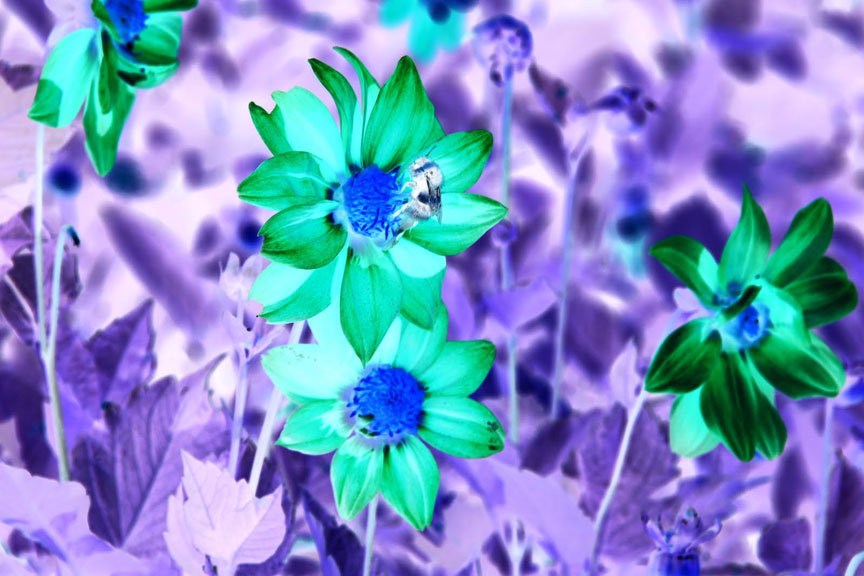
Using an SDK example:
// Node.js example
import { v2 as cloudinary } from 'cloudinary';

const invertedUrl = cloudinary.url('sample.jpg', {
  effect: 'negate',
  fetch_format: 'auto', // automatic format
  quality: 'auto'       // automatic quality
});

console.log(invertedUrl);Code language: JavaScript (javascript)
This approach lets you invert only when requested, cache at the edge, and combine with resizing, cropping, or format switching as needed.
- Invert by flipping RGB: 255 – channel, keep alpha unchanged.
- Browser: use CSS filter for display, Canvas for baked pixels.
- Node: Sharp’s negate is fast and batch friendly. Python: Pillow’s ImageOps.invert works well, preserving alpha by splitting channels.
- Delivery-time inversion avoids pre-processing and extra storage. Cloudinary supports it with a simple URL or SDK call.
Ready to invert, optimize, and deliver images at scale without extra storage steps? Create your free Cloudinary account and start transforming images on the fly.