 Ask AI
How to export asset details to CSV
Last updated: Jan-20-2026
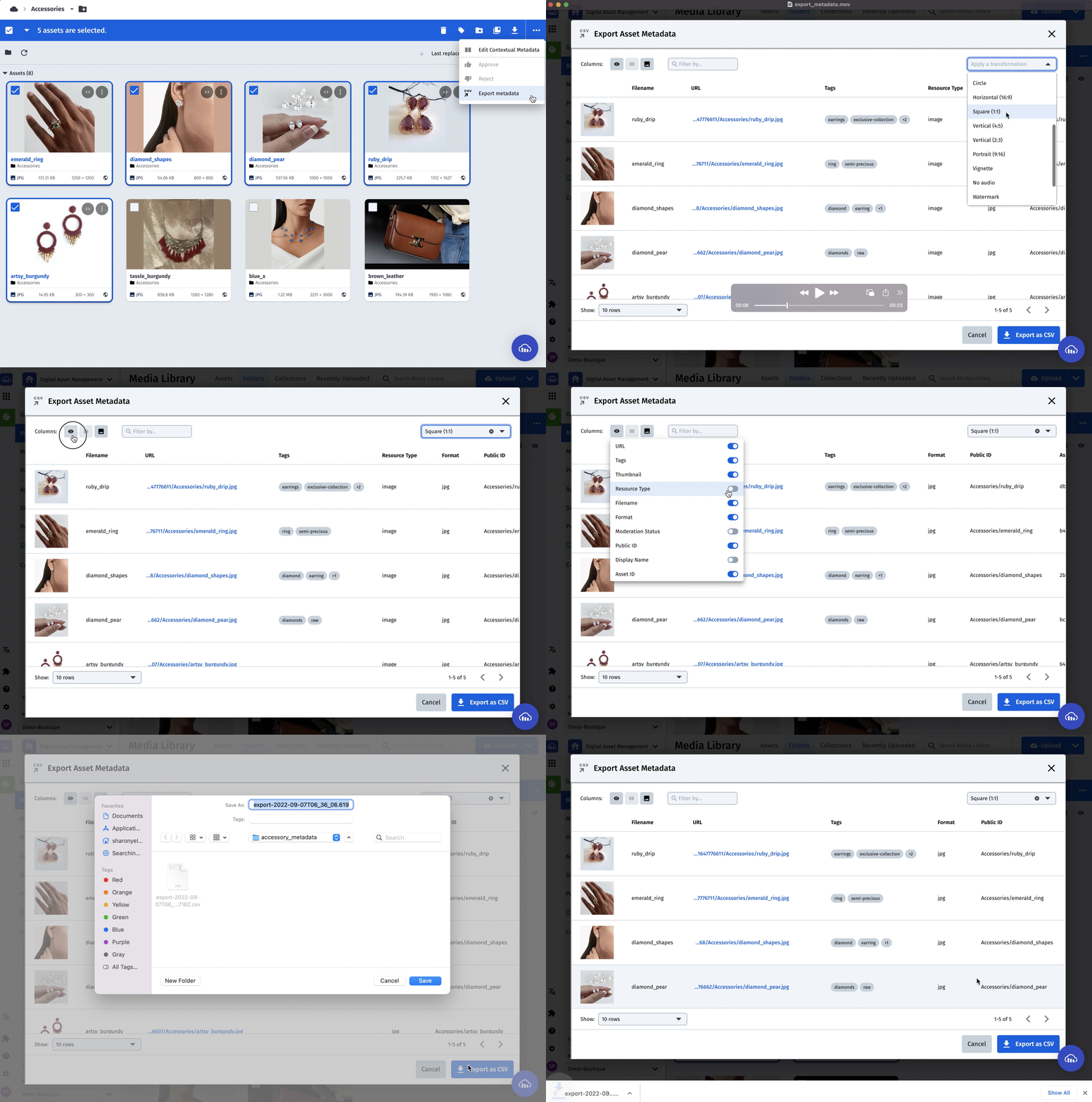
There are a few ways to export asset details to CSV:
- You can enable an app called
Export asset metadatafrom the App marketplace tab. Here's a demo of the app:Note that this app has a limit of 5,000 assets.
- If you need to export details for more than 5,000 assets, we have another app called
Search and export as CSV(which uses Admin API behind the scenes, so rate-limit applies). This isn't readily available via the marketplace so please contact support to enable it. - Our CLI can also be used to export asset details for more than 5,000 assets to a CSV file using the Search API (Admin API rate limits apply) e.g.
cld search "public_id=sample" -f metadata -ff public_id,metadata --csv myfile. This searches for the expressionpublic_id=sample, filters the output to just containpublic_id,metadatafields, and outputs it to "myfile.csv". - You can also create your own custom solution based on our APIs. You can do this by using our Search API, which will allow you to go through your assets and select which fields you'd like to export as CSV. You can also use Admin API resources to achieve the same results, but note with Admin API, the asset type is set as
imageand the delivery type asuploadby default, so you will need to change these values for other types. Therefore, Search API is the recommended approach, as it searches all types by default unless specified.
Note
Both the Search and Admin API are rate-limited, so make sure you don't exceed your hourly limit. If you do then your limit resets at the top of each hour.
✖️
Error
Rate this page:
