 Ask AI
Braze Cloudinary Integration
Last updated: Jul-21-2026
The Braze Cloudinary integration provides Cloudinary asset management and transformation capabilities within Braze campaigns and workflows.
Overview
Braze is a customer engagement platform that enables you to orchestrate and automate marketing campaigns across email, mobile, web, and other channels using real-time data and advanced segmentation.
The Cloudinary integration for Braze enables you to:
- Access and select Cloudinary assets directly within Braze campaign workflows
- Apply Cloudinary transformations to images and videos for different channels and devices
- Use Braze Liquid tags with Cloudinary transformation parameters to dynamically generate personalized media
- Automatically convert videos to optimized GIF format for email delivery
Use cases
Multi-channel asset delivery
Reference Cloudinary assets from your Braze campaigns and apply transformations to optimize media for specific channels (web, email, in-app messages, push notifications) and device types.

Dynamic media personalization
Combine Braze user attributes with Cloudinary transformation parameters to generate personalized images and videos. For example, use text overlays to add user-specific information such as names, locations, or reward data to campaign visuals.

Video-to-GIF conversion
Convert Cloudinary-hosted videos to optimized GIF format for use in email campaigns, ensuring compatibility across email clients while preserving motion-based content.

https://cloudinary.com) in their browser settings.Using the integration
The Braze integration with Cloudinary enables you to reference Cloudinary assets in your campaigns and apply transformations to optimize and personalize media delivery. The following sections describe common integration methods.
For complete setup instructions and implementation examples, see the Braze documentation for Cloudinary.
Select assets from Cloudinary DAM
Reference Cloudinary assets in your Braze campaigns using Cloudinary URLs. Assets can be selected based on public IDs, tags, or metadata attributes.
For detailed instructions, see Select campaign assets through Cloudinary DAM in the Braze documentation.
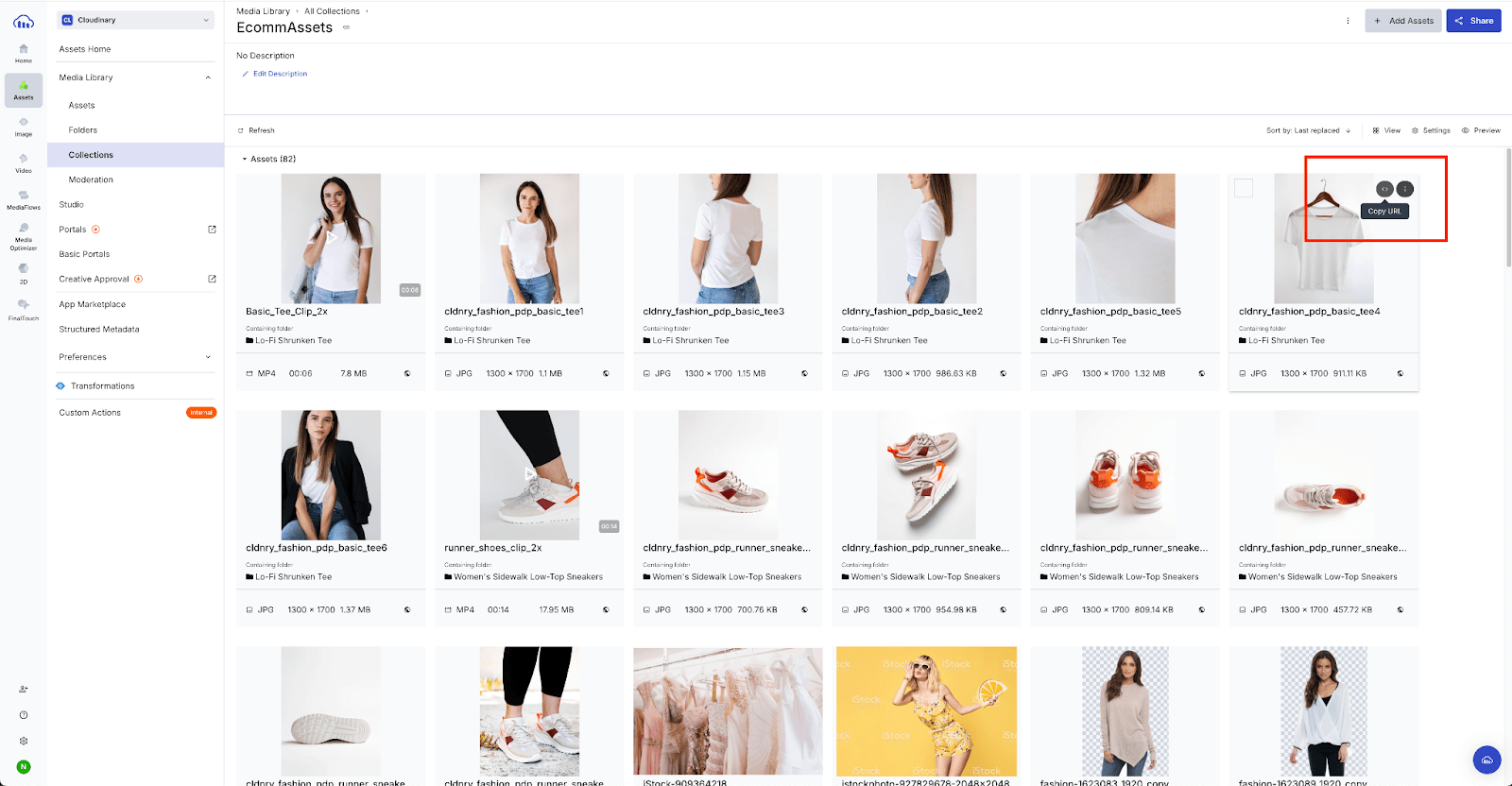
Convert videos to GIFs for email
Use Cloudinary transformation parameters to convert videos to GIF format for email campaigns. This ensures video content displays as animated GIFs in email clients, maintaining motion while ensuring broad compatibility.
For detailed instructions, see Convert videos to GIFs for emails in the Braze documentation.
Dynamically select assets based on user attributes
Dynamically select different campaign assets for different users based on their Braze attributes such as language, customer tier, or location. This advanced integration method uses Cloudinary tags and Structured Metadata along with custom functions to automatically return the most relevant asset for each user.
For detailed instructions on setting up dynamic asset selection, see Dynamically select campaign assets based on targeting attributes in the Braze documentation.
Generate personalized images with Liquid tags
Use Braze Liquid templating language to dynamically insert user attributes into Cloudinary transformation URLs. This allows you to generate unique media variants for each recipient.
For example, you can use Liquid tags to insert user data into Cloudinary's text overlay transformation parameter (l_text), creating personalized images that display the recipient's name, location, or other profile information.
For detailed instructions and examples, see Personalized image generation in the Braze documentation.
Get started
To learn how to set up and use the Cloudinary integration with Braze:
Visit the Braze documentation for Cloudinary for detailed setup instructions and implementation examples.
For questions about the integration or implementation support, contact Cloudinary support.
Cloudinary Professional Services configuration support
The Braze integration is part of Cloudinary's Standard Professional Services integration configuration package.
If you need assistance setting up this integration and you're on an Enterprise plan with a professional services package in your contract, Cloudinary's professional services can help you set it up as part of your contracted package.
Learn more: Cloudinary Professional Services packages
Error
Rate this page:
