Digital asset management (DAM) refers to the process of organizing, storing, and distributing digital files through dedicated software. By centralizing media libraries, DAM systems enhance workflow efficiency, maintain brand consistency, and ensure legal compliance.
Effective organization of digital assets is crucial for modern businesses that handle vast amounts of media content across multiple teams. DAM systems offer a variety of benefits that help teams manage their digital resources more efficiently.
As content volumes surge and generative AI reshapes how media is produced, modern DAM has evolved from a passive file repository into an active engine for content operations. This shift brings fresh priorities into focus, including AI-driven automation, semantic search, rapid market growth, and stronger governance around content authenticity and compliance.
This article covers:
- What is Digital Asset Management?
- What is a Digital Asset?
- How Digital Asset Management Software Works
- How Cloud-Based DAM Works
- Key Features of DAM Software
- DAM vs. Other Content Tools (CMS, PIM, MAM, and Cloud Storage)
- What Are the Benefits of DAM?
- Content Provenance and Authenticity in DAM
- When Is It Time to Invest in DAM Software?
- How to Choose a DAM System
- Who Uses DAM?
- Best Practices for Implementing a DAM
- How Does Cloudinary’s DAM Solution Automate Media Workflows?
- Frequently Asked Questions
What is Digital Asset Management?
Digital asset management (DAM) provides a structured approach to organizing, storing, retrieving, and sharing an organization’s digital files, including images, videos, audio files, documents, and other digital assets. A DAM system offers a centralized, searchable repository that enhances the efficiency, security, and accessibility of digital assets, and streamlines everything from creation and distribution to archiving, reuse, and eventual retirement. It helps companies maintain brand consistency, improve collaboration, and control the use of their assets throughout the entire content lifecycle. The goal of DAM is to ensure digital assets are used consistently and to their fullest potential, while minimizing inefficiencies and security risks.
Industry research reflects how central these systems have become: the global DAM market is estimated at roughly USD 7.5 billion and is expanding at a double-digit annual growth rate, driven by the migration to cloud-native AI platforms and the accelerating pace of omnichannel content.
What is a Digital Asset?
A digital asset refers to any type of media or data stored in a digital format that holds value and can be utilized across various channels. This includes a wide array of file types, such as:
- Documents (PDFs, Word files, Excel spreadsheets, and Google Docs/Sheets)
- Web pages and code (HTML, CSS, JavaScript, XML, JSON, PHP, and Python)
- Spreadsheets and databases (Excel, CSV, Google Sheets, SQL, and DB)
- Technical files (CAD files like DWG, DWF, blueprints, and schematics)
- Legal and administrative documents (contracts, licenses, invoices, and HR forms in PDF or DOCX formats)
It also includes media assets (any resource used in the production, distribution, or promotion of content across various media channels):
- Images (JPEG, PNG, GIF, TIFF, RAW, PSD, AI, SVG)
- Videos (MP4, AVI, MOV, WMV, MKV)
- Audio files (MP3, WAV, AIFF, FLAC, OGG)
- 3D models or animations (STL, OBJ, FBX, GLB, BLEND)
- Design files such as Adobe Illustrator (AI), Photoshop (PSD), InDesign (INDD), and Sketch
- Presentation materials (PPT/PPTX, Keynote, interactive PDFs)
- Text content and scripts (TXT, DOCX, Final Draft/FDX, Celtx)
How Digital Asset Management Software Works
Digital asset management systems serve as centralized platforms that streamline how organizations create, manage, distribute, and safeguard digital content throughout its lifecycle. These tools provide a structured and efficient way to handle large volumes of media assets, such as images, videos, documents, and design files, ensuring that teams can easily find, collaborate on, and securely share content across departments and external partners. Artificial intelligence has moved beyond experimentation in these platforms and is quickly becoming a baseline expectation rather than an advanced feature, with AI-driven tagging and semantic search automatically enriching content with metadata and improving discoverability. Here’s a quick overview of how it generally operates:
Ingesting and Uploading Assets
Assets enter the DAM in three ways:
- Individual Upload: a single user manually uploads a file
- Bulk Import: large batches are imported at once, typically migrating from existing storage or shared drives
- Automated Sync: assets flow in automatically through integrations with creative tools, cloud storage, or a content management system (CMS)
This consolidates everything that would otherwise scatter across drives, email and tools. Standardizing the formatting at this stage sets you up for success downstream, such as metadata and search.
Metadata, Tagging, and Taxonomy
DAM systems use metadata, tagging, and AI-powered search features to make locating files quick and intuitive. Assets can be grouped by project, type, or date, making it easier for users to retrieve content when needed and reducing wasted time.
Search and Discovery
DAM platforms provide robust indexing and AI-enhanced search capabilities, enabling users to quickly locate assets by keyword, tag, or visual similarity.
Version Control and Approval Workflows
DAM solutions facilitate teamwork by enabling easy sharing, commenting, annotation, and version control. Internal teams and external partners can provide feedback, review changes, and approve content in real time, ensuring alignment throughout the production process.
Access Control and Distribution
Administrators can assign user roles and permissions to ensure assets are accessed and used appropriately. These controls help enforce brand guidelines, maintain compliance, and prevent unauthorized or incorrect use of digital assets across every channel they’re pushed to.
How Cloud-Based DAM Works
Cloud-based digital asset management systems operate entirely online, storing all assets in a centralized repository hosted by a third-party provider. Users access the platform through a web browser or dedicated application, enabling remote access from anywhere with an internet connection.
The SaaS model means organizations subscribe to the service, which covers access, storage, maintenance, and updates. This setup allows for easy scalability, as storage and features can be adjusted to meet evolving business needs, and ensures that users always have the latest security and functionality without manual intervention.
Key Features of DAM Software
Not every DAM platform offers the same depth of functionality. These are the capabilities that separate a basic file repository from a system built to support teams at scale.
Centralized Asset Library
A DAM system consolidates all digital content such as brand logos, marketing materials, photos, videos, and design files, into a single, organized library, eliminating scattered storage locations and ensuring everyone has access to the latest approved materials.
AI Auto-Tagging and Visual Search
AI and machine learning let Cloudinary automatically analyze images and video at upload, detecting objects, scenes, and concepts and assigning relevant tags without manual input. This removes the bottleneck of tagging large libraries by hand and keeps categorization consistent across teams, reducing the inconsistent or missing metadata that makes assets hard to find later.
Cloudinary supports this through integrations with leading image-recognition services, including Amazon Rekognition, Google Cloud Vision, and Imagga, so teams can choose the tagging model that best fits their content. Confidence thresholds ensure only reliable tags are applied automatically, with lower-confidence results flagged for manual review. This gives teams the speed of automation without sacrificing accuracy.
Permissions, Roles, and Access Control
DAM systems provide robust security by setting permissions for who can access, modify, or distribute content, ensuring only authorized individuals can manipulate assets. Automated backups and encrypted storage further safeguard assets against data loss, while access controls protect intellectual property and support legal compliance.
Media Transformation and Optimization
Many DAM platforms include built-in image and video editing tools, streamlining content creation. Advanced systems, like Cloudinary Assets, can leverage generative AI to accelerate content development while maintaining brand consistency and creative quality. Cloudinary Studio brings this together with reusable templates, AI-driven actions, and bulk image work — generating asset variations without ever altering the original file.
Beyond editing, Cloudinary automatically optimizes every asset on delivery. Automatic quality and format parameters added to a delivery URL let Cloudinary analyze each image individually and serves it in the best format for the requesting browser, typically cutting file size by 70% or more with no visible loss in quality.
Assets can also be resized and cropped on the server side rather than relying on the browser to scale them down, so teams deliver exactly the dimensions a channel needs (social, email, product page) without manually exporting separate versions of the same file. For sites and apps that need to support many screen sizes, responsive delivery automatically serves the right image size for each device and viewport.
APIs, SDKs, and Integrations
DAM systems integrate seamlessly with creative, marketing, and project management software, including content management systems (CMS) and social media publishing tools, so teams can manage assets without constantly switching between platforms.
Sharing and Portals
Teams often need to share assets with agencies, retailers, press contacts, franchisees, or regional partners without exposing the full library. Cloudinary Portals support curated asset collections, share links, search, detailed asset pages, authentication options, and custom content for specific use cases — making external sharing controlled rather than a one-off email attachment.
Analytics
DAM analytics help teams understand which assets are used, downloaded, searched for, or missing, turning the library into a feedback loop for content strategy, not just storage. Cloudinary DAM Analytics provides data on downloads, collection views, search trends, user engagement, uploads, and audit activity directly inside the Media Library.
DAM vs. Other Content Tools
DAM is often confused with a few adjacent tools. Here’s how it differs from each:
- DAM vs CMS: A DAM centralizes rich media (images, videos, documents) with metadata, version control, and access rights. A CMS is built for creating and publishing web content like articles and pages. Most organizations use both: the DAM stores and organizes assets, and the CMS pulls from that library to publish them. See our full comparison of DAM vs CMS.
- DAM vs PIM: A PIM centralizes structured product data (descriptions, pricing, specifications). A DAM manages the unstructured, media-centric side (images, videos, documents). The two are complementary: PIM handles product data, DAM handles the visual assets tied to it, and ecommerce teams often run both together. See our full comparison of PIM vs DAM.
- DAM vs MAM: A DAM manages finished, approved assets for use across the business. A media asset management (MAM) system manages large video and audio files through production, from ingest and editing to archive. Broadcasters and post-production teams often need a MAM, while most brand and marketing teams are better served by a DAM with strong video support. See our full comparison of DAM vs MAM.
- DAM vs Cloud Storage: Cloud storage tools like Google Drive are built around the individual, with files private until shared. A DAM is built around the asset, organized to be found and reused organization-wide by default. Many teams use both: cloud storage for work in progress, a DAM for finished, approved assets. See our full comparison of DAM vs cloud storage.
Pro Tip!
Consider Cloudinary’s Digital Asset Management
Looking for a centralized location to manage all your media assets? Cloudinary’s Media Library makes it easy to upload, store, manage, and deliver images and videos efficiently.
What Are the Benefits of DAM?
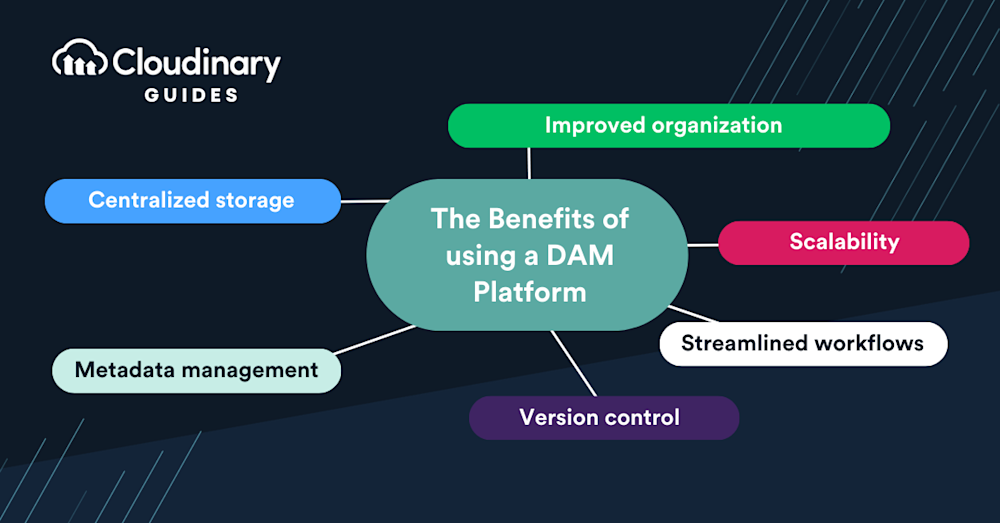
Digital Asset Management (DAM) offers a comprehensive solution for organizations to centralize, organize, and manage digital assets more effectively. By streamlining workflows, enhancing security, and promoting brand consistency, DAM systems deliver significant benefits that can improve efficiency and drive performance.
Centralized Organization and Efficiency
DAM systems centralize digital assets in a unified repository, eliminating the need to search through multiple locations. This organization reduces redundancy and ensures easy access to approved content, helping teams save time and work more efficiently. The streamlined access and improved search functionality enable faster retrieval and better utilization of assets across teams.
Improved Workflow and Productivity
DAM solutions integrate with other systems like Content Management Systems (CMS), creating a seamless workflow from asset creation to deployment. By automating repetitive tasks such as resizing, cropping, and organizing, DAM frees up valuable time for more critical creative work, ultimately boosting productivity across departments.
Better Collaboration
With cloud-based access and real-time collaboration capabilities, DAM systems facilitate teamwork by enabling multiple users to work on assets simultaneously. Features like version control, feedback loops, and easy sharing improve collaboration among internal teams and external partners, reducing communication barriers and speeding up the approval process.
Brand Consistency and Integrity
A DAM solution ensures that all teams use the most up-to-date and approved versions of digital assets, maintaining consistent branding across all channels. This centralization strengthens brand integrity, preventing the use of outdated or unapproved content, and enhancing the professional image of the organization.
Legal Compliance and Rights Management
DAM systems help ensure that digital assets are used in accordance with legal requirements, including copyright and licensing. The system provides tools to set user permissions, track asset history, and enforce rights management, reducing the risk of misuse and copyright infringement. With synthetic media and AI-generated assets becoming common, verifiable content authenticity is increasingly part of rights management, and organizations must also navigate a growing mix of obligations, from data-protection rules to emerging regulations governing AI-generated content.
Content Provenance and Authenticity in DAM
As generative AI makes synthetic and AI-edited media indistinguishable from traditional photography, verifying where content comes from has become a core DAM concern. Trust frameworks such as the Coalition for Content Provenance and Authenticity (C2PA) are gaining traction as a way to document how an asset was created and edited.
C2PA is an open technical standard that cryptographically attaches signed provenance information, known as Content Credentials, to images, video, audio, and documents. A credential can record an asset’s origin, the edits and tools applied, and whether AI was involved, giving teams a tamper-evident history for every file.
Regulation is fixing the timeline for adoption. The EU AI Act requires AI-generated or AI-manipulated content to be marked in a machine-readable format, with enforcement beginning in August 2026, and similar transparency rules are emerging elsewhere. Building provenance support into DAM pipelines helps organizations stay compliant and maintain brand trust.
Provenance is not a complete solution on its own, because many distribution channels still strip embedded metadata during upload and processing. For that reason, leading platforms increasingly combine credentials with invisible watermarking and content fingerprinting so that authenticity information can survive and be recovered across the content lifecycle.
When Is It Time to Invest in DAM Software?
A DAM platform becomes valuable when asset management starts creating friction. Common signs include:
- Your team cannot find final assets quickly.
- People ask the same colleagues for the same files again and again.
- Assets are duplicated across multiple tools and folders.
- No one knows which version is approved.
- Expired or unlicensed assets are at risk of being used.
- Brand consistency varies across teams, markets, or channels.
- Creative teams spend too much time resizing, exporting, or sending files manually.
- Sales, e-commerce, and regional teams rely on marketing for every content request.
- External partners need controlled access to brand or campaign assets.
- Your CMS, PIM, e-commerce platform, and design tools all need access to the same media.
When these problems appear, digital asset management is no longer just a content operations improvement. It becomes part of the business infrastructure for delivering consistent digital experiences.
How to Choose a DAM System
The right DAM depends on your library size, team, and existing tools, but a few criteria come up across almost every evaluation, whatever your organization’s size:
- Scalability and Performance: Will the platform hold up as your asset library and audience grow, with CDN-backed delivery so pages stay fast wherever your users are?
- Security, Compliance, and Governance: Role-based permissions, audit trails, and support for standards like GDPR and SOC 2 protect sensitive assets and matter more the moment you sign an enterprise customer or handle regulated content.
- AI-Powered Search and Organization: Automatic tagging, metadata enrichment, and reliable search let teams find assets without manually cataloging every file. Essential once a library grows past a few hundred assets.
- Media Optimization and Delivery: Look for a platform that can generate the right size, format, and quality for each channel automatically, rather than requiring manual exports for every use case.
- Integrations and APIs: A DAM that connects to your CMS, e-commerce platform, design tools, and marketing stack out of the box saves real implementation time; well-documented APIs matter even for non-technical buyers, since they determine whether your developers can automate around it.
- Ease of Use and Onboarding: If a non-technical team member can’t upload, tag, and find an asset in their first few minutes, adoption can fail no matter how capable the platform is.
- Analytics and Reporting: Teams should be able to see what content is used, which assets perform well, and where content gaps exist. Analytics capabilities turn usage data into a feedback loop for content strategy, so look for a platform that surfaces this inside the tool itself rather than requiring a separate reporting layer.
- Total Cost of Ownership: Look past the subscription price to implementation, training, storage, bandwidth, and integration costs. The cheaper platform on paper isn’t always the more affordable one in practice.
The weight you give each of these depends heavily on where your organization is today. A five-person startup prioritizes fast onboarding and a free tier to validate fit; an enterprise evaluating compliance-heavy use cases weighs security and governance more heavily from day one.
Choosing by team size:
- Startup or early-stage team? See DAM for Startups: How to Choose the Right Tool
- Working with a tight budget? See How to Choose Affordable DAM Software
- Small business or lean marketing team? See DAM for Small Business: How to Choose the Right Tool or Best DAM Platform for Enterprise Marketing Teams: How to Choose the Right Tool
- Enterprise-scale evaluation? See How to Choose a Digital Asset Management Solution: A Buyer’s Guide
Who Uses DAM?
A DAM serves as a shared resource across an organization, not just a tool for one department. For a deeper look at how different roles put it to use, see Who Uses a Digital Asset Management System? Below is a quick breakdown of the internal and external users who rely on it most.
Internal Users
Sales and Marketing: Access to a centralized source of the latest branded material for presentations and pitches, searchable and downloadable from inside or outside the internal network.
Designers and Creators: In-house photographers and graphic designers upload and access branded assets, with integrations into tools like Adobe Creative Suite streamlining their workflow.
E-commerce Teams: E-commerce teams manage product images, videos, lifestyle photography, 360-degree views, size guides, marketplace images, and localized content. DAM helps ensure that product media is accurate, approved, and ready for each channel.
Developers and IT Professionals: Robust APIs and SDKs give technical teams a streamlined path to assets and asset data while connecting the DAM to other critical systems.
Legal Experts: Tagging assets with expiration dates and organizing them by rights status helps legal teams enforce compliance and prevent the use of out-of-date content.
External Users
Partners and Contractors: External collaborators on product development, marketing, and services get access while the DAM maintains security, brand consistency, and compliance standards.
Clients: Clients can access the digital assets they need for ongoing projects or services directly through the DAM.
Agencies: Agencies can store, share, access, and edit assets, and submit files for client review or approval, all within the same system.

Pro Tip!
See Cloudinary’s DAM in Action
Whichever team you’re on, sales, design, or dev, Cloudinary’s Media Library gives everyone a shared, searchable home for approved assets, with automated delivery built in.
Best Practices for Implementing a DAM
Getting real value from a DAM depends as much on implementation as on the platform itself. A few practices consistently separate successful rollouts from underused systems:
- Audit Before You Migrate: Take stock of what you actually have, and use the migration as a chance to leave outdated or low-value files behind rather than carrying clutter into the new system.
- Define Metadata Standards Early: Consistent naming conventions and a clear, shared vocabulary for tags are what make assets findable later. This is often the single biggest factor in whether a DAM succeeds or quietly falls out of use.
- Establish Governance and Permissions Deliberately: Decide who can view, edit, or approve each type of asset before rollout, and apply the principle of least privilege — giving each role only the access it actually needs.
- Migrate in Phases: Move your most critical assets first, validate that metadata came across intact, and then bring over the rest. This limits disruption and gives you a chance to catch issues early.
- Invest in Training and a Clear Point of Ownership: Adoption depends on people actually using the system day to day, so pair onboarding with a named owner who can answer questions and keep standards consistent.
- Review and Maintain on a Schedule: Regularly check for missing metadata, remove duplicates, audit permissions, and act on usage analytics to keep the library relevant rather than letting it accumulate untagged or unused files.
- Automate Where the Platform Allows It: Let AI handle repetitive tagging and transformation work, but keep a layer of human oversight. Automation performs best on top of a clean, well-governed structure, not as a substitute for one.
Want the full step-by-step project plan? See DAM Implementation: A Comprehensive Guide for 2026.
How Does Cloudinary’s DAM Solution Automate Media Workflows?
Cloudinary has reimagined DAM with a focus on flexibility, intelligent automation, and scale to meet the current and future needs of media management. Noteworthy are three key features:
- Automation at scale. Through artificial intelligence (AI), Cloudinary empowers teams to launch dynamic visual experiences in a fraction of the time required previously.
- Harmonized systems. Cloudinary unifies customer-experience teams on one platform, reducing complexity, breaking down silos, and spurring collaboration.
- Flexible innovation. Cloudinary adopts cutting-edge technology with future-proof flexibility.
During an asset’s lifecycle, teams can seamlessly collaborate on a cloud platform with a single-source repository and no gaps between asset management and delivery. Such a consolidation of disparate processes and functional groups effectively complements marketing and promotion campaigns.
Learn more in our detailed guide to digital asset management solutions.
Frequently Asked Questions
What is digital asset management?
Digital asset management is the process and software used to store, organize, find, manage, share, and distribute digital files such as images, videos, documents, and brand assets. A DAM system gives teams a centralized source of truth for approved digital content.
What does DAM stand for?
DAM stands for digital asset management. It can refer to both the business process of managing assets and the software platform used to support that process.
What is DAM software used for?
DAM software is used to centralize digital assets, add metadata, improve search, manage permissions, track usage rights, support review workflows, and distribute approved content across teams and channels.
Is Google Drive a DAM?
Google Drive and similar cloud storage tools can store and share files, but they are not full digital asset management systems. A DAM provides advanced metadata, search, governance, version control, rights management, workflow support, and controlled distribution for brand and media assets.
Who uses digital asset management?
Marketing, creative, sales, e-commerce, product, IT, agency, and partner teams all use DAM. It is especially useful for organizations that produce and distribute large volumes of images, videos, and brand content.
Why is metadata important in DAM?
Metadata makes assets searchable and manageable. It helps teams find files by campaign, product, region, rights, approval status, file type, channel, or other business-specific criteria.
What is the difference between DAM and CMS?
A CMS, or content management system, manages web pages and content publishing. A DAM manages the media assets used across many systems, including CMS platforms, e-commerce platforms, PIM systems, social tools, apps, and marketing workflows.
What is the difference between DAM and PIM?
A PIM, or product information management system, manages product data such as SKUs, descriptions, pricing, and specifications. A DAM manages digital media such as product images, videos, and brand assets. Many e-commerce teams use DAM and PIM together.
How does DAM improve brand consistency?
DAM improves brand consistency by giving teams one approved source for logos, images, videos, templates, and campaign assets. It reduces the risk of teams using outdated, off-brand, or unapproved content.
What makes a modern DAM platform different?
A modern DAM platform supports AI-powered tagging, advanced metadata, granular permissions, rights management, review workflows, integrations, APIs, portals, analytics, and media transformation. It helps teams not only store content, but also activate it across channels.