A web page is made up of many components, but images often carry the most weight—both visually and in file size. Because of this, optimizing images is essential for building fast and efficient websites. One of the most effective optimization techniques is image compression. Properly compressed images lead to faster load times, reduced bandwidth costs, an improved user experience, and better SEO performance during crawling and indexing.
In PHP projects, image compression focuses on reducing file size while preserving visual quality and usability.
In this article, we’ll explore why image compression is so important in PHP applications, how it works behind the scenes, and the best tools developers can use to implement it safely. The goal is to highlight reliable, production-ready approaches that perform well in real-world systems.
Key takeaways:
- Compressing images in PHP improves page speed, reduces storage and bandwidth costs, and helps prevent server slowdowns or timeouts. Lossy compression works well for photos with acceptable quality loss, while lossless compression is better for logos and UI graphics that need to stay sharp.
- Efficient image compression in PHP depends on smart resource management, such as choosing the right library, resizing before compressing, and caching results. Using background processing, setting sensible quality limits, and offloading heavy work to cloud services helps keep applications fast and scalable.
In this article:
- Why Bother to Compress Images in PHP?
- How PHP Image Compression Works: Best Libraries and Options
- Performance Tips for PHP Image Compression
- Caching, CDN, and On-the-Fly Compression with Cloudinary
Why Bother to Compress Images in PHP?
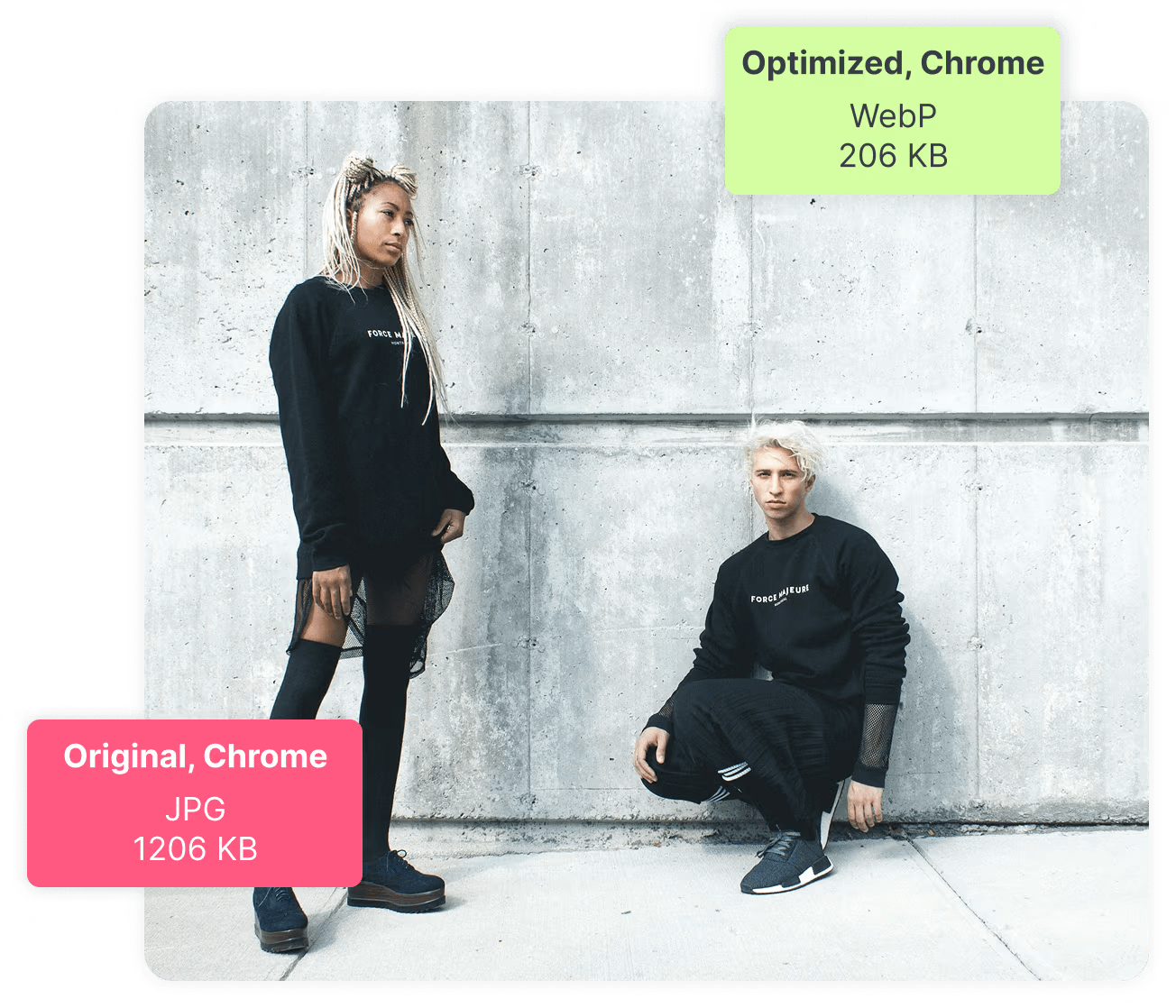
PHP often sits behind upload forms, content systems, and APIs that accept images from users. Straight from phones or cameras, these images commonly come in large dimensions and premium quality. When stored and utilized in a high-quality format, each page takes longer to load and is heavier than it needs to be.
With PHP compressed images, you have reduced storage usage, faster page loads, and lower server and bandwidth costs. Faster pages also improve SEO and substantially reduce bounce rates.
Compression also protects your backend. Large uncompressed images consume more memory during processing and increase the risk of timeouts. A clear compression strategy makes your application more predictable under load.
Lossy vs Lossless Compression
Lossy compression removes some image data to achieve smaller file sizes, with the data loss usually invisible to users at reasonable settings. JPEG compression commonly works this way. Lossy compression is useful for photos where a slight quality reduction is acceptable.
Lossless compression keeps all original image data intact, reducing file size by optimizing how data is stored rather than removing content. PNG compression often uses this approach. Lossless compression is better for logos, icons, and images with sharp edges.
Choosing between lossy and lossless depends on the image type and use case. Photos usually tolerate lossy compression well. Graphics and UI assets often need lossless handling to avoid visual artifacts.
How PHP Image Compression Works: Best Libraries and Options
PHP does not compress images by default. It relies on libraries that handle decoding, resizing, and re-encoding image data. These libraries work in memory and save optimized files back to disk or cloud storage.
Cloudinary
Cloudinary approaches compression differently. Instead of processing images inside your PHP server, Cloudinary handles compression externally through Cloudinary Image.
Once uploaded, images are automatically delivered in optimized formats and sizes. Image compression adjusts dynamically according to device, screen dimensions, and network quality, minimizing intensive image processing.
Cloudinary works well when image volume grows or when you need consistent performance across regions. It also supports modern formats and dynamic transformations without writing custom compression code.
The GD Library
GD is the most common image library bundled with PHP. It supports basic formats like JPEG, PNG, and GIF. With GD, compression happens when you save an image and control its quality level.
The GD library is simple and widely available, and works well for small to medium images and basic compression needs. However, it has limits. Memory usage can grow quickly with larger images, and format support is limited compared to other tools.
This option is best for lightweight systems where simplicity matters more than advanced optimization.
ImageMagik
Imagick (ImageMagick) is a powerful image processing library that supports many formats and advanced operations, along with better quality control and more compression options than GD. It handles large images more reliably but requires careful configuration. This program uses a lot of system resources and requires optimization to prevent memory problems.
ImageMagik fits projects that need advanced control and run on well-managed servers.
Performance Tips for PHP Image Compression
When compressing images with PHP, performance depends on how efficiently you handle files, libraries, and server resources.
- Choose the right library: Use well supported tools like GD or Imagick based on your needs. Imagick often delivers better compression quality and supports more formats.
- Avoid processing original files repeatedly: Store compressed versions and reuse them instead of recompressing on every request. This reduces CPU load.
- Resize before compressing: Downscale large images before applying compression. Smaller dimensions significantly reduce file size and processing time.
- Set sensible quality limits: Extremely high quality values increase file size with little visual benefit. Find a balance that preserves clarity while saving bandwidth.
- Process images asynchronously: Run compression jobs in background workers instead of blocking user requests. This keeps applications responsive.
- Limit memory usage: Large images can exhaust PHP memory limits. Set constraints and validate image dimensions before processing.
- Use caching where possible: Cache compressed outputs on disk or in object storage to avoid duplicate work.
- Validate formats early: Reject unsupported or corrupted files before starting compression. This prevents wasted processing cycles.
- Offload heavy workloads: As volume increases, server based compression becomes harder to scale. Cloudinary handles compression, format conversion, and delivery in the cloud, which removes performance bottlenecks from PHP applications.
Caching, CDN, and On-the-Fly Compression with Cloudinary
PHP image compression often starts as a simple script, but overhead grows quickly as traffic increases. Each request that triggers resizing or compression consumes CPU and memory, which slows response times and puts pressure on application servers. To keep pages fast, developers usually add custom caching layers and configure a CDN. Managing these pieces adds complexity and increases maintenance effort.
Cloudinary simplifies this workflow by handling compression, caching, and delivery on a single platform. Instead of processing images inside PHP, you request optimized images through dynamic URLs. The first request generates the transformed asset, and Cloudinary caches the result automatically. All future requests are served from the cache through a global CDN.
For example, this URL resizes an image and applies automatic format and quality optimization:
https://res.cloudinary.com/demo/image/upload/w_600,f_auto,q_auto/sample.jpg
You can change transformations at any time without touching any PHP. Cloudinary generates new versions on demand and stores them for reuse. This approach removes repetitive processing from your servers and keeps performance consistent during traffic spikes.
By offloading image compression and delivery to Cloudinary, PHP applications stay lightweight and responsive. You gain reliable caching, fast global delivery, and flexible on the fly transformations without building or maintaining custom infrastructure.
Wrapping Up
PHP image compression is about balance. You want smaller files without breaking visual quality or overloading your server. The right approach depends on your traffic, image volume, and infrastructure.
Simple projects can rely on built-in libraries. Larger systems benefit from external media platforms that handle optimization at scale. Planning compression early keeps applications fast, predictable, and easier to maintain.
Unlock the full potential of your digital content with Cloudinary’s advanced editing and optimization tools. Sign up for free today!
Frequently Asked Questions
What methods can you use for image compression in PHP?
In PHP, you can compress images using functions from the GD library or Imagick (ImageMagick) by resizing the image and reducing quality when saving (e.g., imagejpeg($img, $path, $quality)). These methods help reduce file size while maintaining acceptable visual quality.
How do you compress a JPEG image in PHP?
To compress a JPEG in PHP with GD, load the image (e.g., imagecreatefromjpeg()), then save it with a lower quality value like imagejpeg($img, $newPath, 75);. A lower quality number results in smaller file size but can reduce visual fidelity, so choose a balance.
Can PHP compress PNG or WebP images too?
PHP can compress PNG by adjusting compression levels via GD (imagepng() with level 0–9) or use Imagick for more control. PHP also supports WebP compression with imagewebp() (GD or Imagick), often yielding better size‑to‑quality ratios for web use.


