Images are a big part of modern web apps. 99% of pages on the internet have at least one image on their website. Users upload profile photos, stores display product images, blogs rely on visuals, and dashboards generate charts.
PHP has played a quiet part over the years by cropping, compressing, and manipulating images. PHP runs on shared hosting, VPS setups, and traditional servers, which makes it a familiar choice for many teams. You do not need a complex stack to get basic image tasks done.
Key takeaways:
- PHP is a practical choice for image processing in traditional web backends because it’s easy to deploy and integrates well with uploads and server-side workflows. While Python and other languages offer more advanced or faster image tools, PHP balances performance and simplicity, making it effective for final image processing and storage.
- PHP image manipulation lets developers resize, crop, convert formats, and add text or watermarks to images for better performance and consistency. Using libraries like GD and Imagick, images can be processed on the server to fit layouts, reduce file size, and prepare them for storage or display.
In this article:
- Using PHP for Image Manipulation Compared to Other Languages
- The Basics of PHP Image Manipulation
- What Cloudinary Does that Others Can’t
Using PHP for Image Manipulation Compared to Other Languages
While Python is widely regarded by experts as the optimal tool for image manipulation, PHP is also a viable option because of its accessibility. PHP runs almost everywhere, integrates easily with web forms, and works well for server-side workflows tied directly to uploads.
Compared to JavaScript, PHP handles images after upload rather than in the browser. This gives you more control and avoids sending heavy processing work to the client. JavaScript shines for previews and light edits, but PHP is better for final processing and storage.
Compared to Python, PHP has fewer advanced image libraries, but it is simpler to deploy. Pillow (a Python tool) offers more control, but they often require extra setup and server configuration.
PHP performance and ease of use place it ahead of Go and Rust; PHP trades performance for ease of use. Those languages handle large image batches faster, but PHP remains popular because many applications already use it.
In short, PHP works best when image manipulation is part of a traditional web backend and not a standalone processing pipeline.
The Basics of PHP Image Manipulation
Image manipulation is a core part of many PHP applications that work with photos, user uploads, or visual content. Tasks like resizing, cropping, and format conversion help ensure images load quickly, look consistent, and fit different layouts. PHP supports these operations through libraries such as GD and Imagick, which allow developers to control how images are processed on the server.
Loading and Saving Images
Before any manipulation can happen, an image must be loaded into memory. PHP libraries read the image file and convert it into a resource that can be modified. After processing, the image is written back to disk or sent directly to the browser.
$image = imagecreatefromjpeg("input.jpg");
imagejpeg($image, "output.jpg", 85);
The quality setting controls compression and file size, which affects performance and visual clarity.
Resizing and Scaling
Resizing is one of the most common image operations. It reduces file size and ensures images fit specific design requirements. Scaling can preserve aspect ratio while adjusting width or height.
$resized = imagescale($image, 600);
imagejpeg($resized, "resized.jpg");
This approach is useful for responsive layouts and thumbnail generation.
Cropping and Framing
Cropping removes unwanted areas and focuses on the most important part of an image. It is often used for profile pictures, product images, and previews.
$crop = imagecrop($image, [
  'x' => 50,
  'y' => 50,
  'width' => 300,
  'height' => 300
]);
imagejpeg($crop, "cropped.jpg");
Careful cropping helps maintain visual consistency across a site.
Format Conversion
Different formats serve different needs. JPEG works well for photos, PNG supports transparency, and WebP offers strong compression.
$image = imagecreatefrompng("input.png");
imagejpeg($image, "converted.jpg");
Format conversion helps balance quality, compatibility, and performance.
Text and Watermarks
Text overlays and watermarks add branding or ownership information to images. They can also display labels, captions, or timestamps.
$textColor = imagecolorallocate($image, 255, 255, 255);
imagestring($image, 5, 10, 10, "Sample", $textColor);
These elements help protect assets and add useful context for viewers.
What Cloudinary Does that Others Can’t
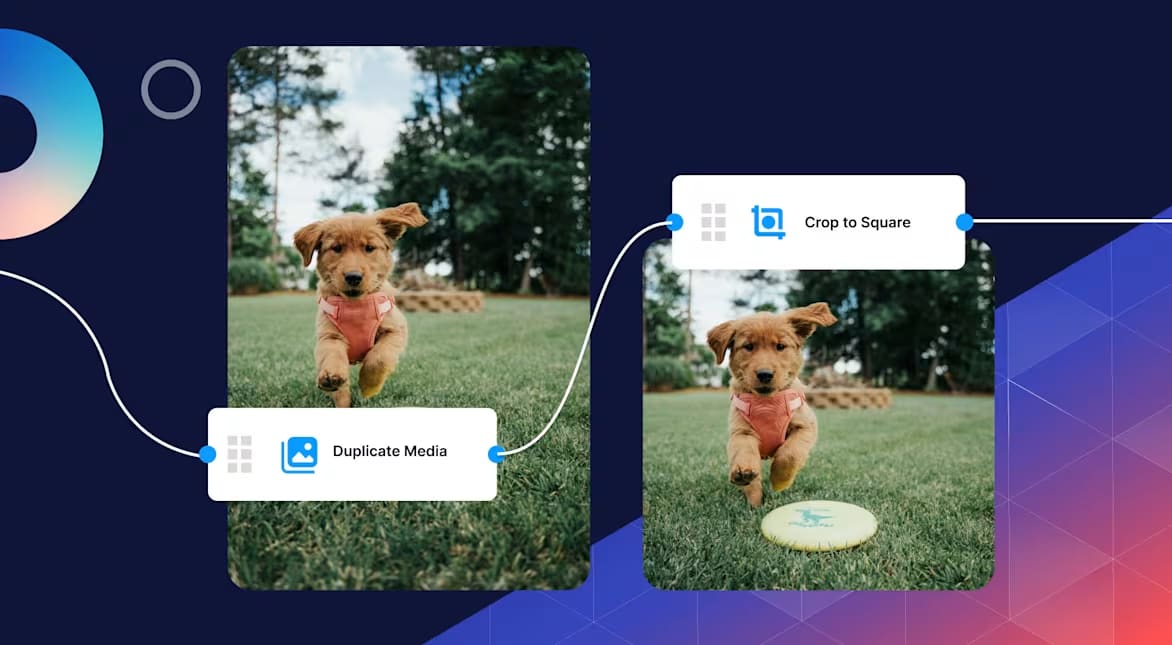
PHP image manipulation often starts simple, but the overhead grows fast as traffic and media volume increase. Compressing, resizing, and converting images on the server consumes CPU and memory, which can slow down applications and create scaling issues. Developers also need to manage caching, format support, and delivery logic, all of which add operational complexity over time.
Cloudinary removes this burden by shifting image processing and delivery into a single cloud based platform. Instead of running compression logic inside PHP, you request exactly what you need through a dynamic URL. Cloudinary handles resizing, cropping, format selection, and quality optimization automatically. The transformed image is cached and delivered through a global CDN, so repeated requests stay fast.
For example, this URL resizes an image, applies automatic compression, and serves the best format for the browser:
https://res.cloudinary.com/demo/image/upload/w_500,f_auto,q_auto/sample.jpg
You can also add transformations like cropping or overlays without touching your PHP code:
https://res.cloudinary.com/demo/image/upload/c_fill,w_300,h_300/sample.jpg
Cloudinary goes further by supporting responsive delivery, advanced transformations, and secure access controls at scale. Developers gain predictable performance, simpler code, and a media pipeline that grows with their application instead of holding it back.
Wrapping Up
PHP remains a practical choice for image manipulation in many web applications. It handles common tasks well and integrates naturally with form uploads and backend workflows.
In many cases, local PHP processing is sufficient for small and medium-sized projects. Having a solid understanding of image manipulation allows you to choose the most suitable options for effective control, performance, and maintenance as your application develops.
Unlock the full potential of your digital content with Cloudinary’s advanced editing and optimization tools. Sign up for free today!
Frequently Asked Questions
Can PHP really handle image manipulation at scale?
PHP can handle moderate image workloads without trouble, especially for resizing, cropping, and compression. Problems usually appear when very large images or high upload volumes are processed during live requests. At that point, performance depends more on server limits than on PHP itself.
Is the GD library enough for most projects?
For basic tasks, yes. GD works well for resizing, cropping, and simple format conversion. It becomes limiting when you need higher quality output, advanced effects, or consistent results across many image sizes.
How does Cloudinary fit into a PHP workflow?
PHP handles uploads and access control. Cloudinary handles resizing, compression, format conversion, and delivery. This split keeps PHP focused on application logic while images are optimised automatically.


