 Ask AI
Cloudinary Image & Video release notes: May 28, 2026
Last updated: May-28-2026
We publish Cloudinary Image and Video API release notes periodically to give you a quick overview of all the new features, enhancements, and fixes that we've recently released for Cloudinary developers. When relevant, they may also give sneak previews of upcoming features and/or other share important announcements.
Cloudinary Image
Enhanced background removal model: 3.5x faster and higher quality
The Cloudinary background removal model got a significant upgrade. It's now 3.5x faster and delivers noticeably cleaner results, especially on product imagery like photoshoots, cropped items, and close-up shots. The new model handles a wider range of edge cases with better consistency.
No migration or code changes required on your side. This new and improved model is now automatically applied to every new background removal transformation you generate.


Use any Google Font in your text overlays
You can now reference any font from the Google Fonts library in your text overlay URLs, including those that until now weren't inherently supported, without the need to first upload them as custom font files to Cloudinary. Just append @google to the font name and you're done.
Example: Overlay text using the Gravitas One Google Font
co_white,l_text:Gravitas%20One@google_80:Enjoy%20luxury

Embed clipping paths in image metadata
You can now embed a clipping path into the metadata of a delivered image using the new e_embed_clipping_path transformation effect. Supply a mask image as a user-defined reference variable. Cloudinary converts it to a clipping path and writes it into the output file. The path is preserved in all formats that support clipping-path metadata (primarily JPEG and TIFF), so it's ready for downstream use in Photoshop and similar tools without extra processing steps.
Example: Embed a clipping path derived from butterflywomanmask into a JPEG
$mask_ref:!butterflywomanmask!/e_embed_clipping_path:mask_$mask/q_90/butterfly.jpg

Cloudinary Video
Video Player v4: with lightweight, lazy-loading player
The recently released version 4.x of the Cloudinary Video Player ships with a fundamentally different loading model. The default bundle is a ~4 KB (gzipped) shell that defers the full player core until it's actually needed. This meaningfully reduces the JavaScript initially loaded on page load.
The default CDN files are now player.min.js and player.min.css. The previous cld-video-player.min.{js,css} names are aliased to the full bundle, so existing integrations continue working unchanged. cloudinary.videoPlayer() returns a deferred proxy that buffers calls until the player loads.
For new integrations, cloudinary.player() replaces cloudinary.videoPlayer() and supports a lazy option that initially renders just a poster and play button, loading the full player on click or scroll. Pair it with breakpoints, loading="lazy", and preload="none" for the most performant setup. If you need a synchronous VideoPlayer instance up front, opt into the full bundle via cloudinary-video-player/full on NPM or dist/player-full.min.js on the CDN.
Example: Recommended performant setup
Save and reuse video transformation templates
The Transformation Builder now supports transformation templates (named transformations) for video assets. Build a transformation you want to keep, save it as a template, and load it again on any other video. Useful for maintaining consistent output specs across projects or onboarding teammates to a standard set of transformations.

Bring your own subtitles: import .vtt and .srt files
You can now import existing .vtt (WebVTT) and .srt (SubRip) subtitle files directly from the Transcript and Localization editor in the Video Player Studio. This is the practical path for subtitle files from external captioning services, professional translators, or your existing video editing workflow. Cloudinary automatically converts imported files to .transcript format and saves them as video elements.

Asset management and upload
New Webhook triggers and trigger options
Webhook triggers now support several new options that you can pass when you create or update them via the Admin API:
-
additive: Set totrueto allow both the globally configured webhook notification and anynotification_urlspecified in an upload preset or direct Upload API call to fire. Previously, specifying anotification_urlin an upload preset or direct API call suppressed the global webhook notification, which remains the default behavior. -
filter: Accepts a JSONLogic expression so notifications are only delivered when the payload matches your rule. -
payload_template: Defines a Mustache-templated JSON body for the trigger's notification payload. -
auth_scheme: Selects how Cloudinary signs the request:default,legacy_hmac, oreddsa_v2. Existing triggers usedefault, which sends both legacy HMAC-SHA1 and EdDSA v2 signatures for backward compatibility.
Use the new POST /triggers/:id/test (Test a trigger's filter) trigger to evaluate sample payload data against an existing trigger's filter, or to validate and render a payload template against sample data, which is handy for getting the filter right before going live.
Example: Create a trigger with additive behavior, a filter, a custom payload, and EdDSA v2 signing
Python and JavaScript SDKs for Permissions and Provisioning
Python and JavaScript SDKs are now available for both the Permissions API and Provisioning API. Each language now uses a single SDK package for both APIs, so you don't need to install or manage separate packages.
See each API reference page for installation instructions and SDK links.
Use your private Azure container as an upload and/or backup source
You can now pull assets into Cloudinary directly from a private Azure Blob Storage container or use your container as your backup storage location. Amazon S3 and Google Cloud Storage were already supported, and Azure Blob Storage is now supported as well.
After configuring your private Azure Blob Storage container for Cloudinary access, pass the Azure Blob Storage URL in your upload call or enter your Azure URI in the Backup page of the Console Settings.
Upload example:
Learn more: Upload from Azure container | Backup to Azure container
clear_invalid now works on explicit and Admin API resource updates
clear_invalid is now supported when updating structured metadata via the Upload API explicit method or the Admin API (by public ID or asset ID). Set it to true and Cloudinary removes only the invalid field values instead of failing the entire update. This option was already available on upload and update_metadata.
This is particularly useful when conditional metadata rules or dependent fields would otherwise block changes to unrelated fields.
Example: explicit with clear_invalid
Auto-upload now forwards your custom X-* headers to remote sources
Auto-upload now forwards HTTP headers from your Cloudinary delivery requests to the mapped remote URL. This makes it easier to work with remote storage or APIs that require authentication tokens or other custom X-* headers. Any supported headers included in the request to the Cloudinary URL are forwarded to your origin.
X-Cld-* names are reserved for Cloudinary and aren't available for your use.Long file names now wrap in Upload Widget grid views
File names in the Upload Widget's upload source grid views now wrap across multiple lines, so long names are fully readable without truncation. Applies to all file types. Folder names aren't affected.

Smoother infinite scroll and smoother asset selection in the Media Library
Scrolling through the Media Library grid is noticeably more fluid, and checkbox interactions when selecting assets are more responsive. Customers with large asset libraries will feel the difference most.
Account management
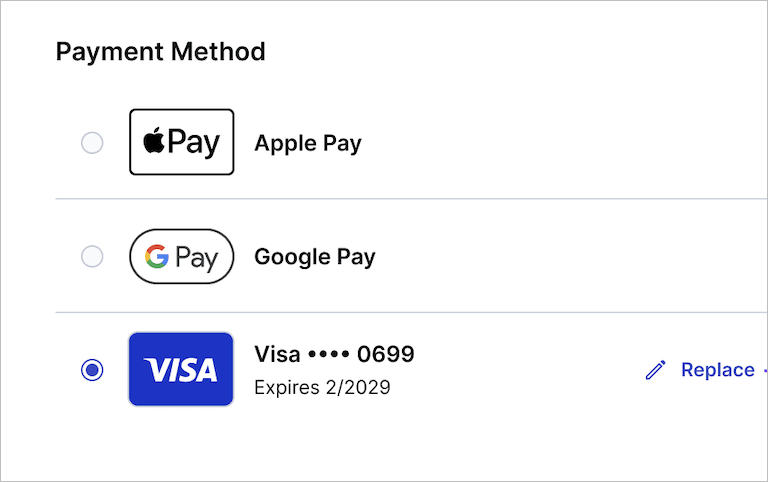
Apple Pay and Google Pay now accepted for plan upgrades
You can now use Apple Pay or Google Pay when upgrading your Cloudinary plan. Both are available in the Payment Method section of the self-service upgrade flow alongside existing credit card options.
API Keys section renamed to Account Management Keys
The Account API Keys Console Settings page located under the Account settings section is now called Account Management Keys, a more accurate name for credentials used to manage your Cloudinary account programmatically via the Provisioning API.
(The API Keys page under the Product Envioronment settings section remains unchanged.)

Restore your own canceled or disabled accounts within 30 days
If your account has been canceled, or was disabled due to outstanding payments or other reasons, you can now restore it yourself within the new 30-day recovery window before it’s permanently deleted. (Requires that you have an admin role for the account.)
During this period, all product environments, assets, metadata, and settings remain recoverable. After 30 days, the account and all associated data are permanently removed.
To restore your account, sign in using the login associated with the canceled or disabled account and follow the prompts to reactivate it, including upgrading your plan if required.
Docs and demo apps
Get the Agent Skills install command from any doc page
The Agent Skills button in the toolbar on every doc page, just below the page title, gives you the npx install command for the Cloudinary Skills pack, the fastest way to wire up an AI agent to follow Cloudinary best practices, suggest the right features for a use case, and reduce implementation errors. Worth grabbing it right now if you haven't tried the Cloudinary Skills yet.

New billing and plans documentation
New documentation covers everything you need to understand and manage account billing: plan types, how self-serve credits and Enterprise units are measured and calculated, add-ons, payment methods, usage monitoring, and managing your plan, including upgrading, downgrading, and cancellation. See Billing and plans.
Coming soon
Roles and Permissions
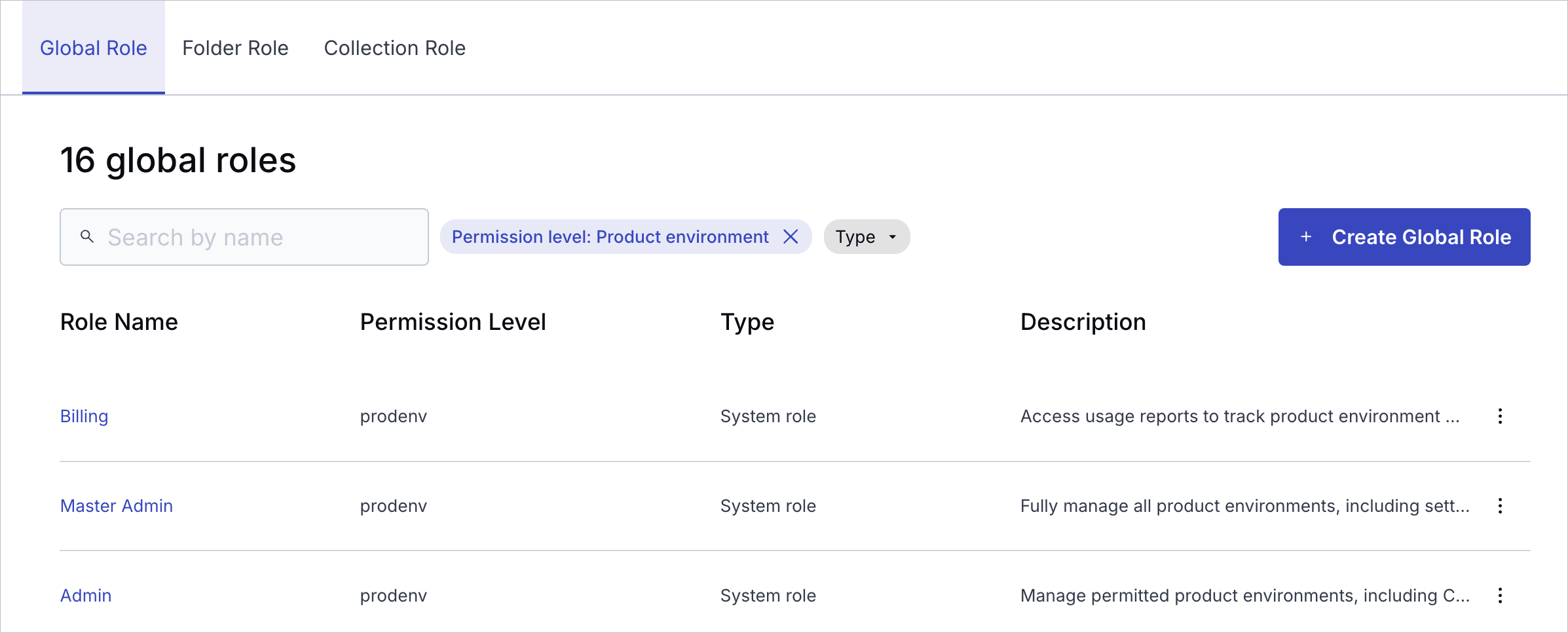
Cloudinary is rolling out a modern, unified Roles and Permissions system, a foundational upgrade to how access is managed across your account. The new model brings structured, granular access control to both the Console and APIs, with a consistent role-based approach designed to scale for teams, automation, and enterprise governance. Enterprise customers can manage roles and permissions via the Permissions API after migration.
What you gain
- Structured access at scale: Assign global, folder, and collection roles where teams actually work, with granular control across all system user types.
- Granular and flexible permissions: Combine predefined system roles with custom roles (Enterprise plans only) to match your organization's exact workflows and access needs.
- Safer service automation: Provision API keys tied to specific roles so services, CI jobs, and integrations only receive the permissions they need.
- Clearer visibility: Understand who has access to what, and manage it consistently in one place.
Rollout status
- Since February 2026, the new system has been rolling out to new free Cloudinary accounts. Check if your account has been migrated.
- Starting May 4, 2026, all new free Cloudinary accounts use the new Roles and Permissions system.
- Migration for existing free and paid accounts starts May 12, 2026.
- Broad Enterprise migration hasn't started yet. If your team hasn't already been moved with Cloudinary's help, you're still on the legacy system.
Register for notifications
Make sure you always know when we publish new release notes with the Image and Video release notes RSS feed:
 Grab this RSS link to watch for new Image and Video release notes in your favorite RSS reader.
Error
Rate this page:
