 Ask AI
Cloudinary Image & Video Release Notes: February 28, 2026
Last updated: Feb-28-2026
This page lists features and updates shipped in the weeks before the date shown above. The information is accurate as of that date only and intentionally isn't updated when those features change later.
Don't rely on this page to understand how a feature works today. Apart from historical release notes pages, every page in this docs site is kept current, so wherever this page and the current documentation disagree, the current documentation is correct. You can follow the relevant Learn more link from this page to get the latest information on that feature.
Cloudinary Video
Opt-in to the new Video Studio Settings
As mentioned in our previous release notes, the Video Player Studio now provides a visual interface for configuring video player settings in the Cloudinary Console. Configure appearance, player controls, optimization, chapters, transcripts, custom poster, and more. You can save these settings with your video assets, generate embed code, or save configurations as reusable player profiles.
Asset-saved settings allow the Video Player to automatically retrieve and apply your configured settings without additional code. You can still use profiles to apply consistent settings across multiple videos, and override saved settings at the instance level.

All accounts on a Free plan already have access to the new Video Studio Settings.
If you're on a paid or Enterprise plan, we invite you to opt-in to this new experience by clicking the Opt-in button in the Video Player Studio.
New Player Profiles API
You can now programmatically create, retrieve, update, and manage player profiles and per-video player configurations using the Player Profiles API. This complements the existing Video Player Studio Profiles page in the Console.
Example: Create a player profile
Example response:
Original language hint for transcription
You can now specify the original language of a video's audio when requesting automatic transcription. This helps produce more accurate transcripts when the automatic language detection doesn't correctly identify the spoken language, for example when a speaker isn't speaking in their native language.
Closed captions for live streaming
Live streaming now supports embedded closed captions, enabling real-time accessibility for your live video content. You can configure up to 4 caption channels per stream with different languages when creating or updating a live stream via the API. Captions are sent via the RTMP input using streaming software such as OBS with a closed captions plugin, and are delivered through the HLS output for viewers to select in compatible video players.
Example: Create a live stream with captions
Video Player Google Analytics upgrade to GA4 (breaking change)
The Cloudinary Video Player now uses Google Analytics 4 (GA4) instead of Universal Analytics (GA3) for tracking video player events.
analytics parameter to send data to Google Analytics. If you're using the Video Player's analytics integration, ensure your Google Analytics account is configured for GA4 and update any custom implementations that depend on the previous GA3 event format.Asset and account management
Analyze API: Structured output with JSON Schema
The AI Vision ai_vision_general endpoint now supports structured output using JSON Schema definitions embedded in your prompts. This feature guarantees that responses conform to your specified JSON structure, making it easier to parse and integrate AI-generated insights into your applications.
Include a markdown-delimited JSON Schema in your prompt to receive responses as valid JSON. The structured output is powered by the underlying LLM's built-in support for JSON Schema, ensuring reliable formatting for use cases like automatic tagging, metadata generation, content classification, and more.
Example request:
Example response:
Webhook notifications for related assets
You can now receive webhook notifications when asset relationships are added or removed. The new related_assets event type triggers notifications for both add_related_assets and delete_related_assets operations, allowing you to track and respond to changes in asset relationships in real-time.
The notification payload includes:
- The asset ID of the asset you're adding relationships to
- Success and failure counts for the operation
- Notification context with timestamp and triggering source information
You can configure these notifications via the Webhook Notifications page in the Console or programmatically using the triggers method of the Admin API.
Example notification for adding related assets:
API key authentication for remote MCP servers
Remote MCP servers now support API key authentication via headers as an alternative to OAuth. This provides more flexibility for scenarios where OAuth isn't suitable or when you prefer direct credential management.
You can authenticate using:
- A single
CLOUDINARY_URLheader with your complete Cloudinary URL - Individual headers for cloud name, API key, and API secret
- Custom configuration with optional headers for region and tool selection
Transformation tools in Asset Management MCP server
The Asset Management MCP server now includes dedicated transformation tools that help LLMs generate accurate transformation URLs and create derived assets. These tools automatically leverage the Cloudinary transformation rules file to ensure syntactically correct transformations and reduce hallucinations when generating transformation code.
The new transformation tools include:
- get-tx-reference: Returns the transformation rules markdown file for context
- transform-asset: Generates derived assets using explicit eager transformations
These tools make it easier for AI agents to apply complex transformations without requiring deep knowledge of Cloudinary's transformation syntax.
Docs and demo apps
React Starter Kit
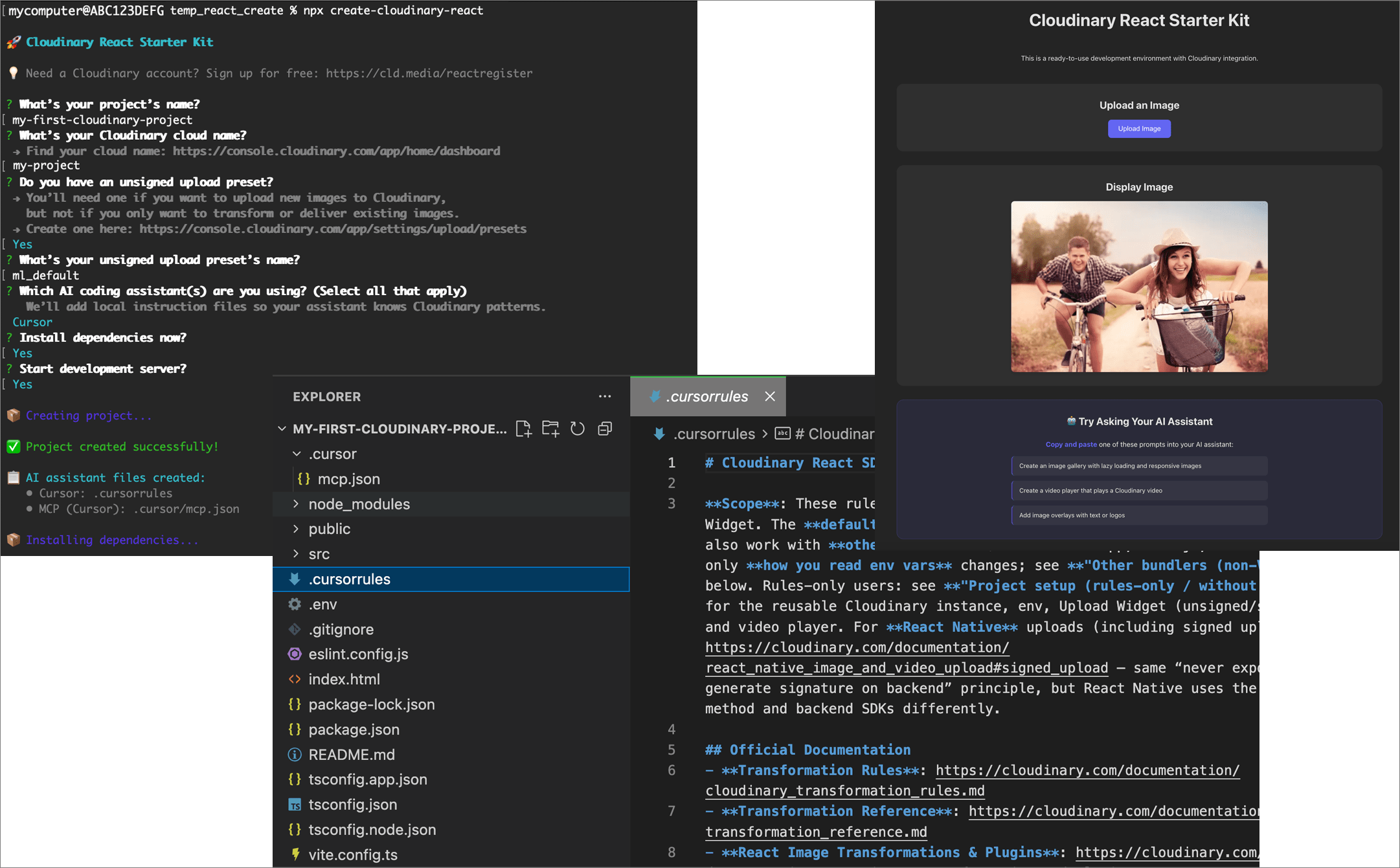
Get started with React and Cloudinary faster than ever with the new React Starter Kit. This ready-to-use, fully functional React app comes with Cloudinary upload and delivery features out of the box, plus agentic tools to help you implement features using natural language in your IDE while following Cloudinary React SDK best practices.
Install it with a single command:
This CLI guides you through setup, configuring your Cloudinary credentials, and optionally installing AI assistant configuration files for tools like Cursor, GitHub Copilot, and Claude. Use it as an AI-assisted playground to explore the React SDK, widgets, and players, or as a starting point for your next project. If you're not sure where to begin, the copyable prompts in your generated 'app' are a great place to start.
New interactive Clara Mystery games
We've added two new interactive Clara Mystery games to help you learn about Cloudinary features in a fun, hands-on way:
- Clara Mystery - Upload: Learn about image upload best practices by solving challenges and puzzles.
- Clara Mystery - Analyze: Explore Cloudinary's AI-powered image analysis capabilities through interactive scenarios.
Each game features progressive challenges that teach you key concepts while you play. Try them out and test your Cloudinary skills!

X-Cld-Error inspector tool
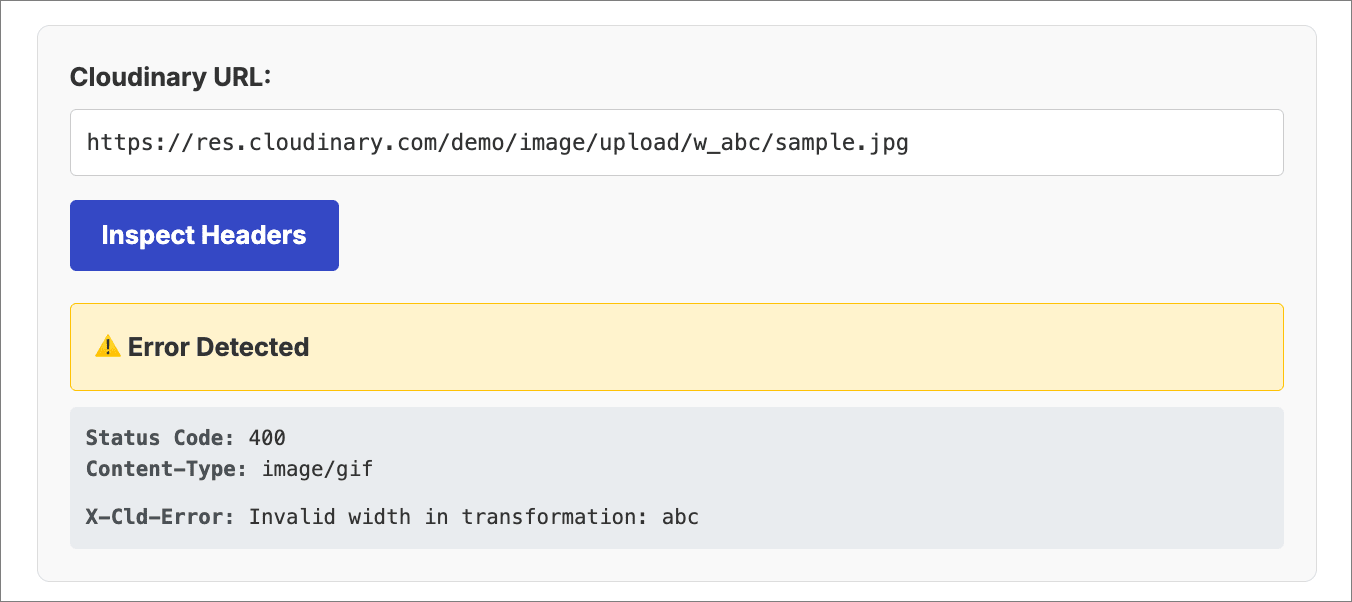
A new interactive tool is now available in the documentation to help you debug delivery URL errors. The X-Cld-Error inspector tool allows you to enter any Cloudinary URL and instantly see the X-Cld-Error header response, making it easier to diagnose and resolve delivery issues.
Simply paste your Cloudinary URL into the tool, and it will fetch and display any error information returned by the server, helping you quickly identify problems with transformations, missing assets, authentication issues, and more.
Try the X-Cld-Error inspector tool
Coming soon
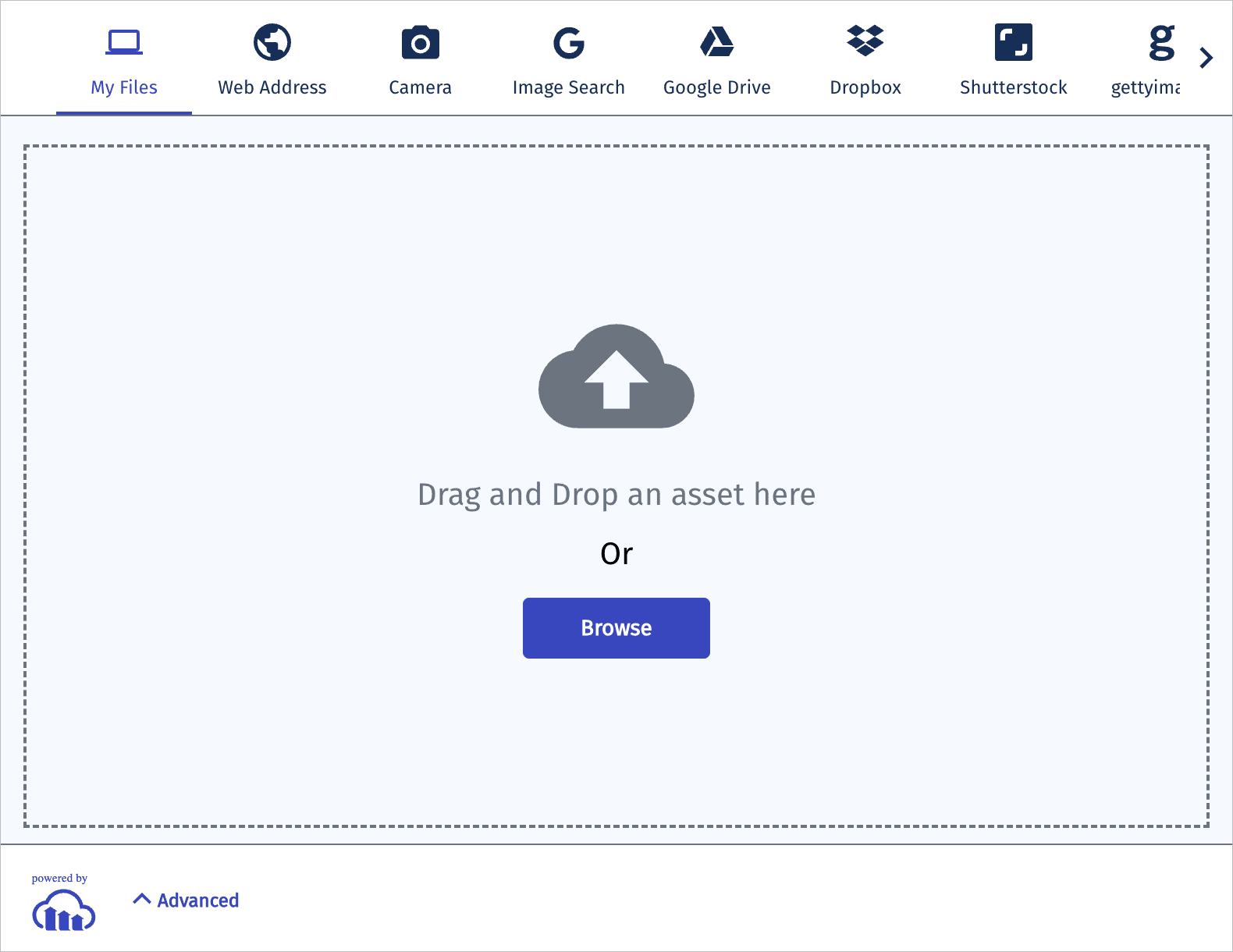
Upload Widget: Accessible theme as default
The Upload Widget is fully accessible according to The Web Content Accessibility Guidelines (WCAG) 2.1 AA. However, until now, in order to provide accessible color and contrast, you had to manually specify the Accessible theme. This theme will soon become the default.
Announcements
Cloudinary Moderation soon to be available in GA
Cloudinary's newest product, Cloudinary Moderation will move to General Availability (GA) on March 24, 2026. This AI-powered product validates assets for brand consistency, quality, and compliance, functioning like a dedicated brand reviewer to ensure every asset meets your standards before it goes live.
Cloudinary Moderation automatically checks visuals against your brand guidelines across:
- Quality and composition: Blurry or low-res images, bad crops, duplicates, off-angle shots
- Tone and style: Harsh filters, incorrect lighting
- Brand consistency: Unauthorized logos or watermarks, off-brand elements, wrong backgrounds
- Legal and safety: Stock misuse, sensitive content, identifiable people where not allowed
Once in GA, Cloudinary Moderation will be fully supported for production use cases including UGC activation for marketing, marketplace cohesion, and compliance workflows.

Error
Rate this page:
