 Ask AI
Advanced conditional transformations
Last updated: Jun-09-2026
To apply a transformation only when a condition is met, you can embed a transformation directly within a condition in your URL or SDK call, using the format if_condition/transformation/if_end.
This page covers advanced techniques: combining multiple conditions with AND/OR logic, and defining fallback transformations using else branches.
For the basics of this syntax and worked examples, see Specifying transformations for a condition. For details on the conditions themselves, see Specifying conditions.
Multiple AND | OR conditions
You can specify multiple conditions to evaluate by joining the conditions with 'AND' or 'OR' conjunction operators.
For example, to crop the image to a width of 300 pixels and a height of 200 pixels, only if the aspect ratio is greater than 3:4, the width is greater than 300, and the height is greater than 200 (if_ar_gt_3:4_and_w_gt_300_and_h_gt_200):

if...if_end chained components in the URL.Else branch transformations
You can specify a transformation that is applied in the case that the initial condition is evaluated as false (and hence the transformations associated with the condition are not applied), by using the if_else parameter to specify this fallback transformation.
For example, images with an original width less than or equal to 400px scale to fill a 240x120px container (if_iw_lte_400/c_fill,h_120,w_240), while images with an original width larger than 400px scale to fill a 240x400px container (if_else/c_fill,h_240,w_400):
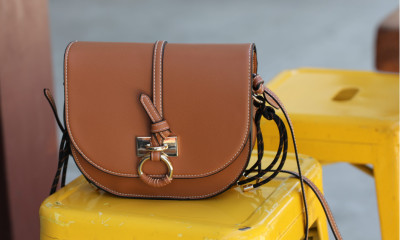
In cases where the if condition is not in the preceding transformation component, then the if_else parameter also acts as an if_end parameter: all chained transformation components until the one with if_else are only applied if the previous condition holds true. Multiple conditional transformations can also be applied by adding an if_end parameter to the last transformation component in the chain, and to avoid ambiguity, the component with the if_else parameter should not have additional transformation instructions.
For example, if the width is less than or equal to 400 pixels then fill the image to 220x180 and add a red effect, else if the width is greater than 400 pixels then fill the image to 190x300 and add an oil painting effect:

Advanced conditional transformation examples
-
Conditional cropping mode based on illustration score: This example ensures that uploaded graphics such as logos are never cut off, even if the art design significantly changes the required aspect ratio of the delivered image. Using the same transformation, photos scale and crop to completely fill the full space available.
Using the
ilsconditional characteristic for both URLs below, Cloudinary resizes thecloudinary_icon_bluelogo to the required portrait size using thepadmethod, and resizes theflower_shopphoto to the same aspect ratio using thefillmethod:


- Specifying conditions: Learn how to define conditions based on image characteristics, operators, and parameters.
- Specifying transformations for a condition: Learn the syntax for applying transformations when a condition is met, including chained transformations and worked examples.
Error
Rate this page:
