 Ask AI
Generative restore
Last updated: Oct-27-2026
Revitalize degraded and poor quality images using generative AI.
When your app accepts user-uploaded or legacy images, source quality is often inconsistent, with compression, noise, or blur. Restoring them automatically on delivery keeps galleries, profiles, and catalogs looking polished, without asking users for better originals.
Explore the complete syntax and all options for this effect, or try it out on your own images in the Console:
- See full syntax: e_gen_restore in the Transformation Reference
- Try it out: Generative restore
Generative restore overview
You can use the gen_restore effect (e_gen_restore in URLs) to improve images that have become degraded through repeated processing and compression, in addition to enhancing old images by improving sharpness and reducing noise.
Particularly useful for user-generated content (UGC), generative restore can:
- Remove severe compression artifacts
- Reduce noise from grainy images
- Sharpen blurred images
Use the slider in this example to see the difference between the original image on the left and the restored image on the right:


Combine with the improve effect
You can use the generative restore effect together with the improve effect for even better results. While generative restore tries to rectify compression artifacts, the improve effect addresses color, contrast, and brightness.

Limitations
- The generative restore effect can only be used on non-transparent images.
- The use of generative AI means that results may not be 100% accurate.
- There is a special transformation count for the generative restore effect.
- The generative restore effect isn't supported for animated images or fetched images.
- When Cloudinary is generating a derived version, you may get a 423 response returned until the version is ready. You can prepare derived versions in advance using an eager transformation.
- When Cloudinary is generating an incoming transformation, you may get a 420 response returned, with status
pendinguntil the asset is ready.
Clara Denari mini-mystery game

🔍 The Case of the Sapphire Earrings
A Clara Denari Mini Mystery

🔍 Evidence
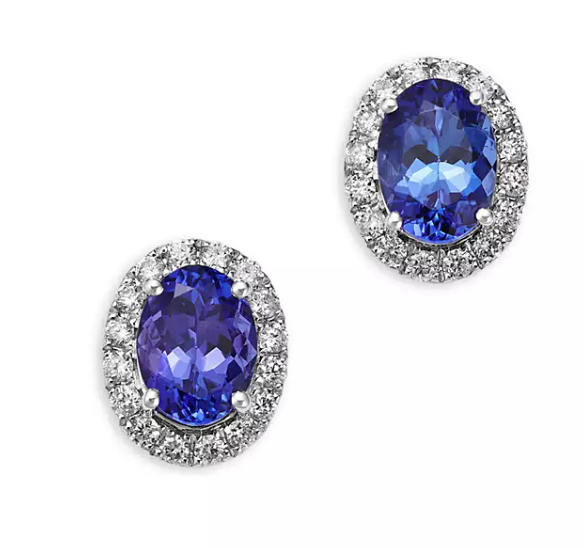
The earrings I found

Mrs. Patterson's blurry photo
📸 Photo to Restore
grandma_photo_1960.png
📋 Upload Response
{
  "asset_id": "1c3547643785ba27005340620d46d6ba",
  "public_id": "earrings_restored",
  "version": 1763564796,
  "width": 1200,
  "height": 1200,
  "format": "jpg",
  "resource_type": "image",
  "created_at": "2025-11-19T15:06:36Z",
  "bytes": 271366,
  "url": "http://res.cloudinary.com/.../earrings_restored.png",
  "secure_url": "https://res.cloudinary.com/demo/image/upload/v1768438613/earrings_restored.png",
  "original_filename": "grandma_photo_1960"
}✨ Restoration Complete!
Drag the slider to see the before and after!


The earrings I found
Note: This mini‑mystery uses a simulated upload. In real apps, authenticate uploads with your Cloudinary API key and secret on a secure server, and never expose those credentials in client‑side code.
📖 Cloudinary Upload Reference
Error
Rate this page:
